
Campaigns
Run a time-limited bonus on top of the standard earn rate, such as double points for Diwali.
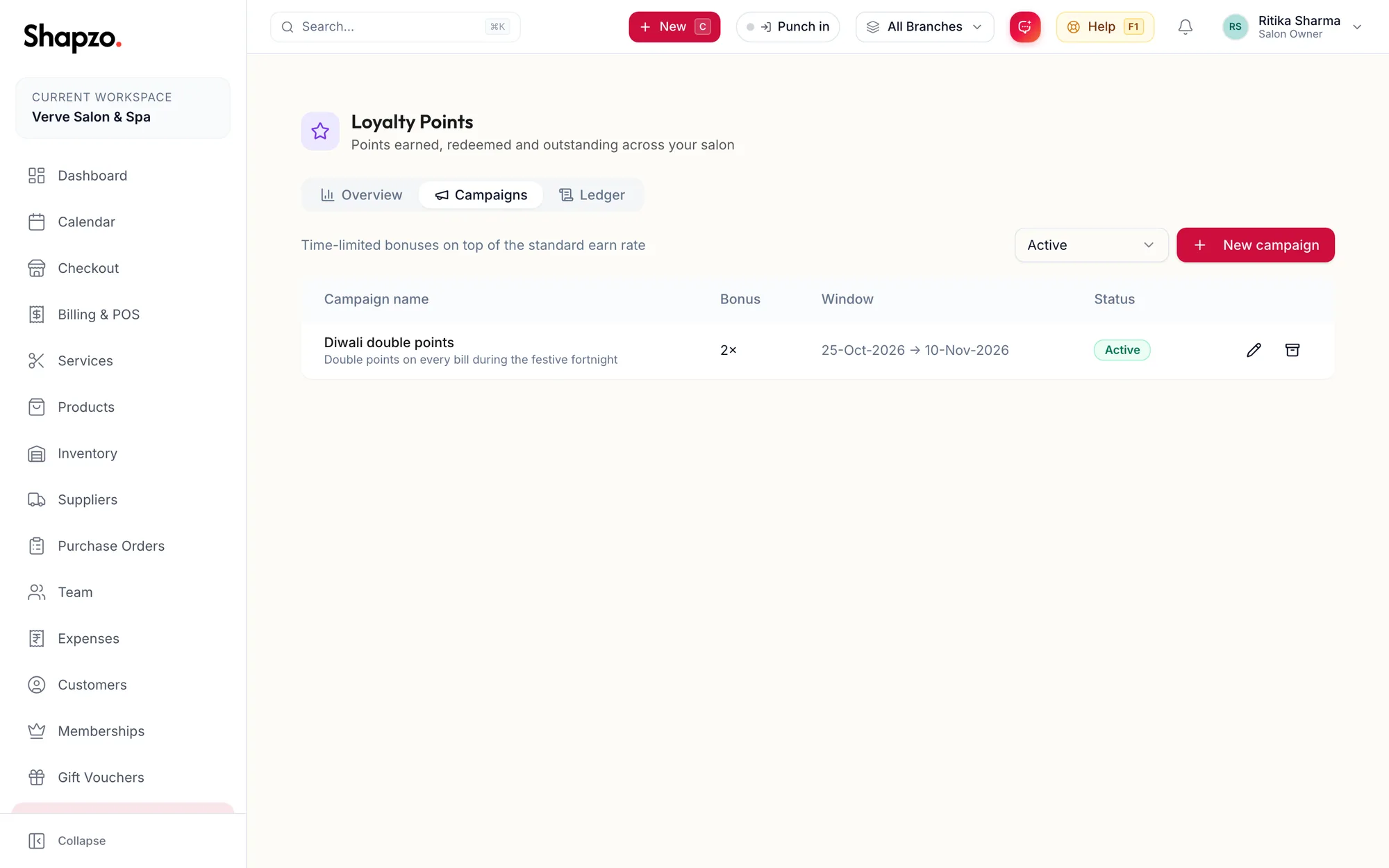
Open Loyalty and the Campaigns tab. The line under the heading reads Time-limited bonuses on top of the standard earn rate. Filter by Active, Archived or All campaigns.
Create a campaign
On the web
-
Click New campaign.
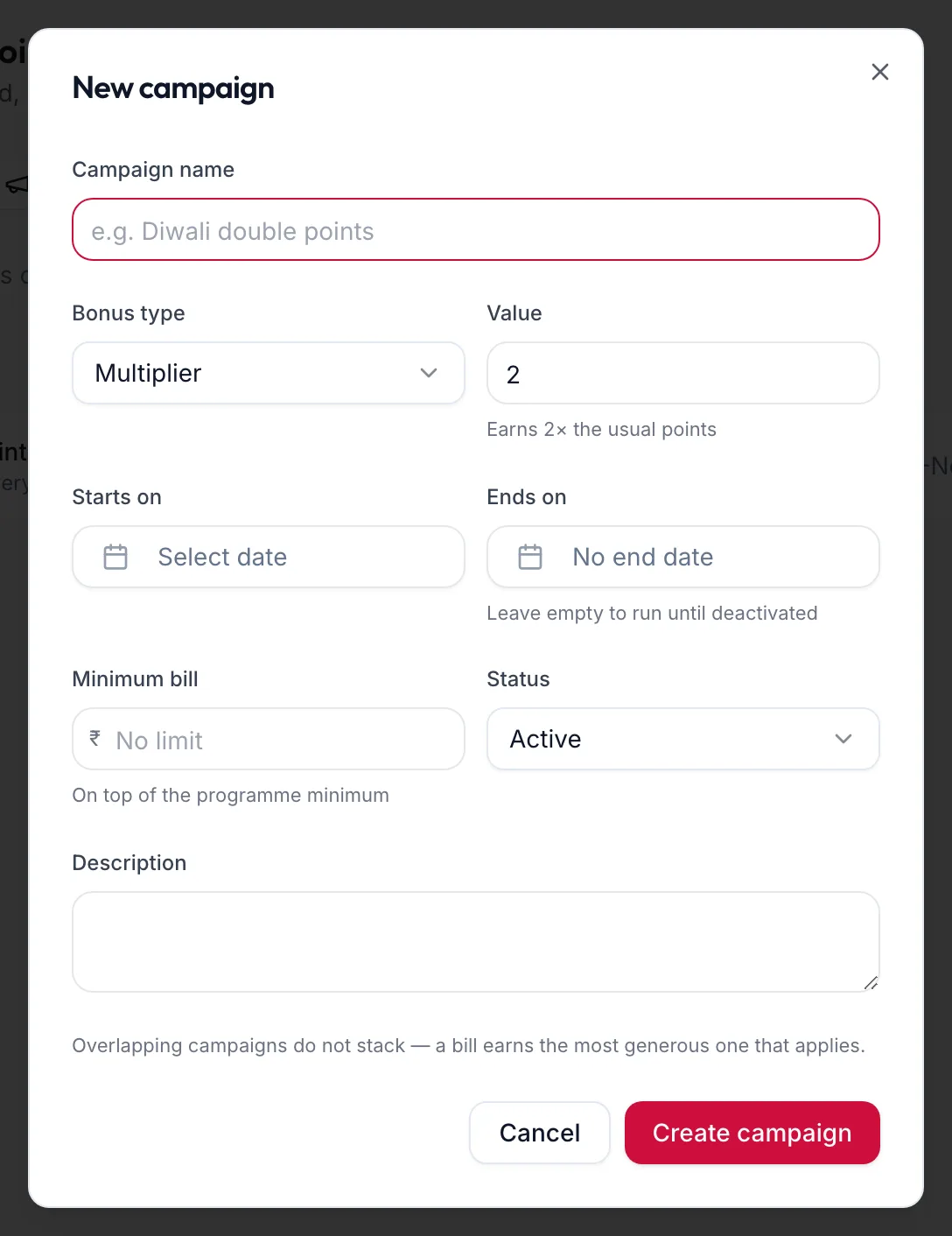
The New campaign dialog -
Enter the Campaign name, for example Diwali double points.
-
Choose the Bonus type: Multiplier (the helper reads Earns {{value}}× the usual points), Extra percent, or Flat bonus per bill. Enter the Value.
-
Set Starts on and, optionally, Ends on; leave it empty to run until deactivated.
-
Set the Status and save.
Edit with Edit campaign; retire with Archive, which asks Archive this campaign? and notes that points already awarded are unaffected.
In the app
-
Tap More, then Loyalty, then the Campaigns tab and the + button.
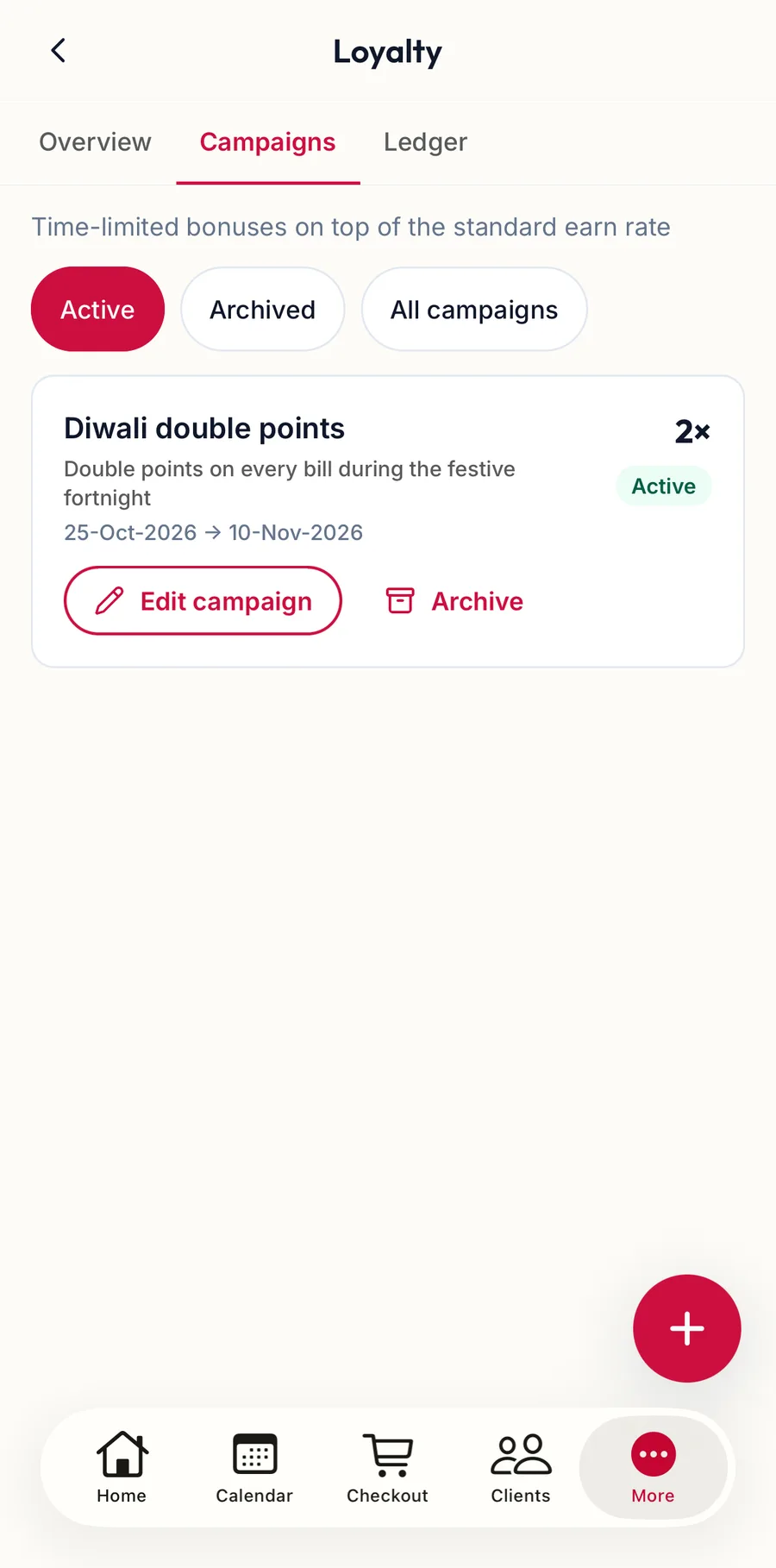
The Campaigns tab in the app -
Enter the Campaign name, choose the Bonus type and Value, set Starts on and optionally Ends on under Window, and a Minimum bill if you want one.
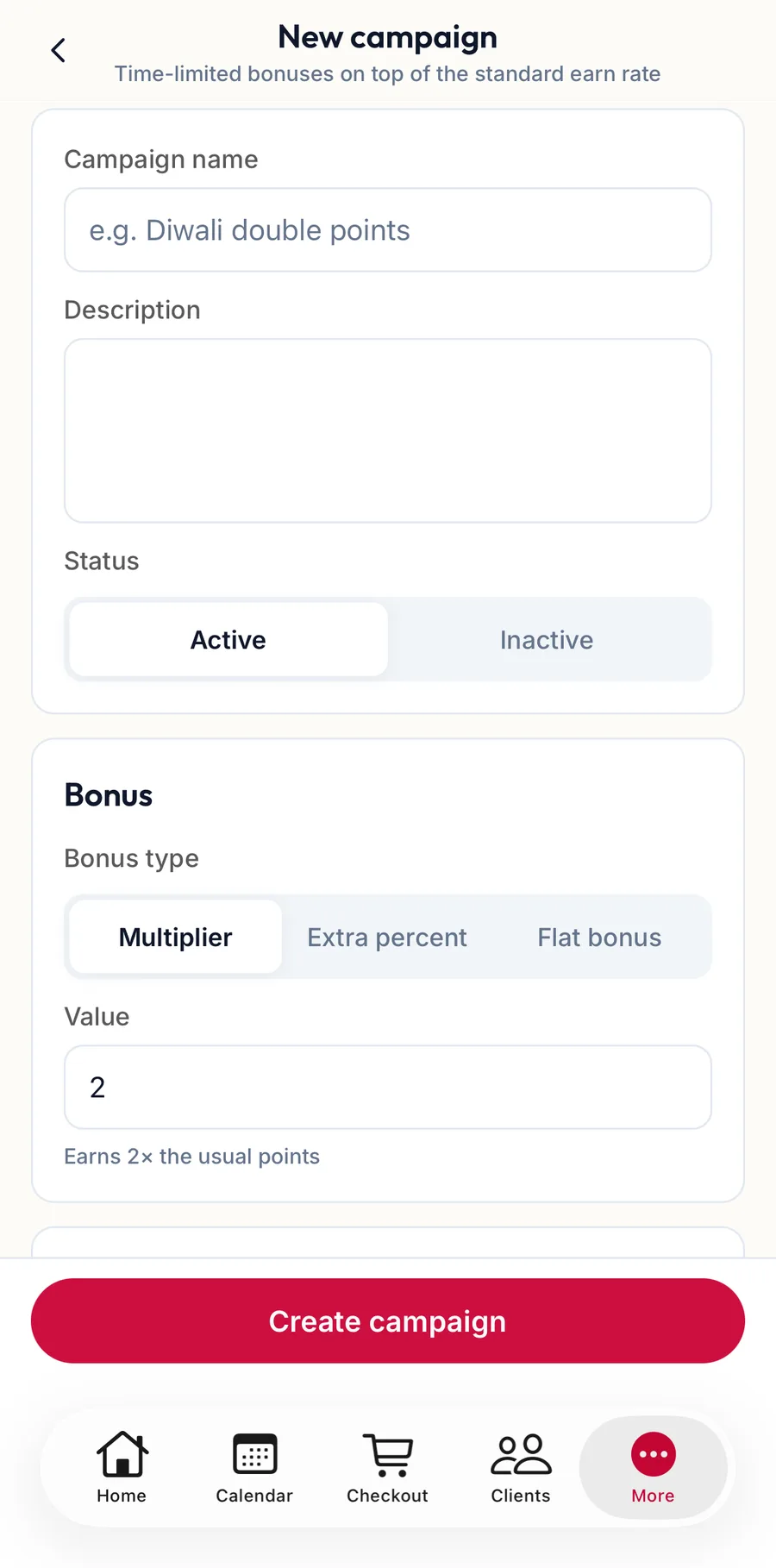
The New campaign form in the app -
Set the Status and tap Create campaign.
Tap a campaign for Edit campaign and Archive.
Related articles
- Set up the loyalty programme · Loyalty
- The points ledger · Loyalty