
Set up the loyalty programme
Switch points on, decide how many are earned per rupee, what they are worth, the limits on redeeming, and when they expire.
Steps
On the web
-
Open Settings and Loyalty Points.
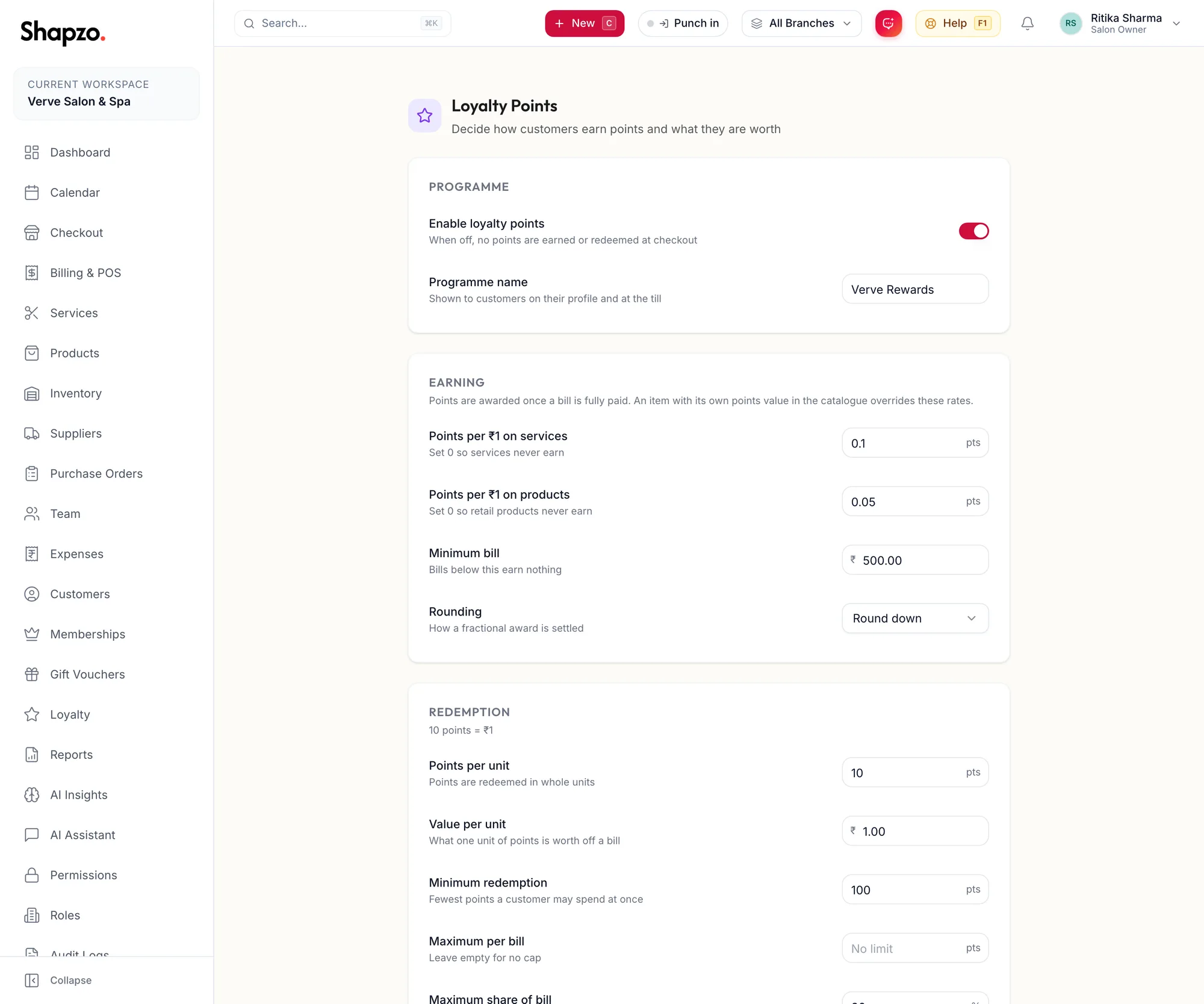
The Loyalty Points settings page -
Under Programme, switch on Enable loyalty points and give it a Programme name, which is shown to customers on their profile and at the till.
-
Under Earning, set Points per ₹1 on services and Points per ₹1 on products, the Minimum bill that earns, and the Rounding. Points are awarded once a bill is fully paid. A service or product with its own points value in the catalogue overrides these rates.
-
Under Redemption, set Points per unit and Value per unit (the page shows the result as {{points}} points = {{value}}), the Minimum redemption, the Maximum per bill and the Maximum share of bill.
-
Under Expiry, set Points valid for, or leave it empty so points never expire. Each batch of points expires on its own date, oldest spent first.
-
Add Terms & conditions and click Save loyalty settings. The toast reads Loyalty settings saved.
In the app
-
Tap More, then Settings, then Loyalty Points.
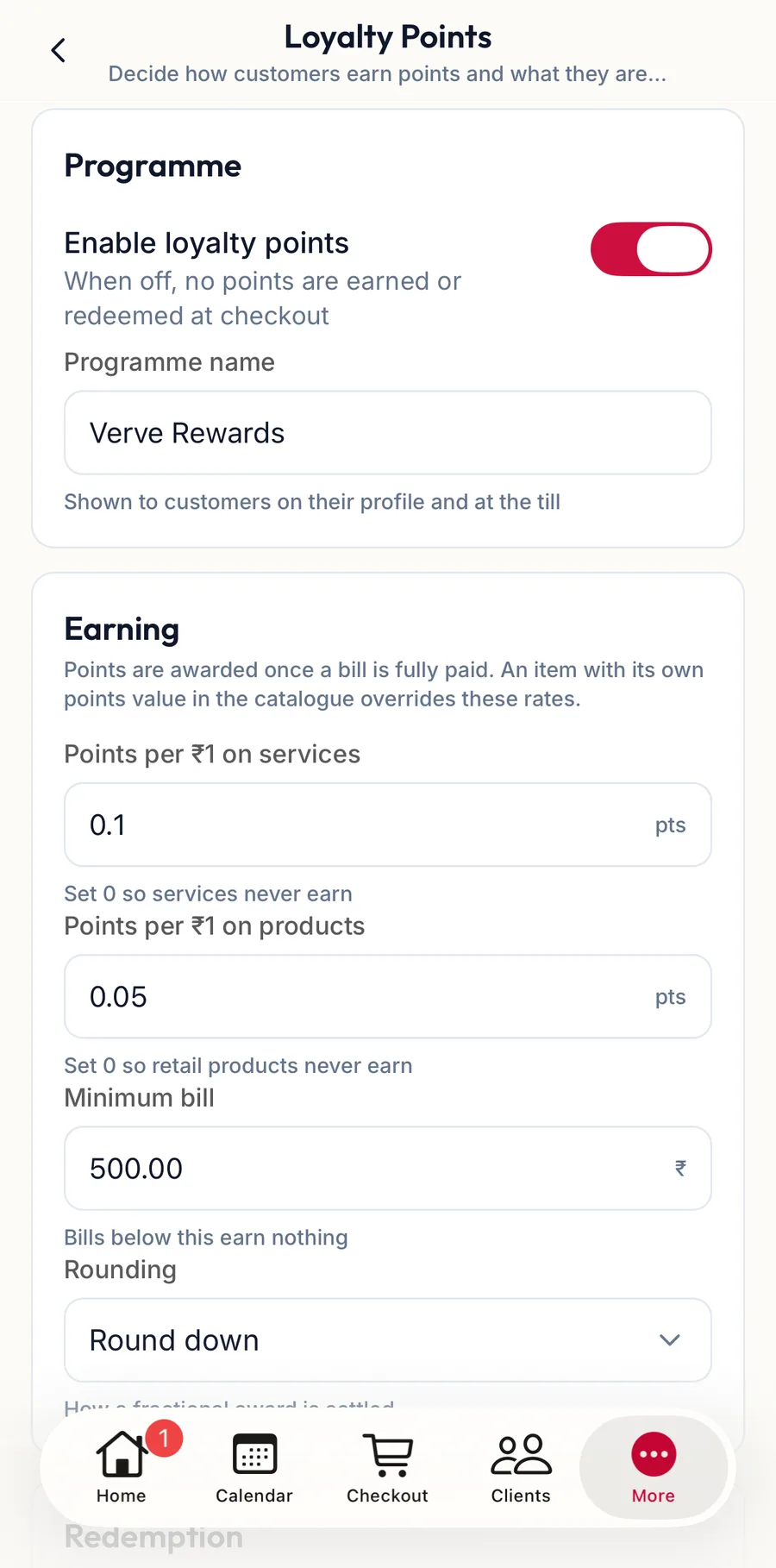
Loyalty Points settings in the app -
Under Programme, switch on Enable loyalty points and set the Programme name.
-
Under Earning, Redemption and Expiry, set the same rules as on the web.
-
Add Terms & conditions and tap Save loyalty settings.
Worked example
Two points per rupee on services, 100 points worth ₹10, minimum redemption 500 points, maximum share of bill 20%: a ₹3,000 facial earns 6,000 points; a customer with 6,000 points can take ₹600 off a bill, but no more than a fifth of that bill.
Related articles
- Campaigns · Loyalty
- Redeem a gift card and loyalty points · Checkout
- The points ledger · Loyalty