
The points ledger
Every points movement across the business, the programme's totals and liability, and the top earners.
Overview
On the web
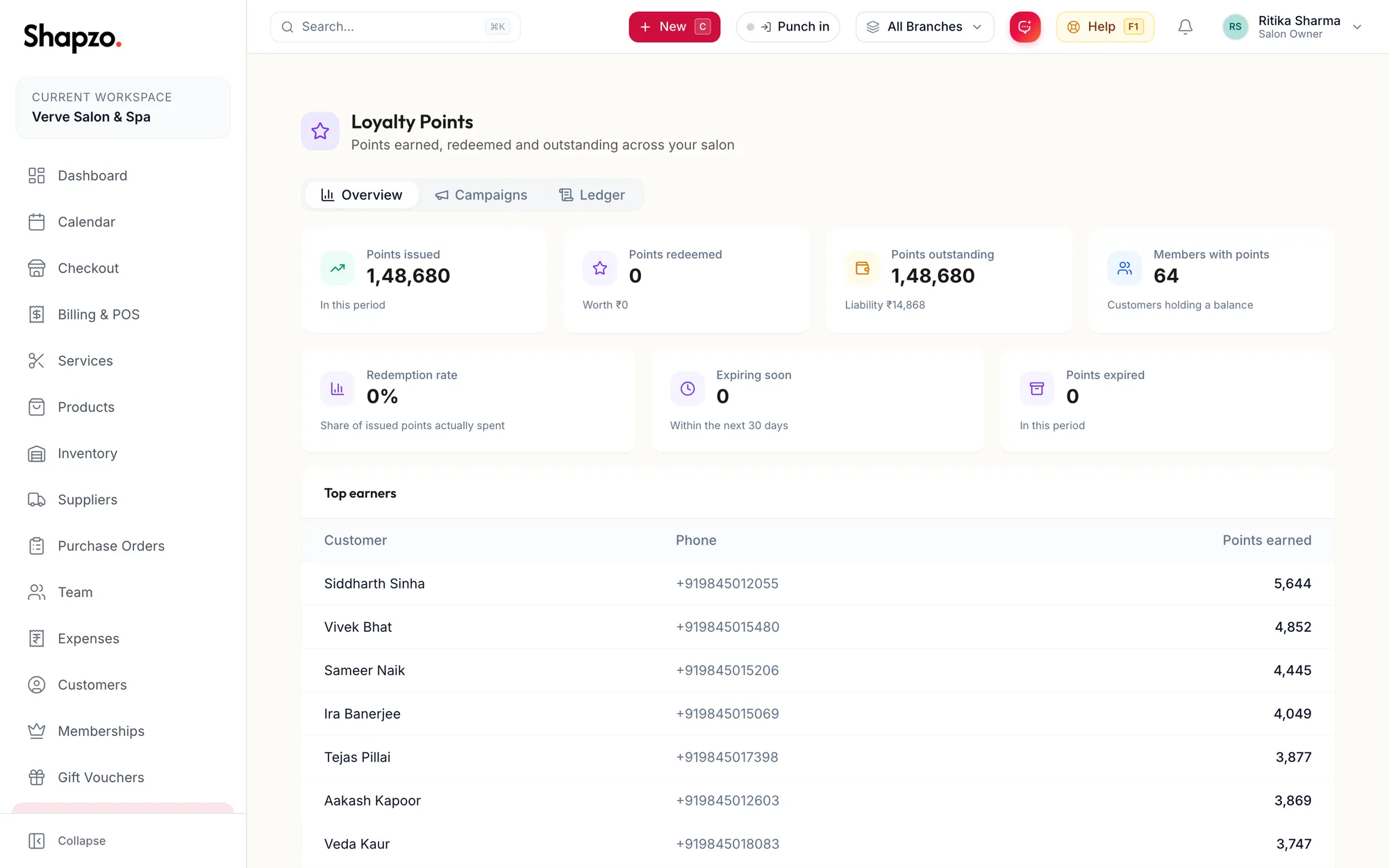
Open Loyalty. The Overview tiles show Points issued, Points redeemed (with what they were Worth), Points outstanding (with the Liability in rupees), Members with points, Redemption rate, Expiring soon (Within the next 30 days) and Points expired. Top earners lists the customers with the most points earned.
In the app
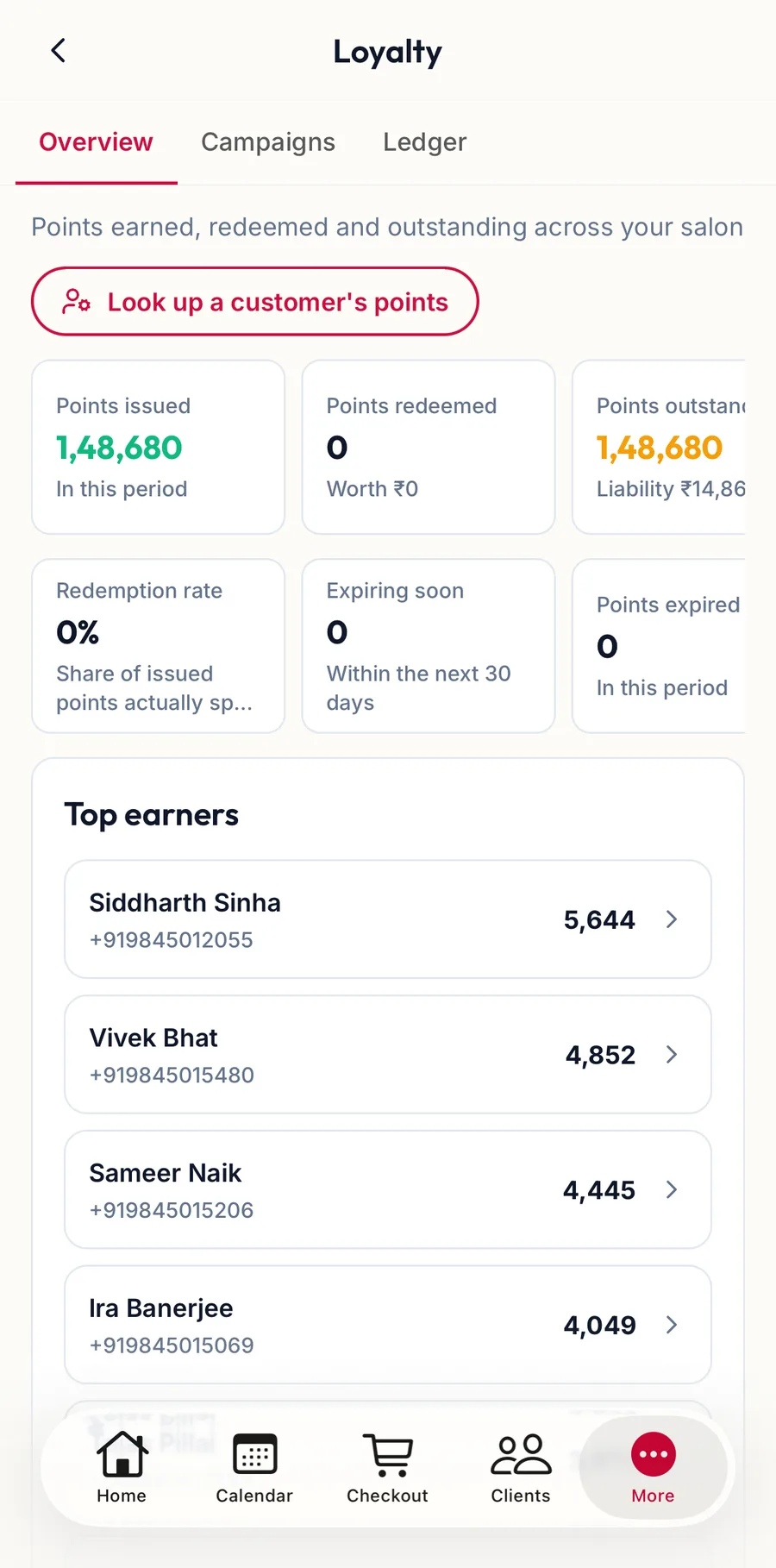
Tap More, then Loyalty. The Overview tab shows the same tiles and the Top earners.
Ledger
On the web
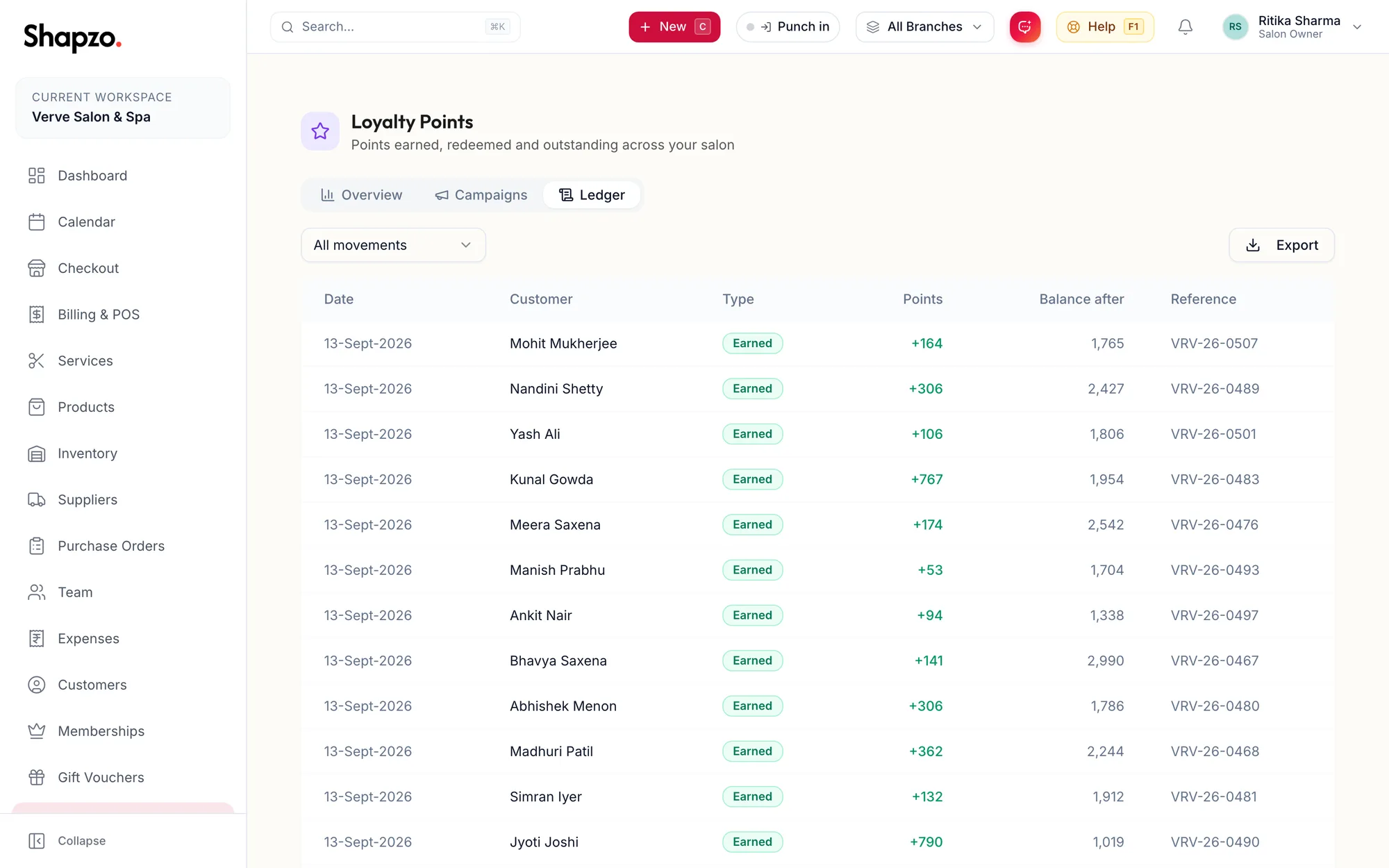
The Ledger tab lists every movement with Date, Customer, Type, Points, Balance after and Reference (the invoice or the adjustment). Filter by Earned, Redeemed, Expired, Adjusted or Reversed; a refund shows as Reversed. Export downloads it.
A single customer's movements are on their profile under Loyalty, with the Expiry schedule of each batch.
In the app
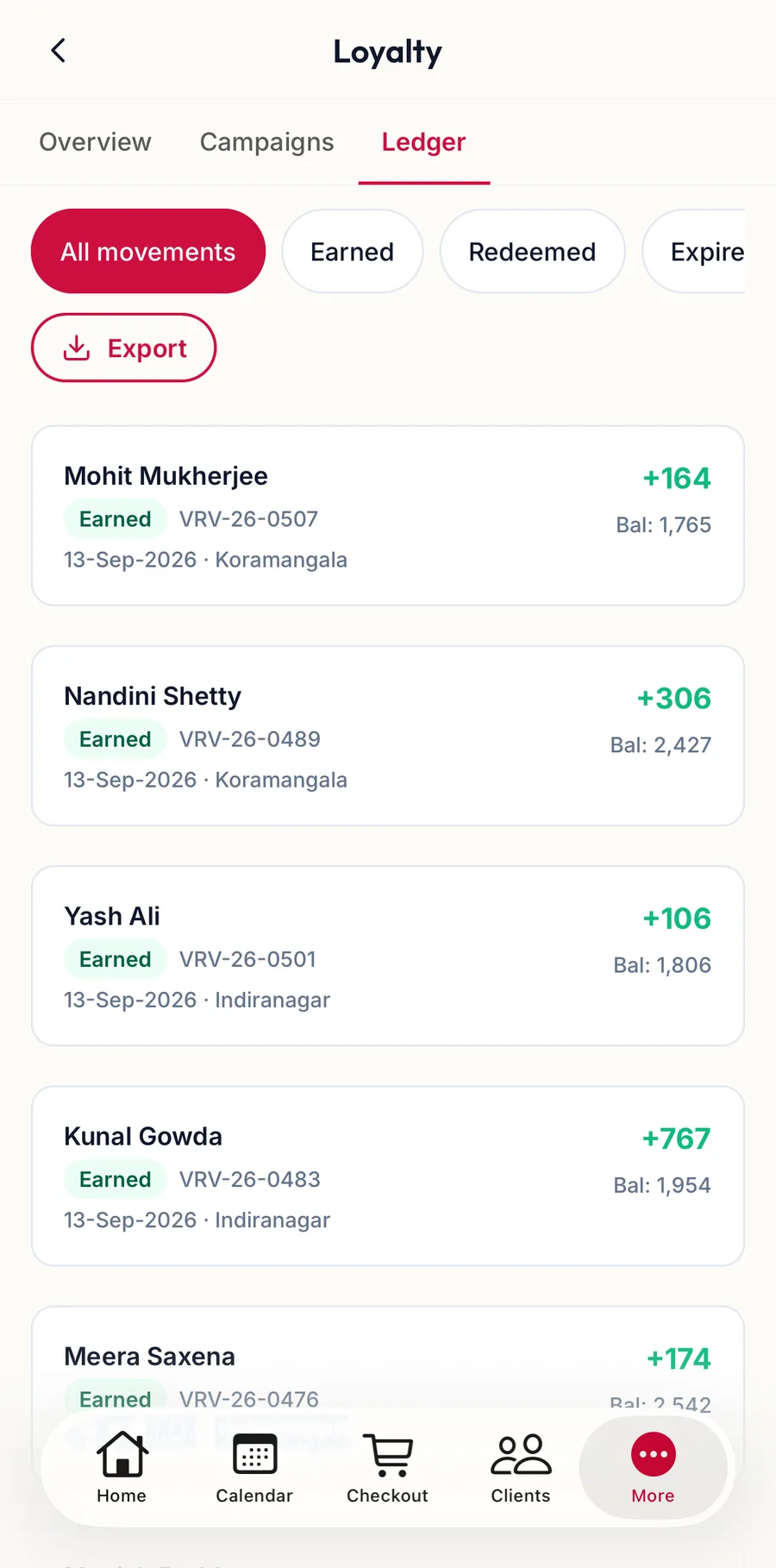
The Ledger tab lists every movement with the balance after it; the chips at the top filter by type, and Export hands the CSV to any app on the phone.
Related articles
- Set up the loyalty programme · Loyalty
- Adjust a customer's points · Loyalty