
Voucher reports
Face value issued, redeemed, still owed and expired unused, with the templates that sell best.
Read the voucher reports
On the web
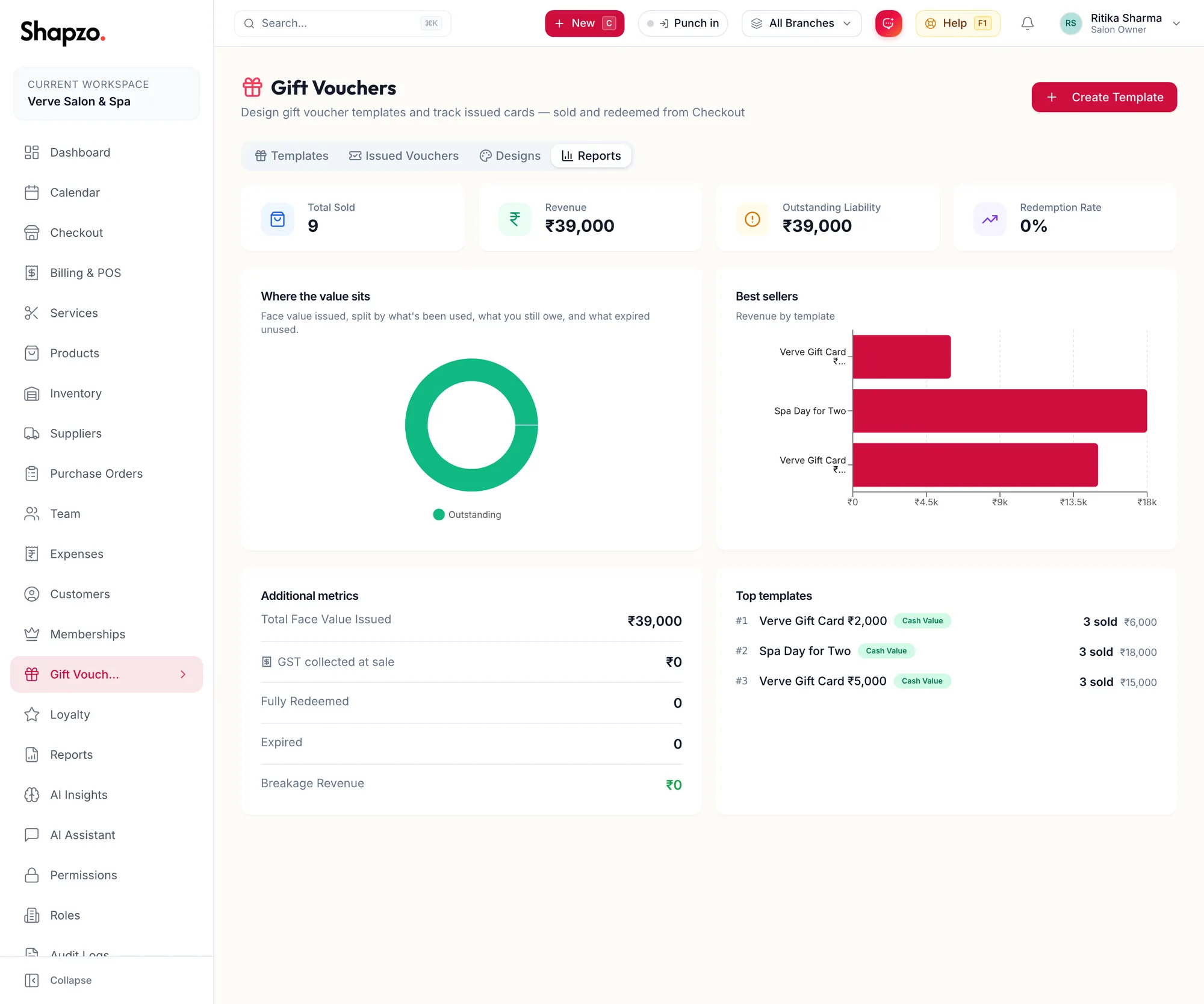
Open Gift Vouchers and the Reports tab.
| Tile | Meaning |
|---|---|
| Total Face Value Issued | Everything sold, at face value |
| Total Redeemed | Spent on services and products |
| Outstanding Liability | Still on cards and owed to customers |
| Breakage Revenue | Expired unused, which becomes yours |
| Redemption Rate | Redeemed as a share of issued |
The bar reads Face value issued, split by what's been used, what you still owe, and what expired unused. Below it, Revenue by template, Top templates and Best sellers.
The report library adds the Gift Card Sales and Liability Summary reports with date ranges and export; see The report library.
In the app
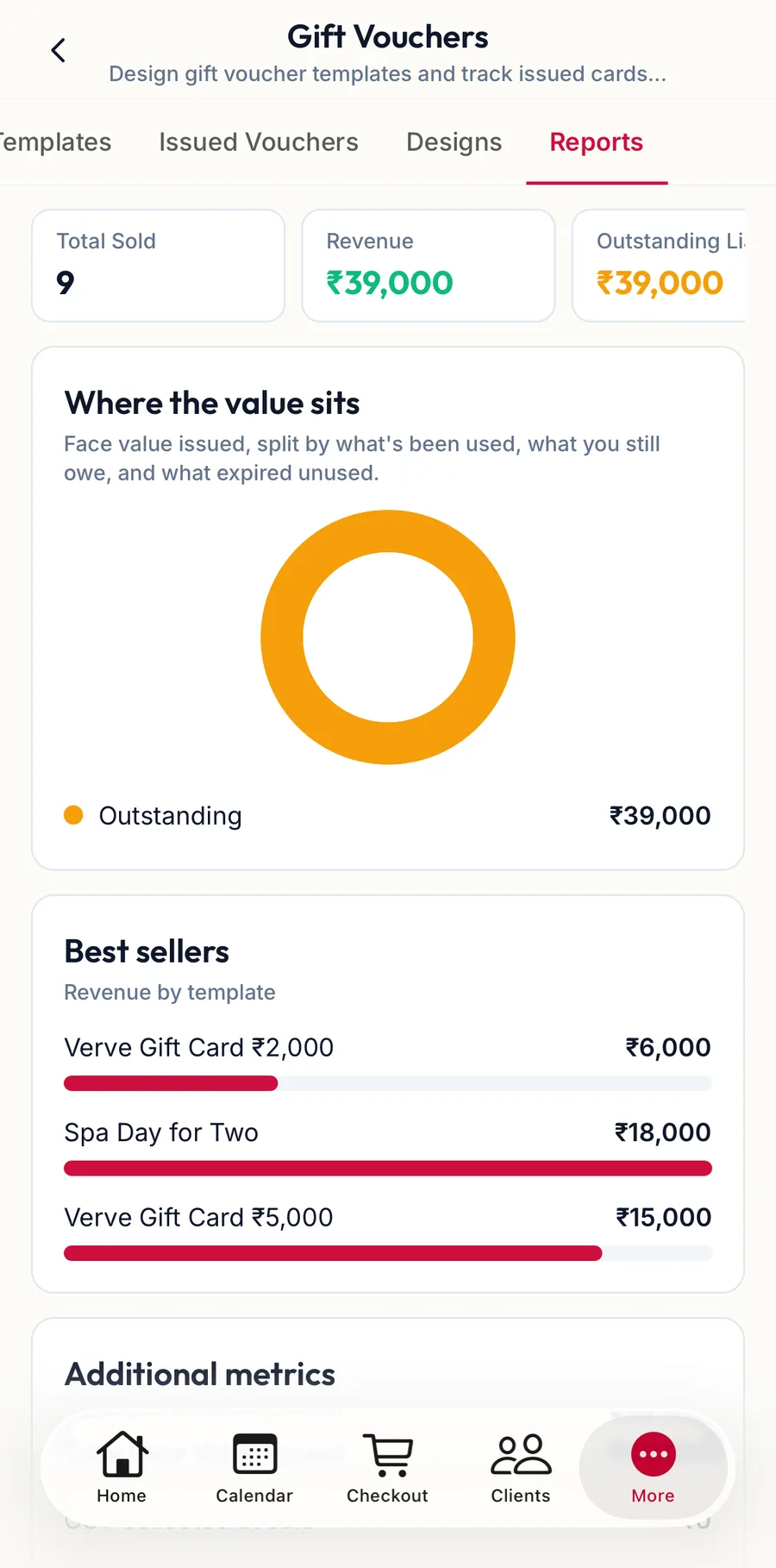
Tap More, then Gift Vouchers, then the Reports tab for the same tiles, Revenue by template and Best sellers.
Related articles
- Issued vouchers: top up, extend, cancel, print · Gift vouchers
- The report library and Recommended for you · Reports & AI