
Create a plan
Set up a membership plan with its type, price, benefit, validity and rules for freezing, transfer and renewal.
Steps
On the web
-
Open Memberships and click Create Plan. From anywhere, the New menu offers Membership plan.
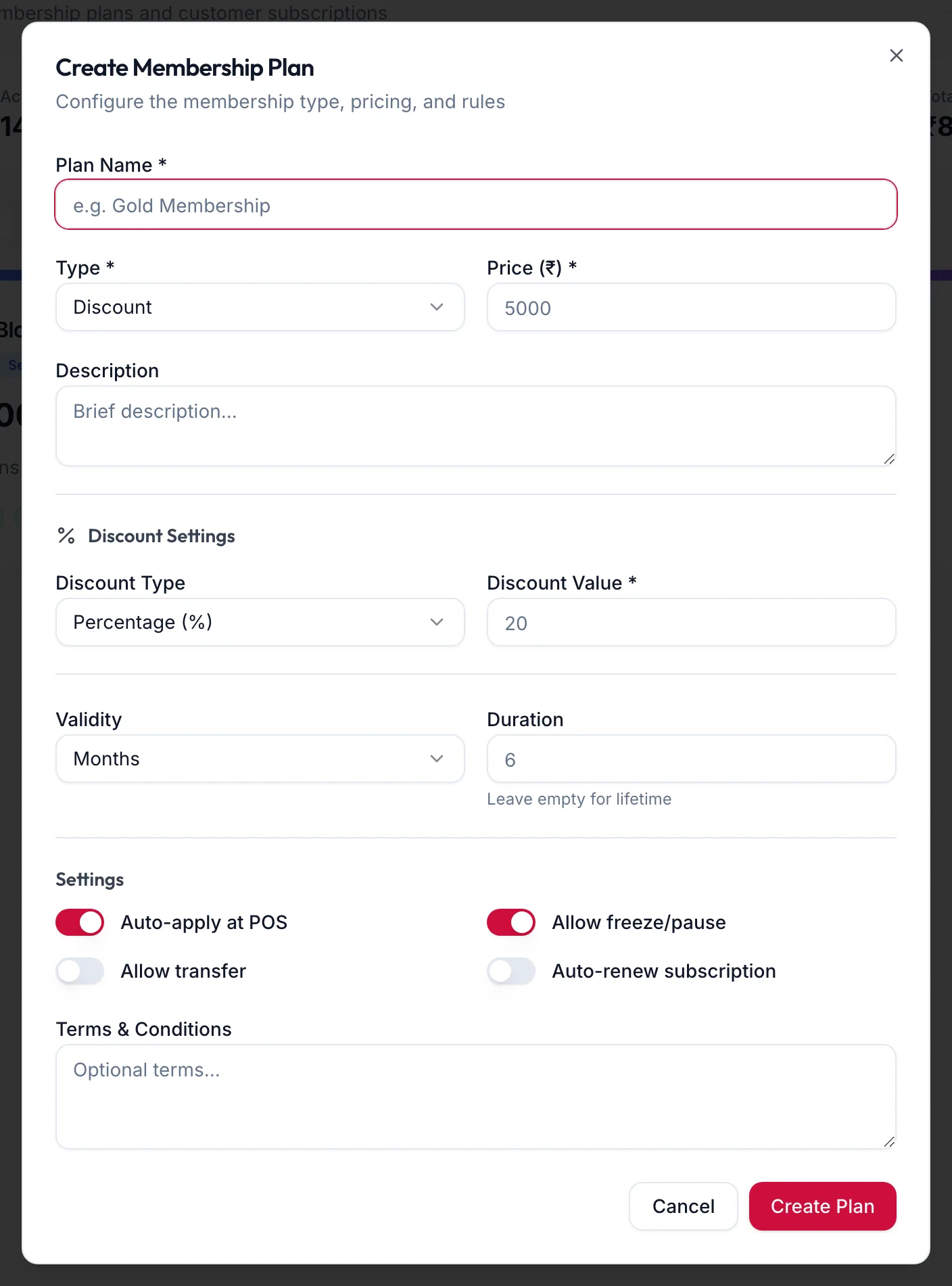
The Create Membership Plan dialog -
Enter the Plan Name, choose the Type and set the Price (₹). Add a Description the front desk can read out.
-
Fill in the section for the type:
- Discount Settings: the Discount Type (Percentage (%) or Flat Amount (₹)) and Discount Value.
- Prepaid Settings: the Credit Amount (₹) loaded (leave empty for the same as the price), a Top-Up Bonus %, and Allow top-ups on this plan.
- Session Settings: the Total Sessions.
-
Under Validity, set the Duration in days, months or years, or leave it empty for lifetime.
-
Under Settings, decide: Auto-apply at POS, Allow freeze/pause, Allow transfer (needed for family sharing), and Auto-renew subscription with its Renewal Cycle and Renewal Price (₹).
-
Add Terms & Conditions and click Create Plan. The toast reads Plan created.
In the app
-
Tap More, then Memberships. On the Plans tab, tap the + button.
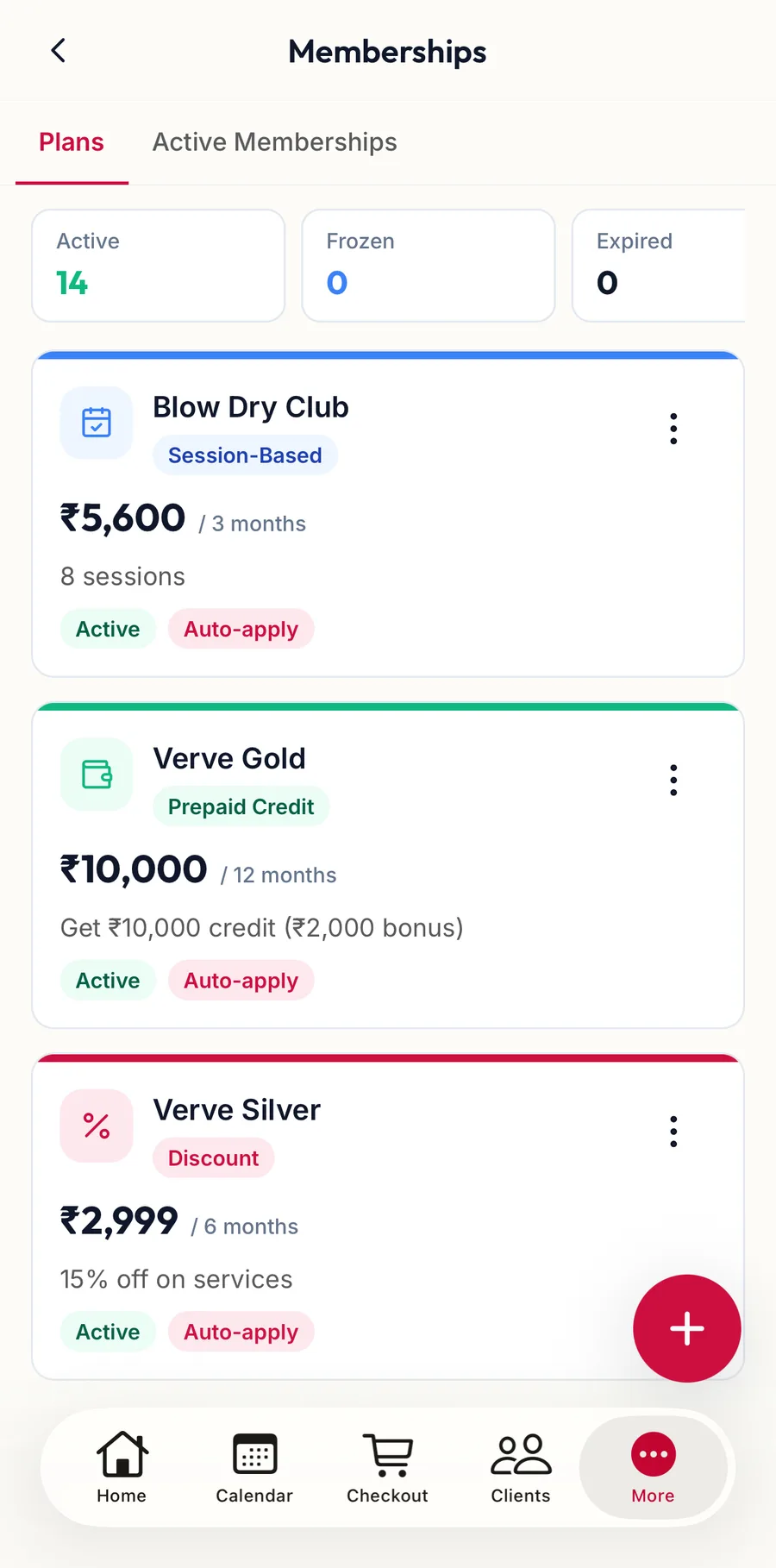
The Plans tab in the app -
Under Plan details, enter the Plan Name, choose the Type, set the Price (₹) and add a Description.
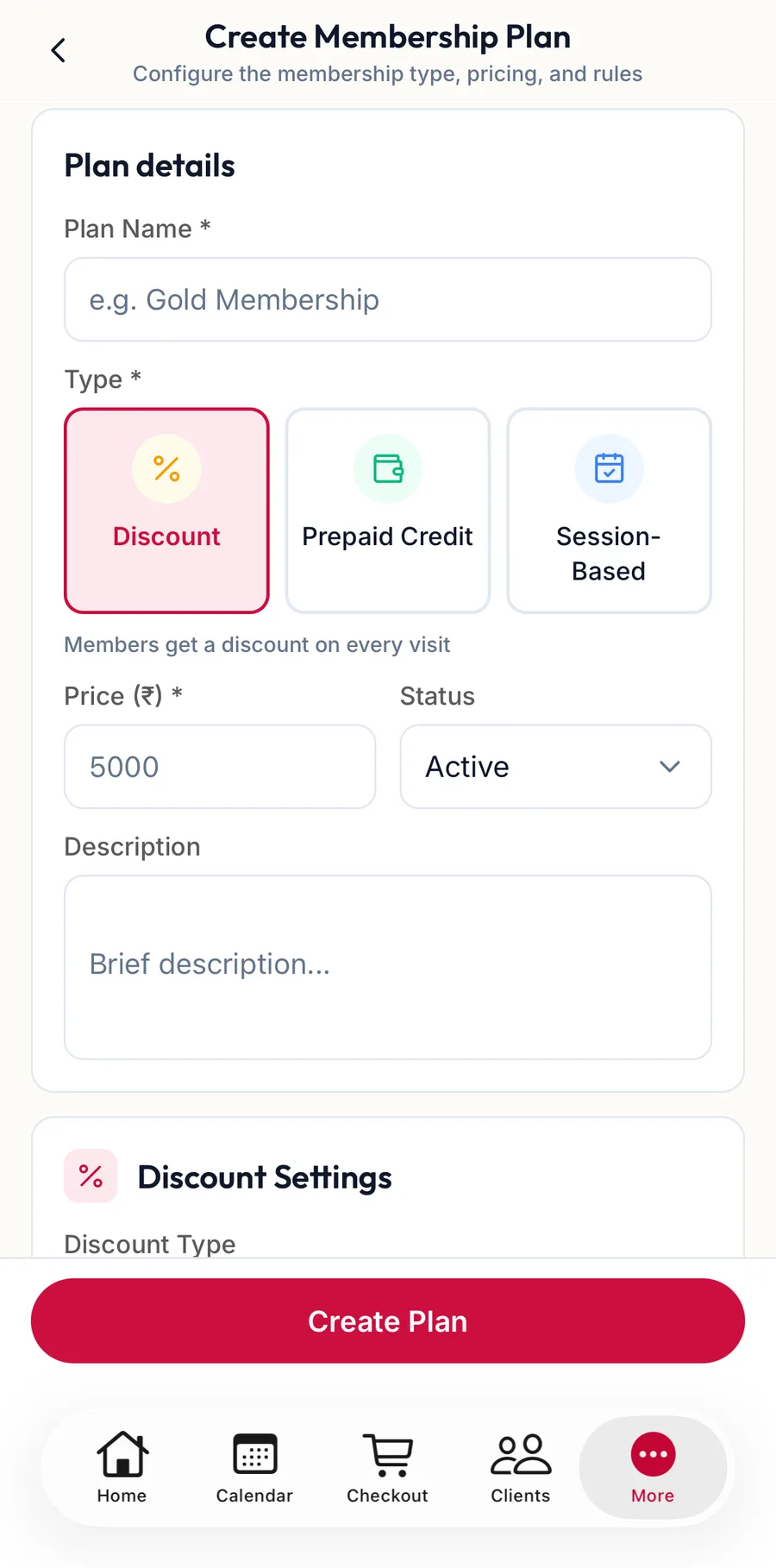
The Create Membership Plan form in the app -
Fill in the section for the type: Discount Settings, Prepaid Settings or Session Settings.
-
Under Validity, set the Duration, or leave it empty for lifetime.
-
Under Settings, switch on Auto-apply at POS, Allow freeze/pause, Allow transfer and Auto-renew subscription as needed.
-
Add Terms & Conditions and tap Create Plan.
Edit or archive
On the web
On the plan card's menu choose Edit or Archive. Archiving stops new sales; existing memberships keep running until they expire.
In the app
Tap Actions on the plan card for Edit and Archive.
Related articles
- Membership plan types · Memberships
- Assign a membership · Memberships
- Auto-renew subscriptions · Memberships