
Membership details and history
Open a membership to see its dates, what was paid, the remaining credit or sessions, and every transaction against it.
Open a membership and read its history
On the web
-
Open Memberships, the Active Memberships tab, and choose View Details on the row, or click the row.
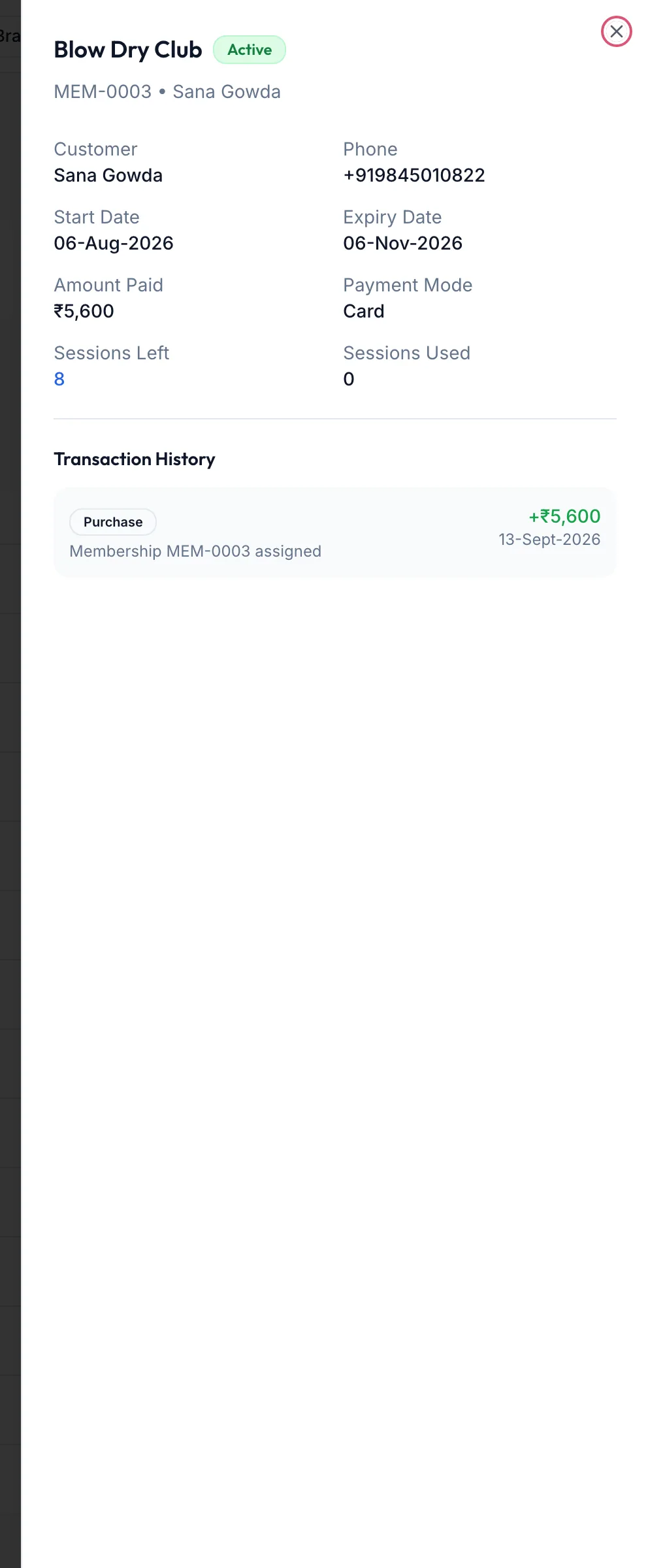
A membership's detail sheet -
The sheet shows Customer, Phone, Start Date, Expiry Date, Amount Paid and Payment Mode, then the balance for the type: Credit Balance and Total Redeemed for prepaid, Sessions Left and Sessions Used for session plans, or the Discount for discount plans.
-
Transaction History lists each redemption, top-up, freeze and renewal with its date and amount.
The same information is on the customer's profile under Memberships, with Manage Memberships linking back here.
In the app
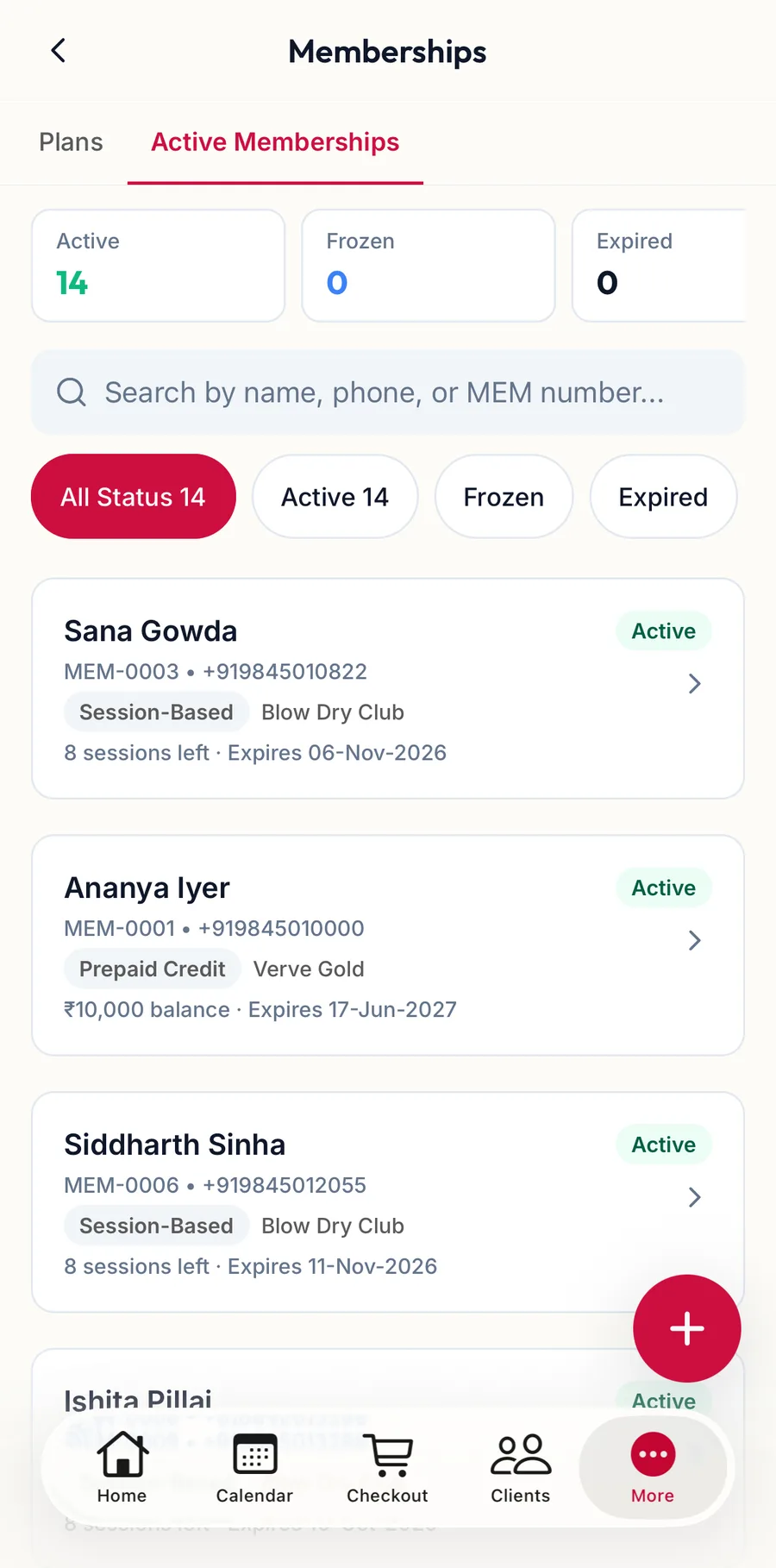
Tap More, then Memberships, then the Active Memberships tab, and tap the row. The screen shows the same facts, the balance for the type and the Transaction History.
Related articles
- Freeze, unfreeze, top up, renew, cancel · Memberships
- The customer profile · Customers