
The customer profile
One page per customer with their visits, spend, dues, wallet, memberships, points, notes, gift vouchers and family.
Open any customer from the list, from a booking, or from the search box.
The profile
On the web
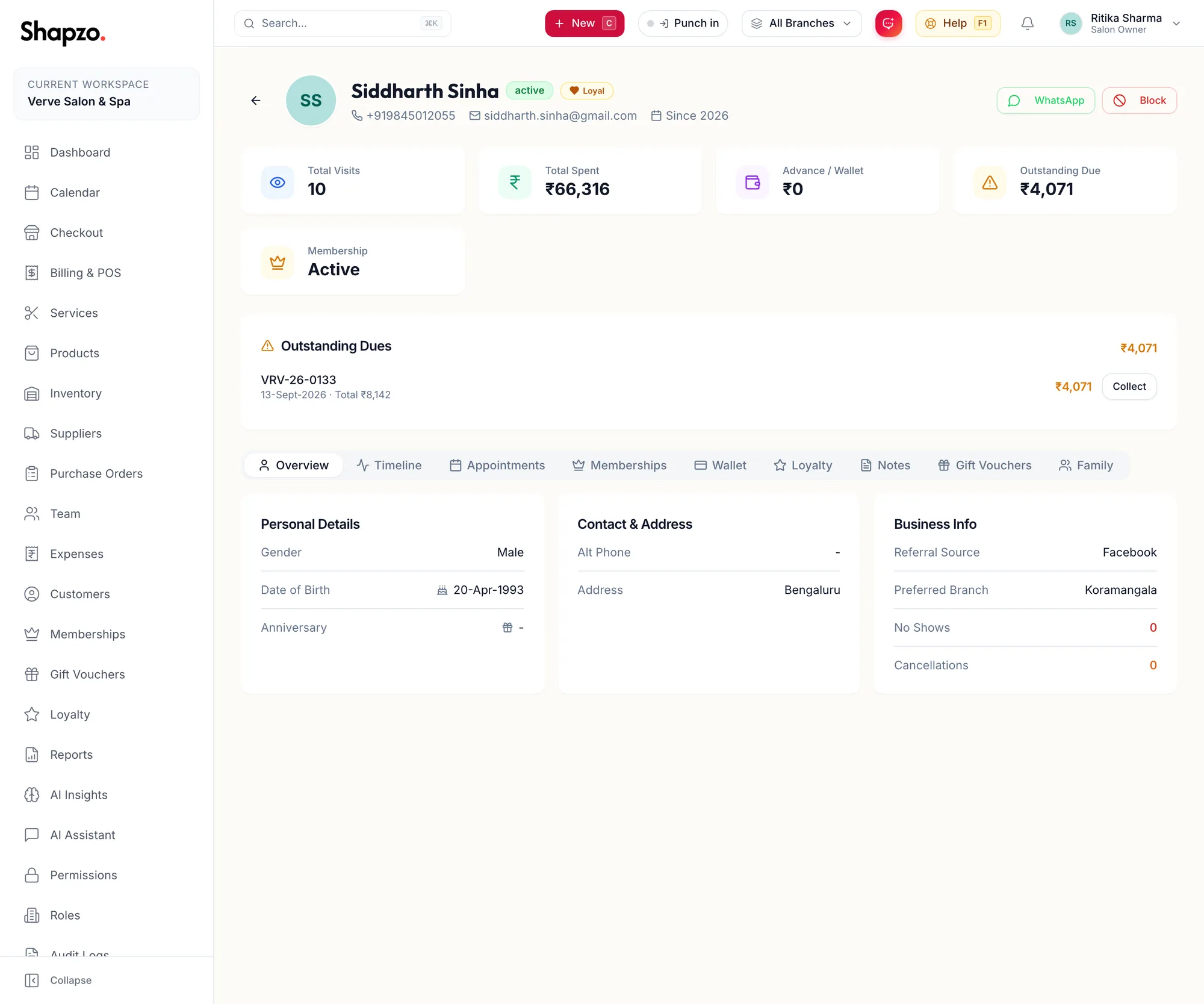
The header
Name, status, a Loyal badge once they have visited five times, their tags, phone, email and Since {{year}}. WhatsApp opens a chat with them; Block stops them being booked (see Block, deactivate or erase a customer).
The cards show Total Visits, Total Spent, Advance / Wallet, Outstanding Due when they owe something, and Membership.
If the customer has an unpaid bill, an Outstanding Dues panel lists it with a Collect button. Alert notes and Allergies / Sensitivities show as red cards so nobody misses them.
The tabs
| Tab | What it holds |
|---|---|
| Overview | Personal Details, Contact & Address and Business Info including Referral Source, Preferred Branch, No Shows and Cancellations |
| Timeline | Everything that has happened, in order |
| Appointments | Visit counts and the Recent Appointments list with Date, Status and Amount |
| Memberships | Membership Status, each plan with its Type, Start Date and Expiry, and Manage Memberships |
| Wallet | Advance / Wallet Balance, Collect Advance, Adjust and the ledger |
| Loyalty | Points balance, lifetime totals, the Expiry schedule and Points history, with Adjust points |
| Notes | General, allergy, formula and consultation notes |
| Gift Vouchers | Purchased Vouchers and Received Vouchers |
| Family | Linked relatives and Shares Membership |
In the app
Open Clients in the tab bar and tap a customer.
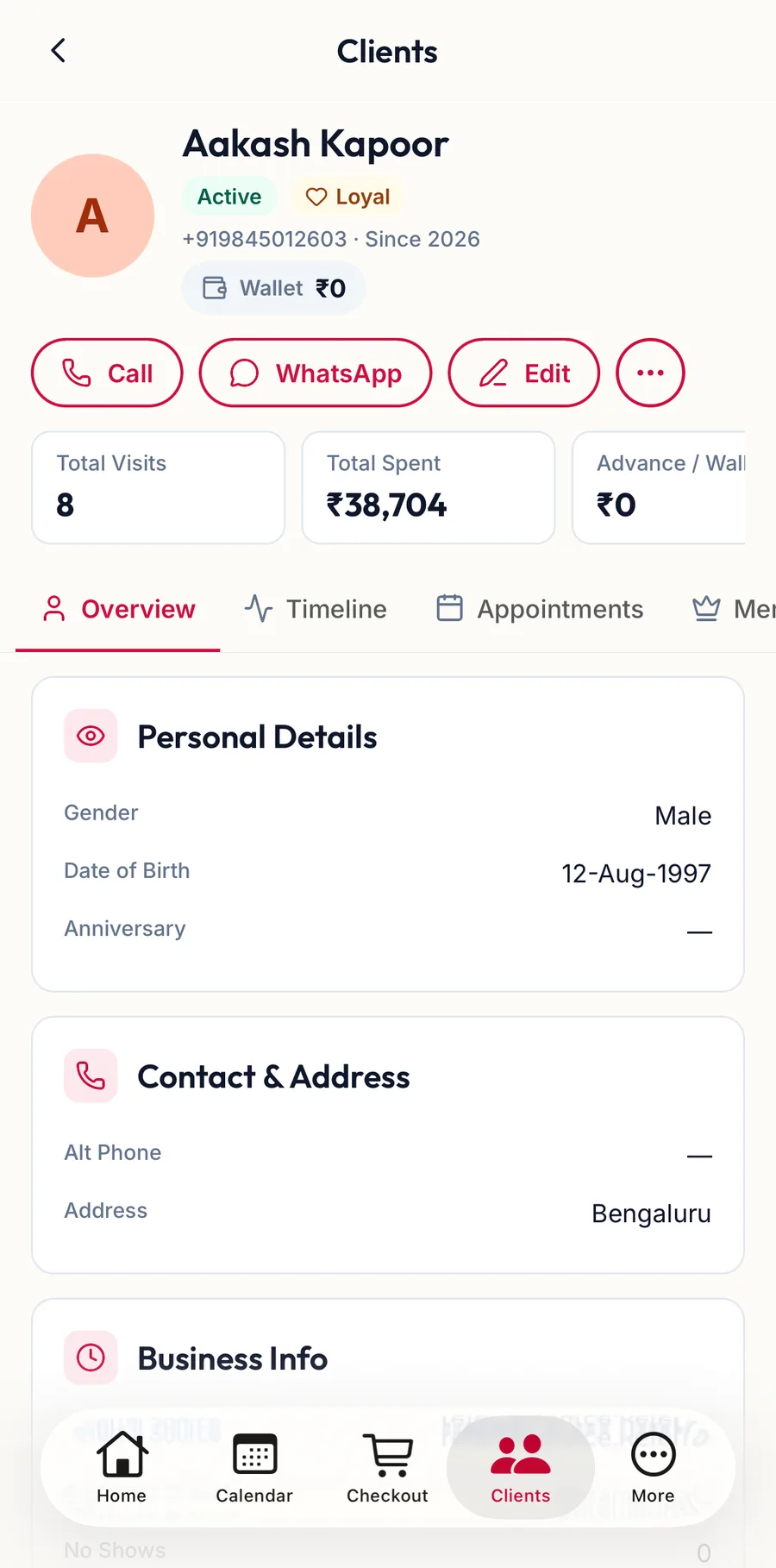
- The header shows the name, the Active status, a Loyal badge once they have visited five times, the phone, Since {{year}} and a Wallet chip with their balance.
- Call rings them, WhatsApp opens a chat, Edit opens the form. Actions (the three dots) holds Block and the other rarer actions.
- The cards show Total Visits, Total Spent and Advance / Wallet; scroll them sideways for Outstanding Due and Membership.
- An unpaid bill shows an Outstanding Dues panel with Collect. Alert notes and allergies show in red above the tabs.
- The tabs scroll sideways: Overview, Timeline, Appointments, Memberships, Wallet, Loyalty, Notes, Gift Vouchers and Family, holding the same things as on the web.
Related articles
- Notes, allergies and POS alerts · Customers
- Wallet and advances · Customers
- Family links and shared memberships · Customers