
Notes, allergies and POS alerts
Keep formulas, consultations and allergies on the profile, and flag the ones that must be seen at checkout.
Add a note
-
Open the customer and the Notes tab.
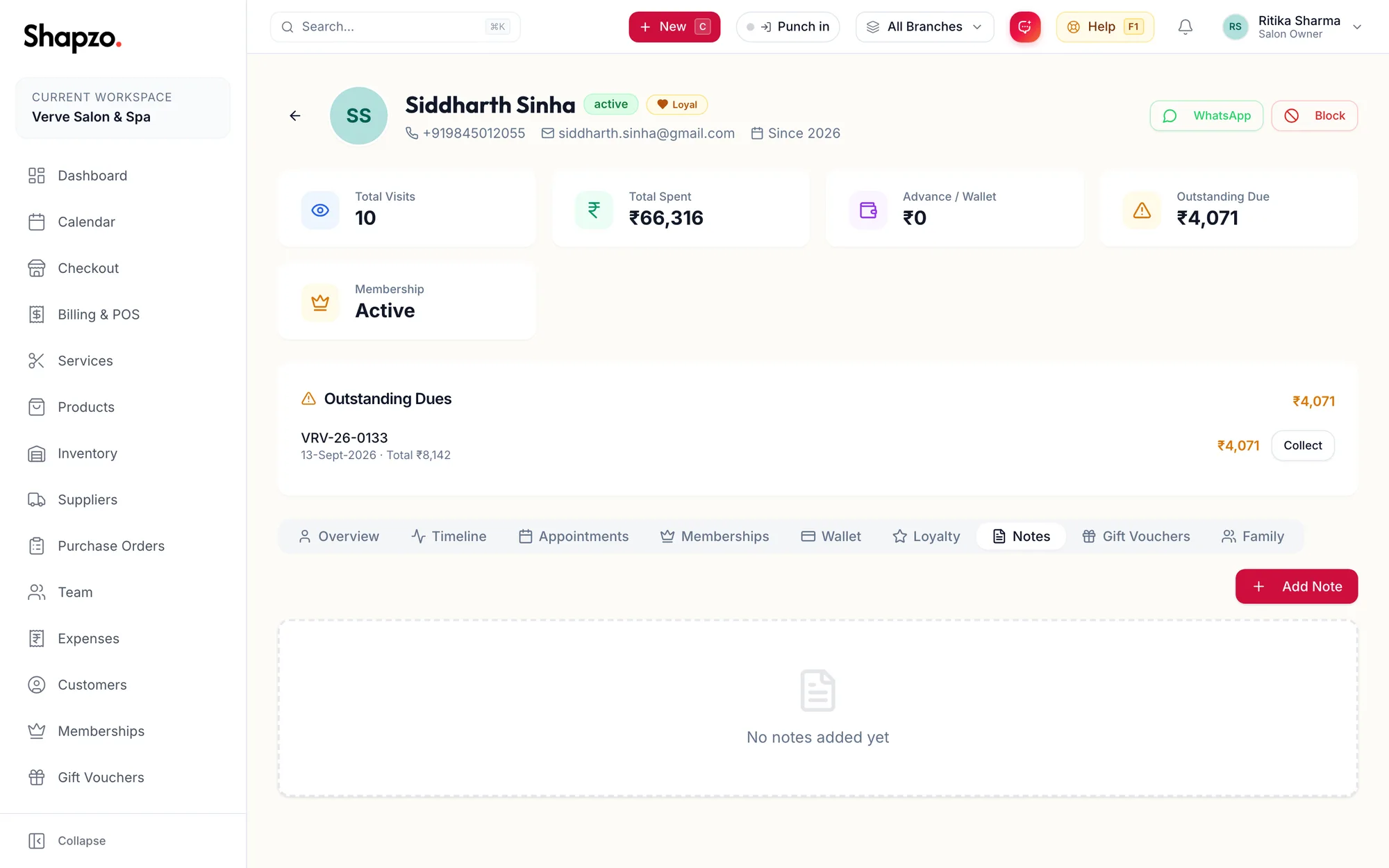
The Notes tab of a customer profile -
Click Add Note.
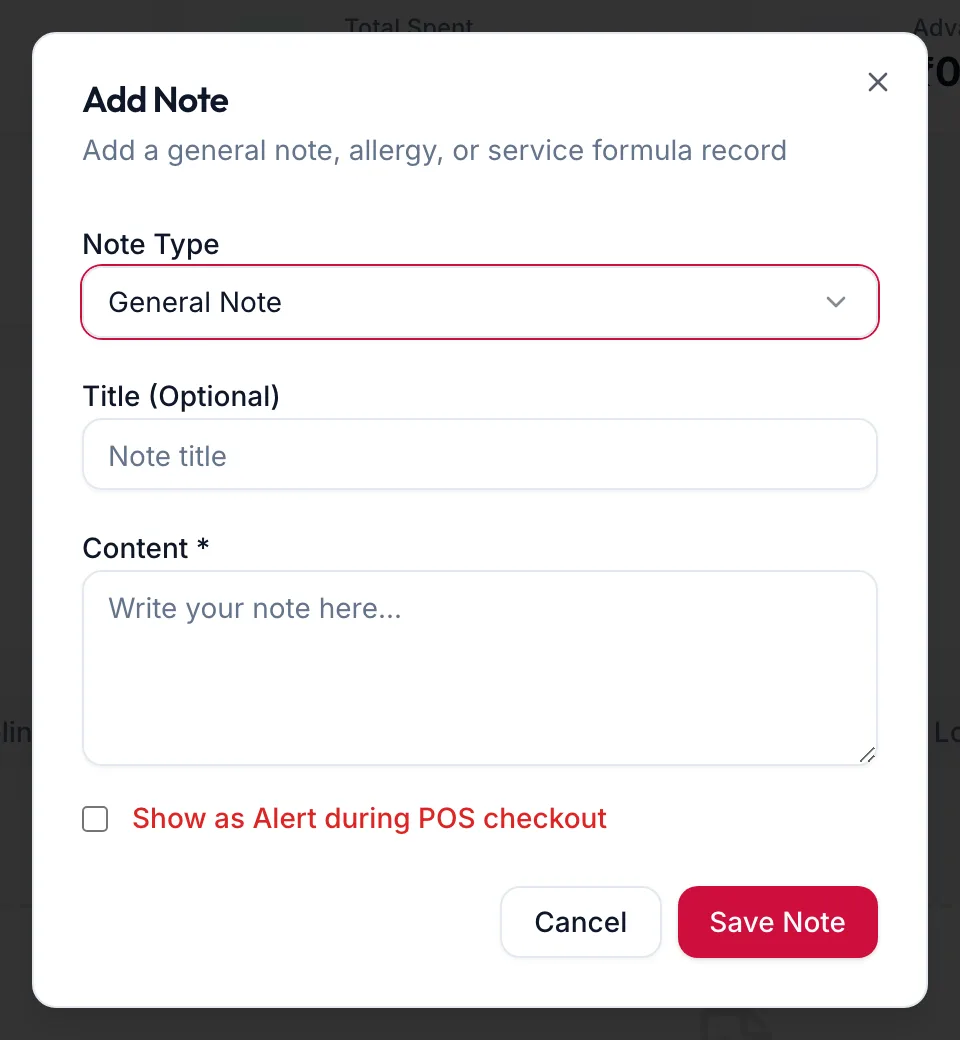
The Add Note dialog -
Choose the Note Type: General Note, Allergy / Sensitivity, Service Formula or Consultation.
-
Give it a Title (Optional) and write the Content.
-
Tick Show as Alert during POS checkout if staff must see it every time the customer is billed.
-
Click Save Note.
Each note shows who wrote it and when. Delete a note with its bin icon.
Allergies
The Allergies / Sensitivities field on the customer form is the permanent place for reactions to products or chemicals. It is shown as a red card on the profile and at checkout. Use a note of type Allergy / Sensitivity for the detail, such as the patch test date.
Alerts at checkout
A note with Show as Alert during POS checkout appears as a red card under the customer's name on the checkout screen and on the profile. Use it sparingly: a balance owed, a deposit already taken, a preference the team must not miss.
Related articles
- The customer profile · Customers
- Add a customer · Customers