
Block, deactivate or erase a customer
Three different actions for three different situations, from a temporary block to a permanent erasure of personal data.
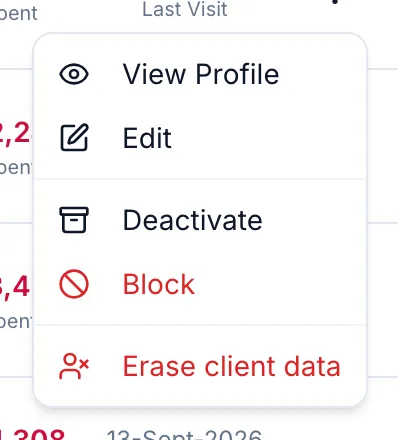
| Action | What it does | Reversible? |
|---|---|---|
| Block | The customer cannot be booked or billed. Their record and history stay. Use for repeated no-shows or unpaid dues. | Yes: Unblock |
| Deactivate | The customer is marked Inactive and drops out of the default list and the segments. Use for someone who has moved away. | Yes: Reactivate |
| Erase client data | Their personal data is removed permanently. Invoices and ledgers stay for the law, with the name gone. | No |
Block or unblock
On the profile header or the row menu, click Block. The header shows a Blocked badge and checkout refuses the customer until you Unblock.
Deactivate or reactivate
From the row menu choose Deactivate. Filter the list by Inactive to find them again and choose Reactivate.
Erase client data
This is the answer to a customer who asks you to delete their data.
-
From the row menu choose Erase client data.
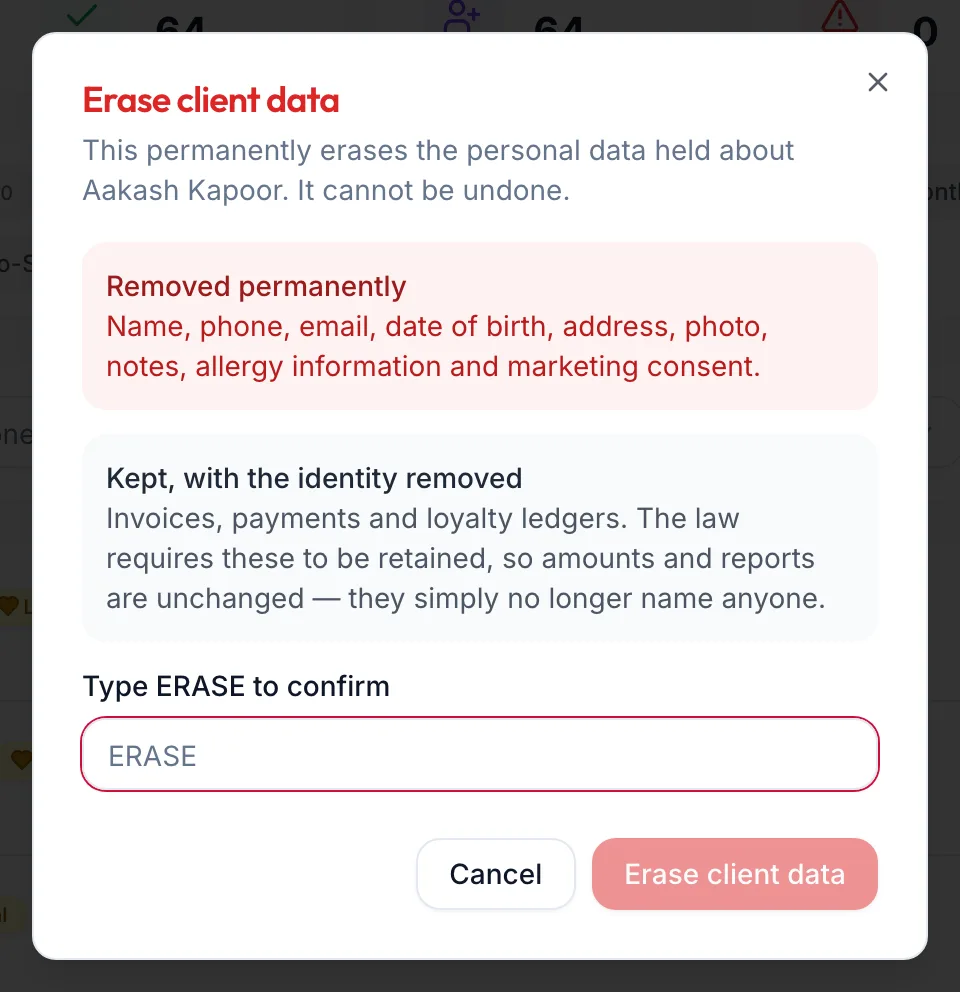
The Erase client data dialog -
Read what is Removed permanently (name, phone, email, date of birth, address, photo, notes, allergy information and marketing consent) and what is Kept, with the identity removed (invoices, payments and loyalty ledgers, which the law requires you to retain).
-
Type ERASE to confirm and click Erase client data.
Related articles
- The customer profile · Customers
- Find and filter customers, and use smart segments · Customers