
Import customers from Excel
Bring an existing customer list in from a spreadsheet using the template, with duplicates skipped by phone number.
Steps
-
Open Customers, click Import / Export, then Import Customers.
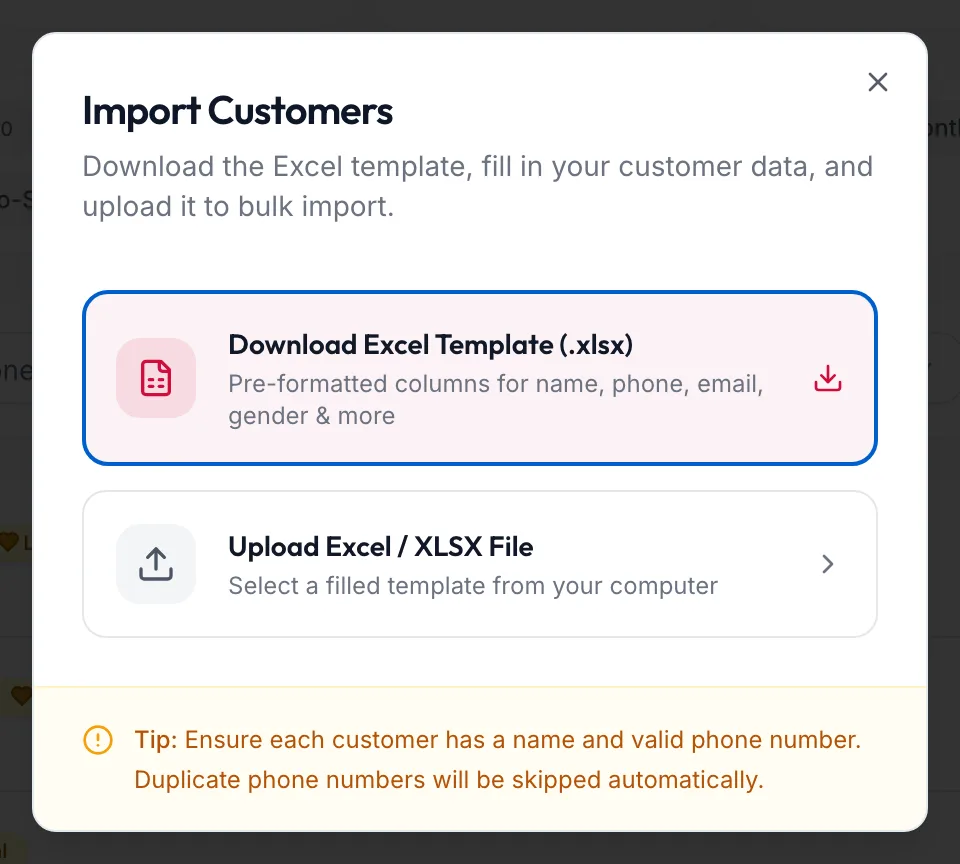
The Import Customers dialog -
Click Download Excel Template (.xlsx). It has a column for each field: name, phone, email, gender and the rest.
-
Fill in one row per customer. Name and a valid phone number are required; leave any other cell blank rather than guessing.
-
Click Upload Excel / XLSX File and choose the file.
-
Watch the progress: Importing Customers… with {{processed}} of {{total}} rows processed, then Import Complete.
The result tiles show Imported, Total Rows, Already Existed and Invalid Rows. Rows whose phone number already belongs to a customer are listed under Already existed — not imported; rows missing a name or phone under Rows not imported.
Tips
- Phone numbers are matched after normalising, so +91 98450 12345 and 9845012345 count as the same customer.
- Dates work best as YYYY-MM-DD.
- Imported customers get a default profile picture later; nothing else is generated.
Related articles
- Add a customer · Customers
- Export customers · Customers