
Assign a membership
Sell a plan to a customer from the Memberships page, recording the payment mode and amount.
There are two ways to sell a plan. At checkout, alongside services, see Sell a membership at checkout. Or on its own, here.
Steps
On the web
-
Open Memberships and click Assign Membership, or press n. From anywhere, the New menu offers Sell membership.
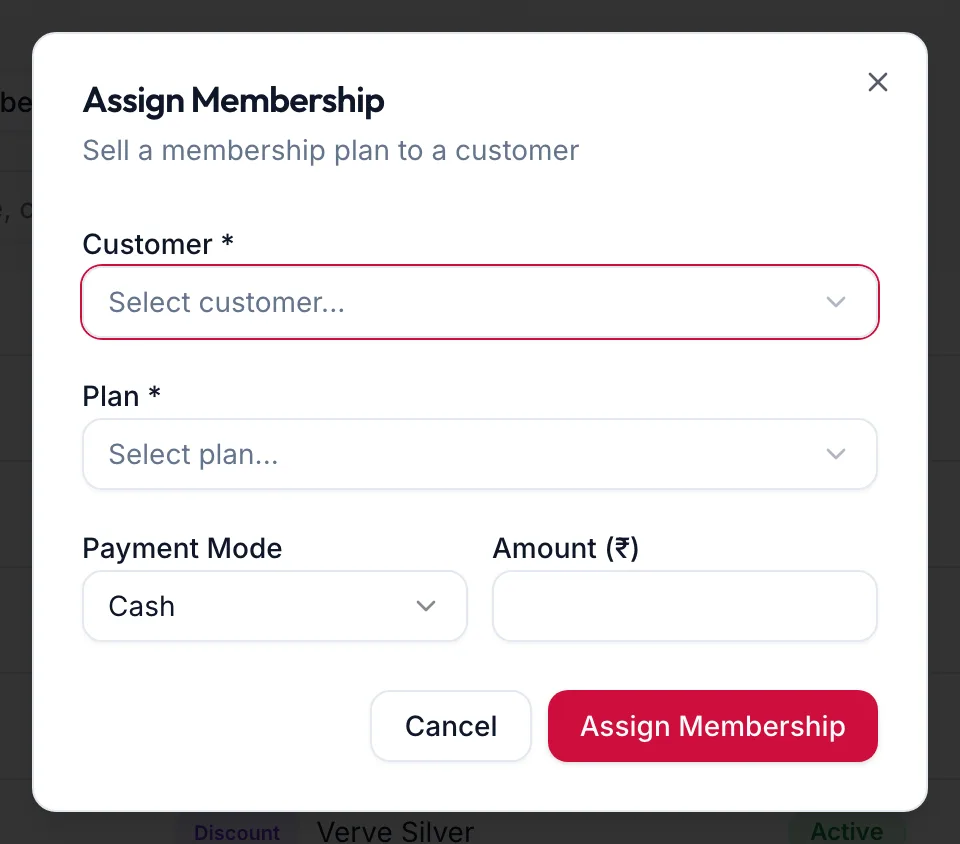
The Assign Membership dialog -
Choose the Customer and the Plan.
-
Choose the Payment Mode (Cash, Card or UPI) and confirm the Amount (₹), prefilled from the plan.
-
Click the confirm button. The toast reads Membership assigned!
The membership starts today, with the expiry set from the plan's validity, and appears under Active Memberships with a MEM number. The customer's profile shows Membership as Active.
In the app
-
Tap More, then Memberships, then the Active Memberships tab and the + button.
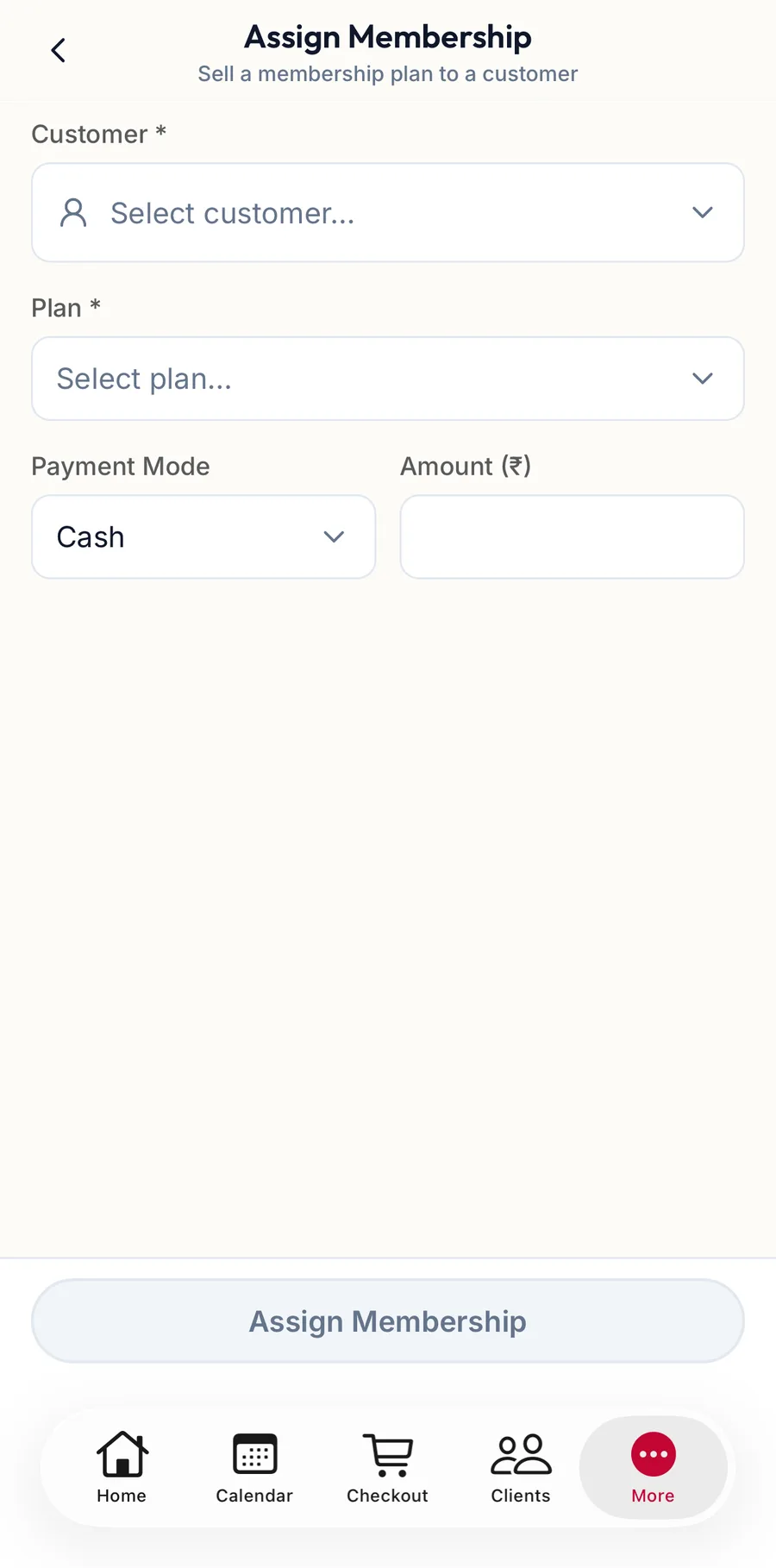
The Assign Membership screen in the app -
Choose the Customer and the Plan.
-
Choose the Payment Mode and confirm the Amount (₹).
-
Tap Assign Membership.
Related articles
- Sell a membership at checkout · Checkout
- Membership details and history · Memberships