
Audit logs
Who did what and when, across every module, with filters, detail of what changed, and a CSV export.
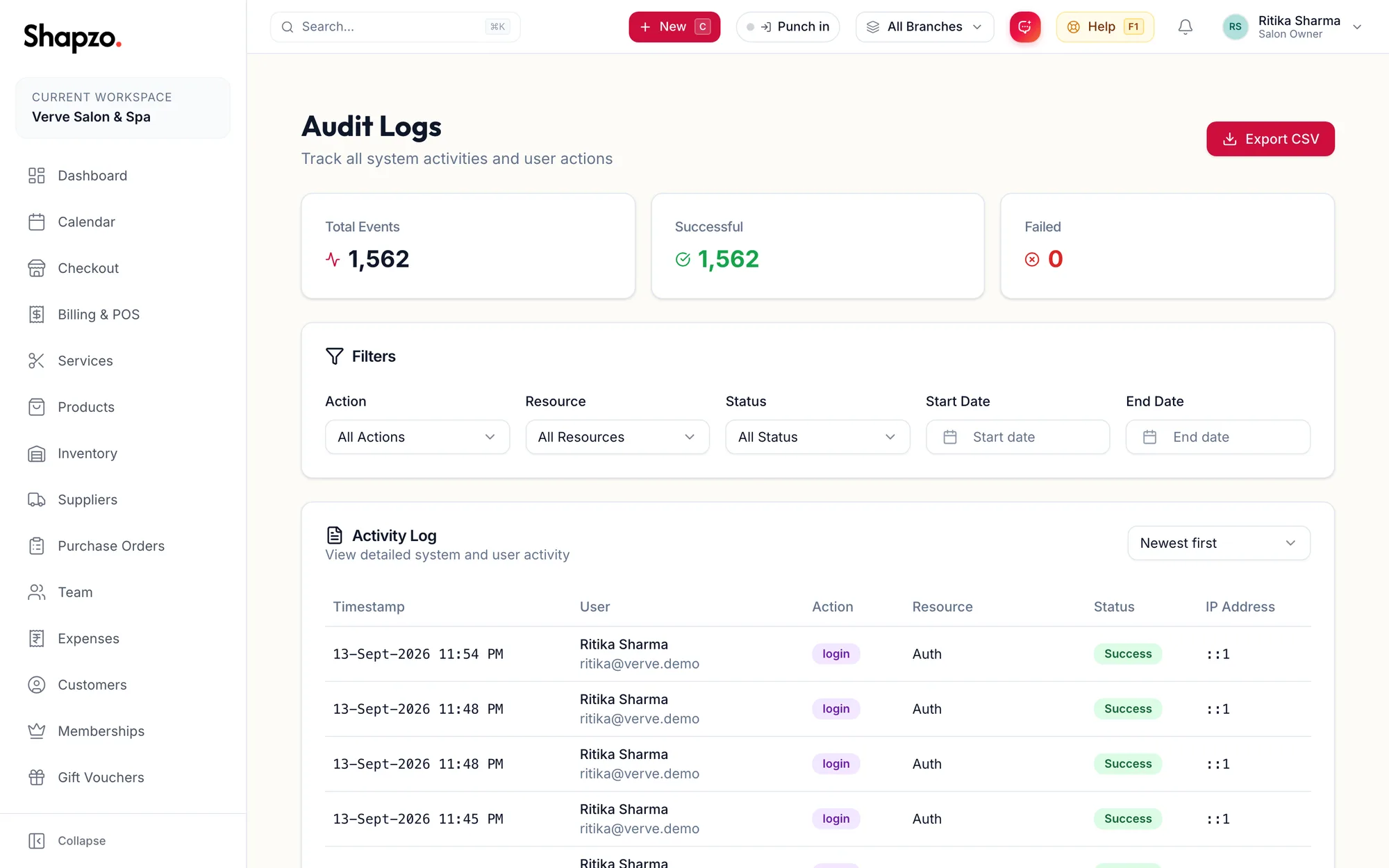
Open Audit Logs. The sub-heading reads Track all system activities and user actions. Total Events counts what matches the filters.
Filters
On the web
All actions (create, update, delete, approve and so on), All Resources (the feature), All Status (Success or Failure), Start date and End date. Sort by Newest first, Oldest first, Action A–Z or Resource A–Z. Clear search resets.
In the app
Tap More, then Audit Logs. Total Events counts what matches; Filters opens the same Action, Resource, Status, Start date and End date choices, and Sort by orders the list.
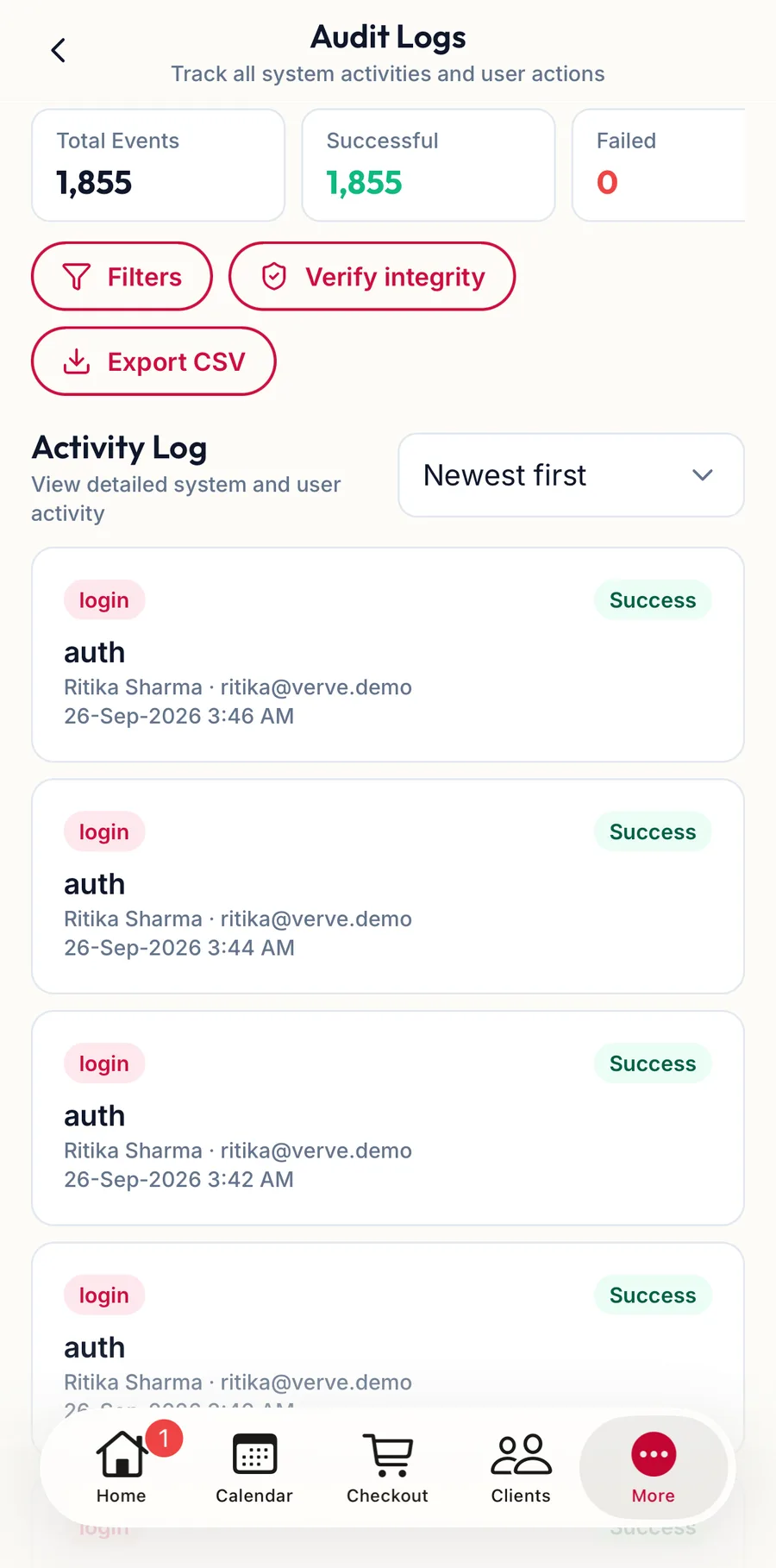
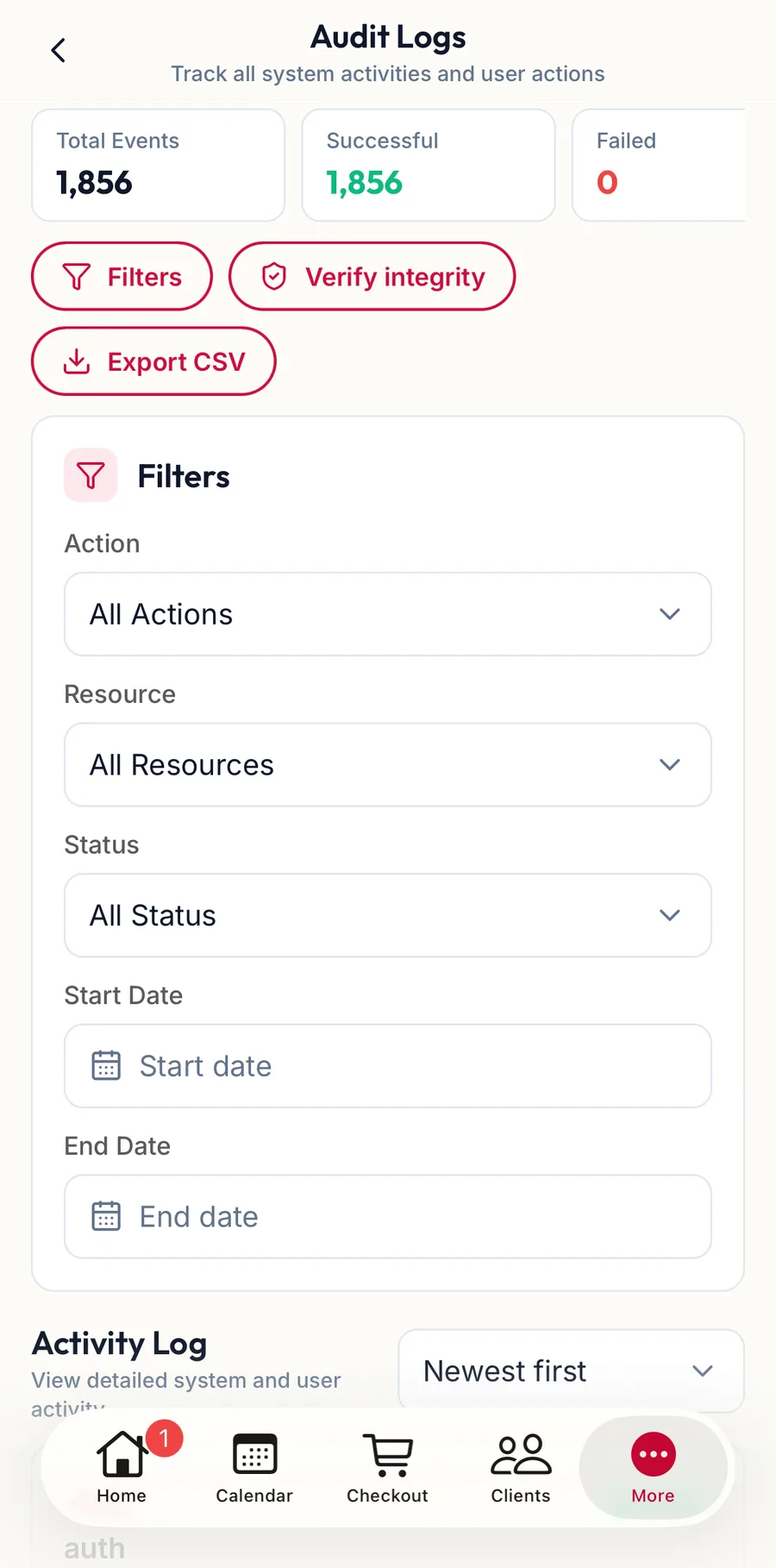
Each row
On the web
Timestamp, User, Action, Resource, Status and IP Address. Click a row for the detail: What changed lists the fields before and after, and Metadata the request details. Some events have No further detail was recorded for this event.
In the app
Tap a row for the detail: What changed and Metadata. Verify integrity at the top checks the log has not been tampered with and reports Audit log is intact.
Export
On the web
Export CSV downloads the filtered rows; the toast reads Audit logs exported successfully.
In the app
Export CSV hands the filtered rows to any app on the phone.
What is logged
Creates, updates and deletes on customers, services, products, stock, invoices, refunds, memberships, vouchers, team, leave, pay runs, expenses, settings, roles and permissions; sign-ins and failed sign-ins; support access to the account. Reading data is not logged.
Related articles
- How permissions work: resource, action and scope · Roles, permissions & audit
- Privacy & Data · Roles, permissions & audit