
Change what a role can do
Tick and untick actions in the permission matrix, save, and reset a role to its defaults if you go too far.
Change the permissions
On the web
-
Open Permissions. The sub-heading reads Choose what each role can do. Tick an action to allow it, untick to remove it.
-
Pick a role on the left (Search roles... narrows the list). The matrix on the right shows one row per feature, grouped by module, and one column per action.
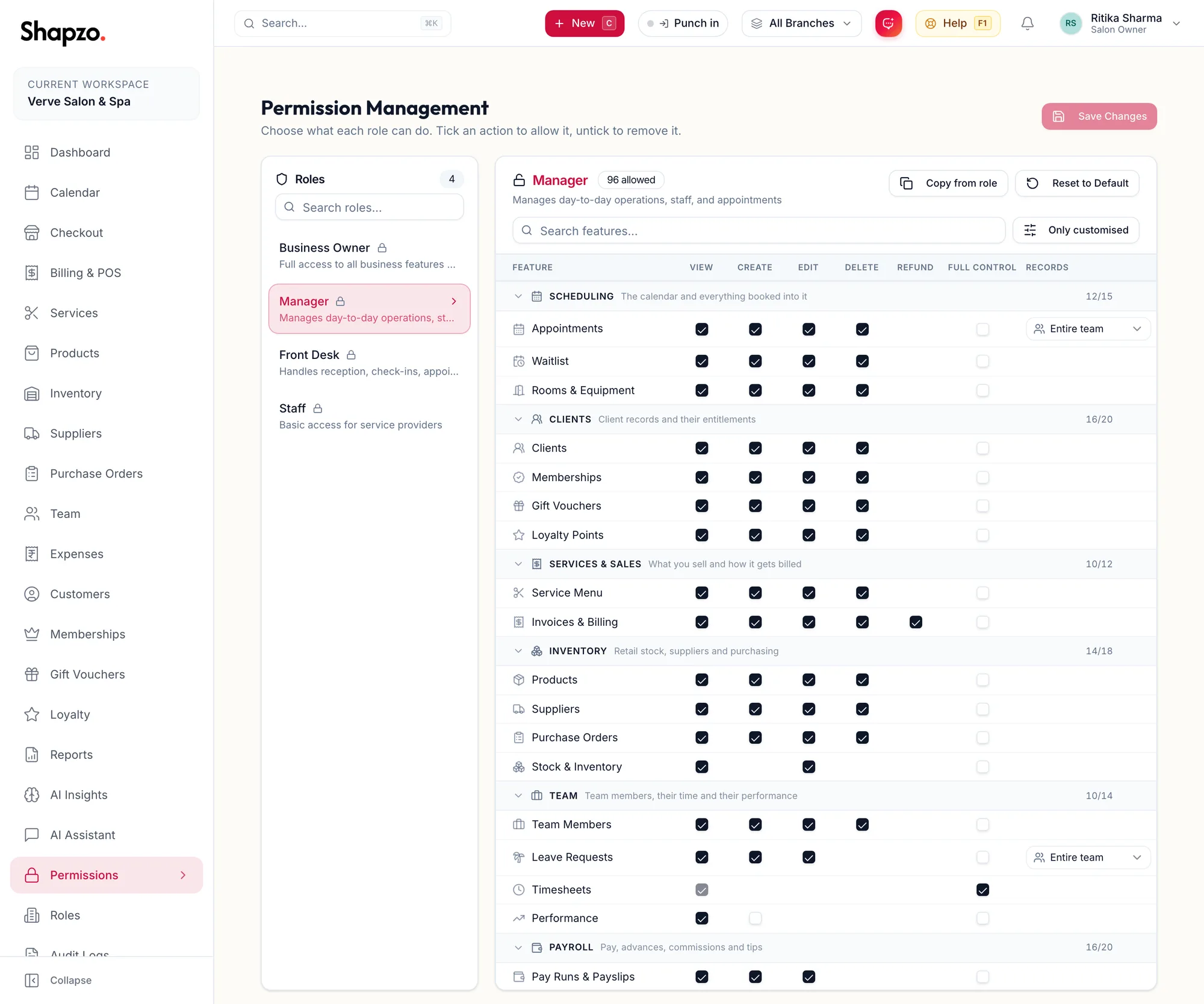
The permission matrix for a role -
Tick or untick. Copy from role replaces this role's ticks with another role's as a starting point. Search features... finds a row; Only customised shows only rows that differ from the default. For scoped features, choose Own records or Entire team.
-
A banner counts You have {{count}} unsaved changes on this role. Click Save Changes. The toast reads Permissions updated.
Discard changes throws the edits away, after Discard unsaved changes?.
In the app
-
Tap More, then Permissions, and pick the role at the top (Search roles... narrows the list).
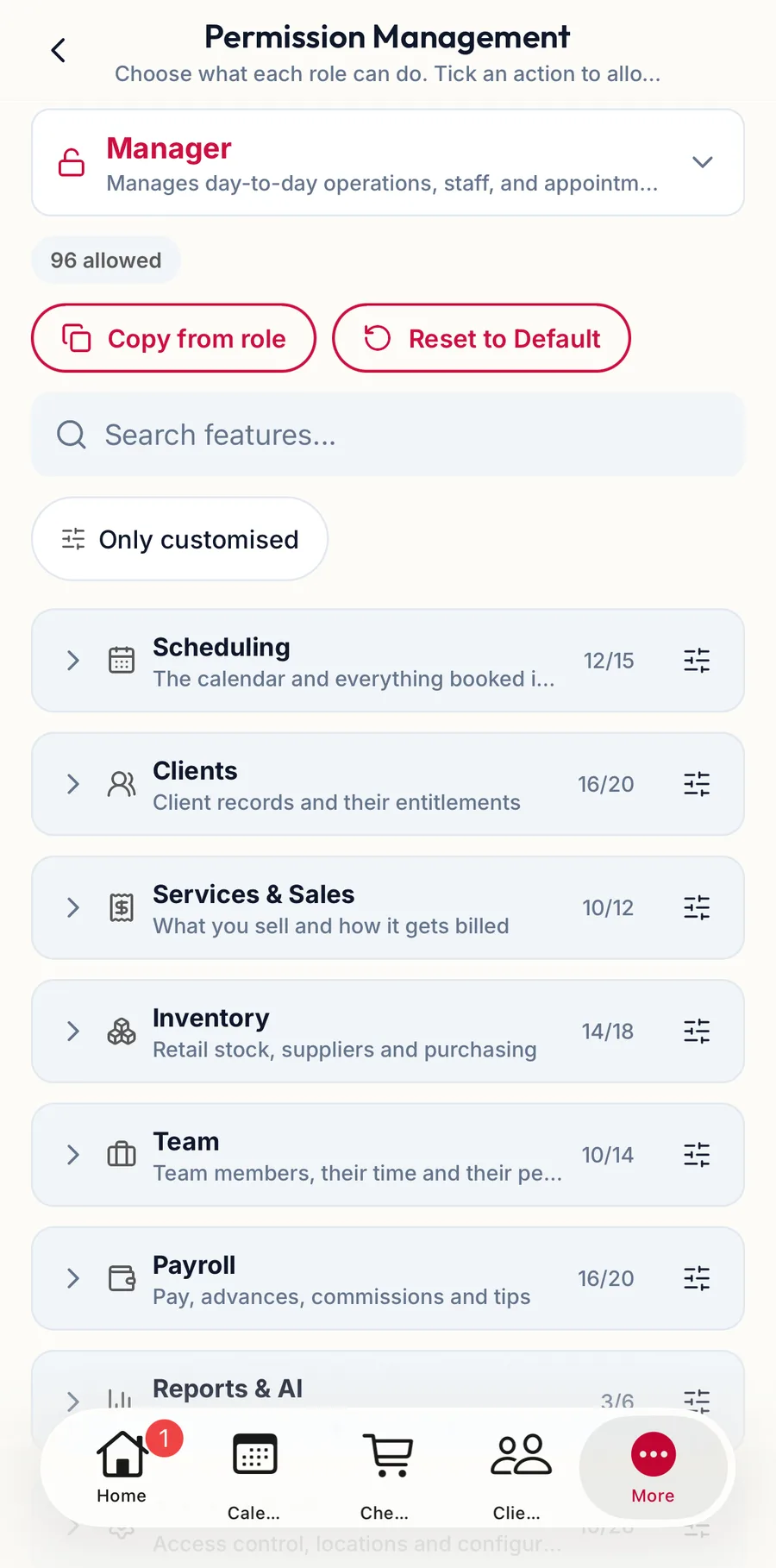
The permission matrix in the app -
The matrix lists one row per feature with its actions; tap to tick or untick. Copy from role, Search features... and Only customised work as on the web, and tapping a feature's name opens Set all of for the whole row.
-
Tap Save Changes. Discard throws the edits away.
Reset to default
Reset to default permissions? appears when you click the reset button: This restores {{role}} to the system default permissions and removes the customizations you've made for this role. This can't be undone. A role already at its defaults says This role is already using the default permissions.
When the change takes effect
Immediately for everyone holding the role, on their next page load. Someone signed in mid-shift sees buttons appear or disappear as they move around.
Related articles
- How permissions work: resource, action and scope · Roles, permissions & audit
- Roles: create, clone, edit, delete · Roles, permissions & audit