
Mark paid or unpaid; due dates
Track what is still owed with the Unpaid status and a due date, and settle it with one click when the money goes out.
The two statuses
| Badge | Meaning |
|---|---|
| Unpaid | Recorded, but the money has not gone out yet. |
| Paid | Settled — the money has left the business. |
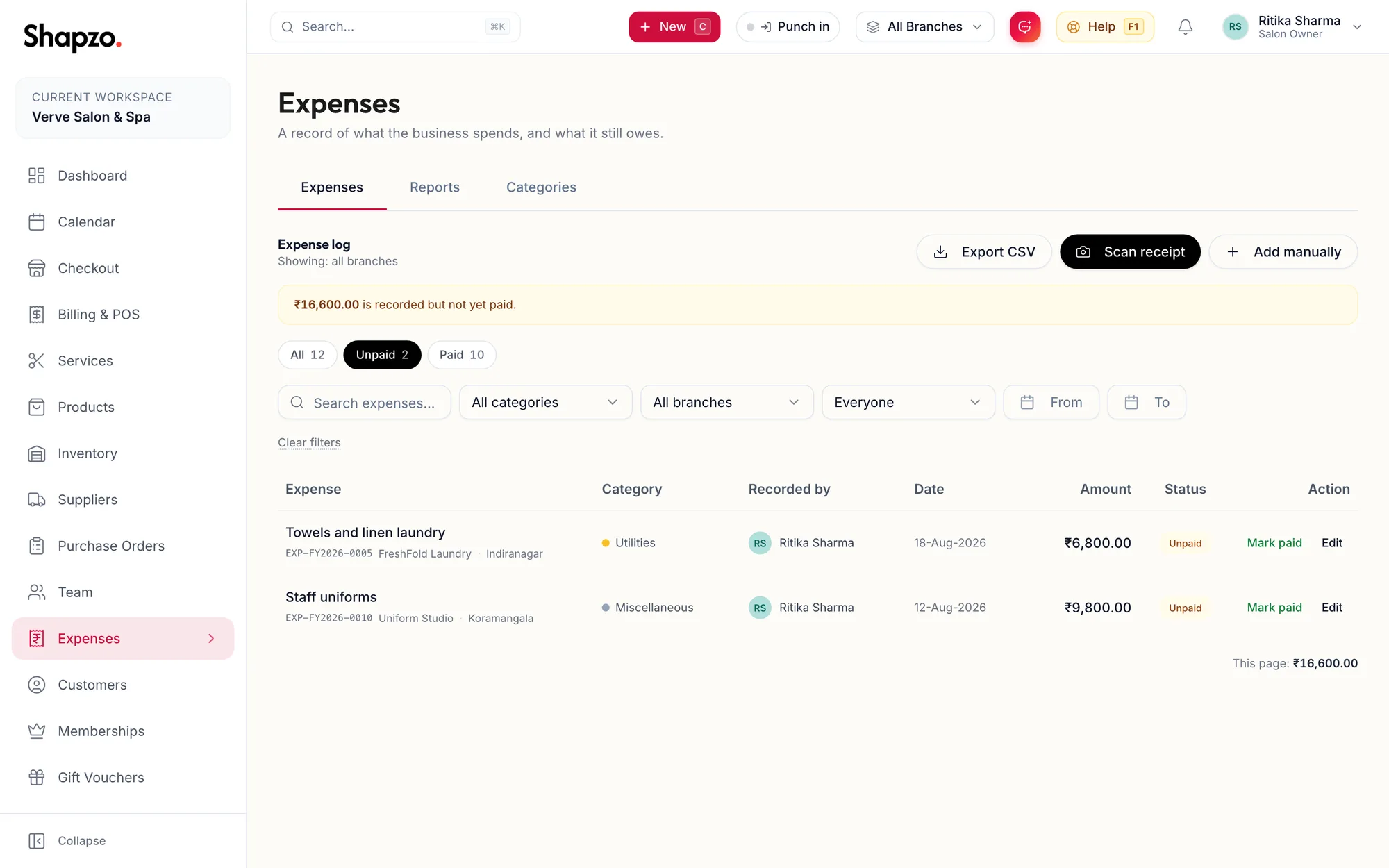
A banner at the top of the log tells you how much is recorded but not yet paid. Filter with the Unpaid and Paid chips.
Due dates
Set a Due date (optional) on an unpaid expense. Once the date passes the row reads Was due {{date}} and the detail sheet says This was due on {{date}} and is still unpaid. The Overdue tile on Reports totals them and How overdue buckets them by age.
Settle
On the web
Click Mark paid on the row or in the detail sheet. The toast reads Marked as paid and the payment date is set to today. Mark unpaid reverses it if it was a mistake.
To record the actual payment date and method, use Edit instead.
In the app
Open the expense and tap Mark paid; Mark unpaid reverses it. The Unpaid and Paid chips filter the list, and an unpaid row past its date reads Was due {{date}}.
Related articles
- Record an expense · Expenses
- Expense reports · Expenses