
AI Assistant
Ask questions about your business in plain language and get answers built only from your own Shapzo data through read-only lookups.
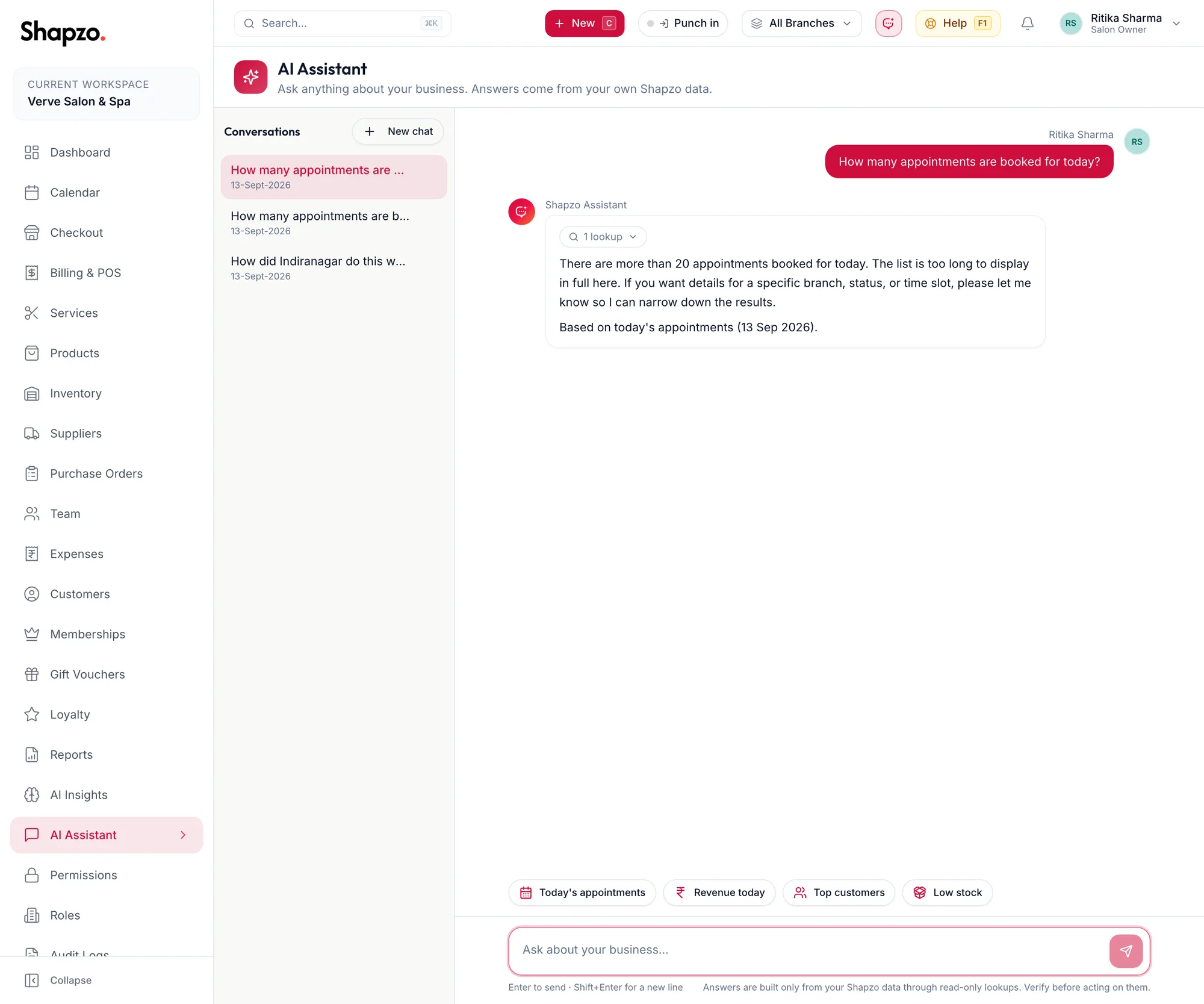
Open AI Assistant from the sidebar or the top bar. The page says Ask anything about your business. Answers come from your own Shapzo data.
Ask
On the web
- Type into the box that reads Ask about your business…, or click a suggestion such as Today's appointments, Revenue today, Top customers, Low stock, Expiring memberships or What can you do?.
- Press Enter (Shift+Enter for a new line).
- Watch the chips: Looking up {{tool}}… while it reads a report or list, Looked up {{tool}} when done, {{count}} lookups for a longer answer.
The composer's footnote is the rule: Answers are built only from your Shapzo data through read-only lookups. Verify before acting on them. The assistant never books, bills or changes anything.
In the app
-
Tap More, then AI Assistant. Type into the box that reads Ask about your business…, or tap a suggestion.
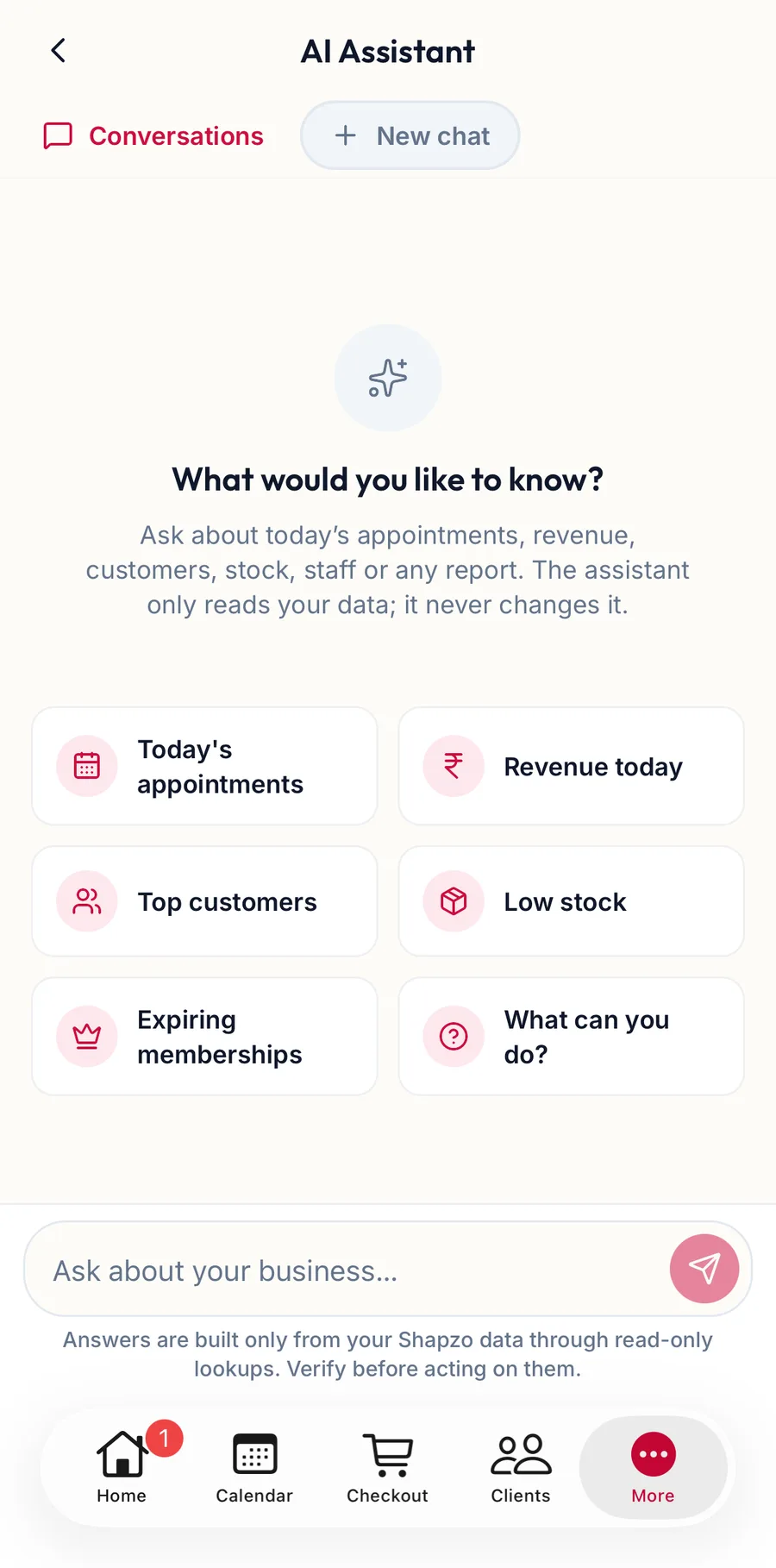
The AI Assistant in the app -
Tap Send. Stop halts a long answer; Copy answer copies it.
-
The same lookup chips appear while it reads your data.
How-to questions
Ask the assistant how to do something ("How do I refund an invoice?", "Where do I set GST?") and it searches this help centre, reads the matching article and answers with the steps as written, with a link to the article. It quotes the manual rather than guessing at the screens.
Conversations
On the web
The sidebar lists your Conversations. New chat starts another; each one has Rename and Delete, which asks Delete this conversation?.
In the app
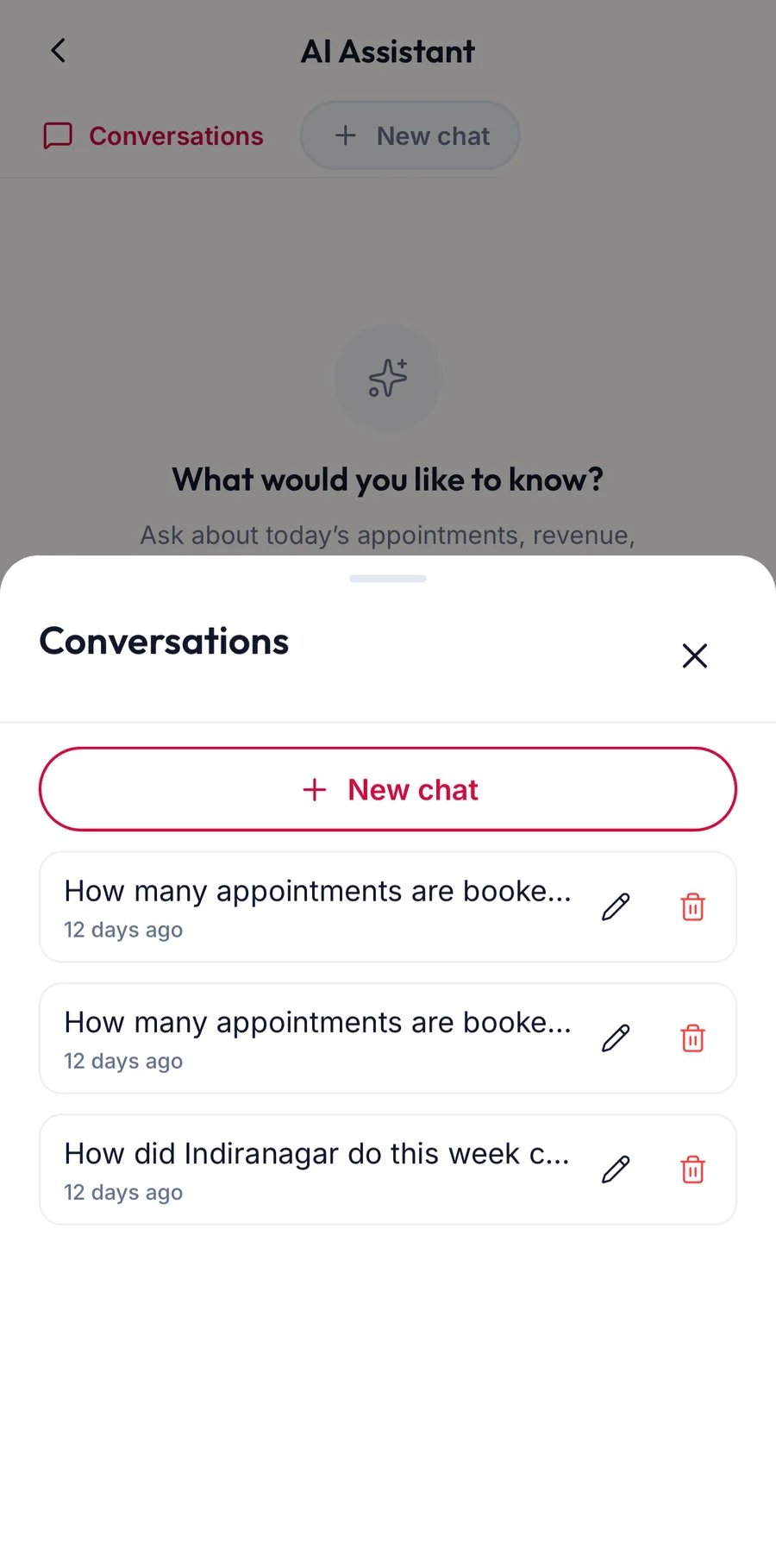
Tap Conversations at the top for the list, New chat to start another, and Rename or Delete on any of them.
What it can see
Only what you can see. It uses your permissions for every lookup, so a stylist asking for revenue gets the same refusal they would get from Reports.
If it is not available
- AI features are turned off: an owner can turn them on under Settings.
- The assistant is not set up yet: the AI service has not been configured for the workspace; ask your administrator.
- I'm having trouble connecting right now. Please try again in a moment.: a temporary fault.
Related articles
- AI Insights · Reports & AI
- The report library and Recommended for you · Reports & AI
- Contact support and the Help button · Around the portal