
Find an invoice
Search, filter and sort the invoice list by status, payment mode, customer, dues and date.
Billing & POS lists every invoice for the selected branch, newest first.
The list
On the web
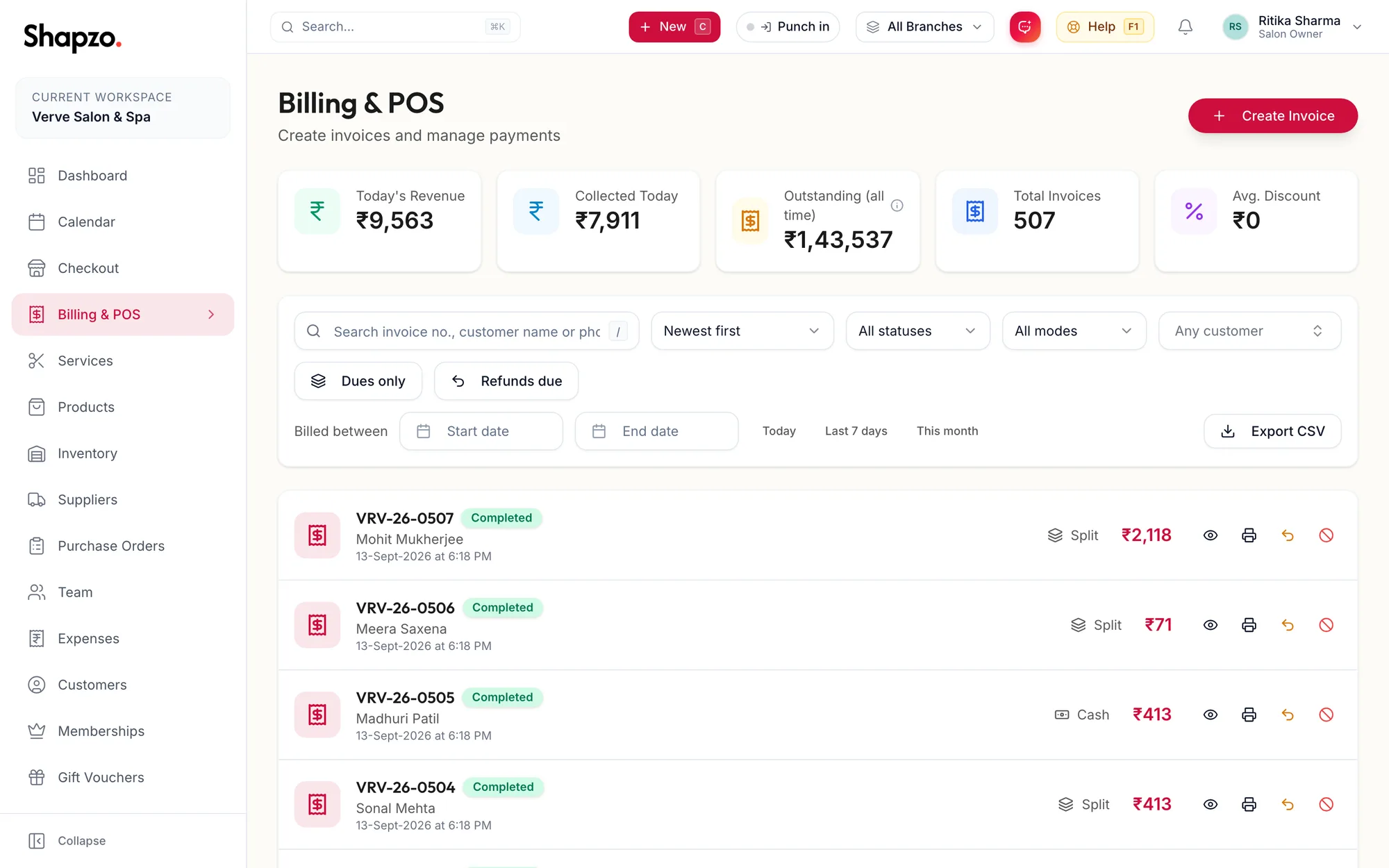
Search
Type an invoice number, a customer name or a phone number into the search box, or press / to jump to it.
Filters
| Filter | Options |
|---|---|
| Sort | Newest first, Oldest first, Amount: high to low, Amount: low to high, Due: high to low |
| Status | Pending, Completed, Partial, Refunded, Failed |
| Payment mode | Cash, Card, UPI, Wallet, Membership, Split, Other |
| Customer | Search and pick one customer |
| Dues only | Invoices with a balance outstanding |
| Refunds due | Invoices with a refund recorded but not yet paid out |
| Billed between | A date range, or Today, Last 7 days, This month |
Clear removes every filter. While filters are active the stat cards at the top read (filtered) and show totals for the filtered set.
In the app
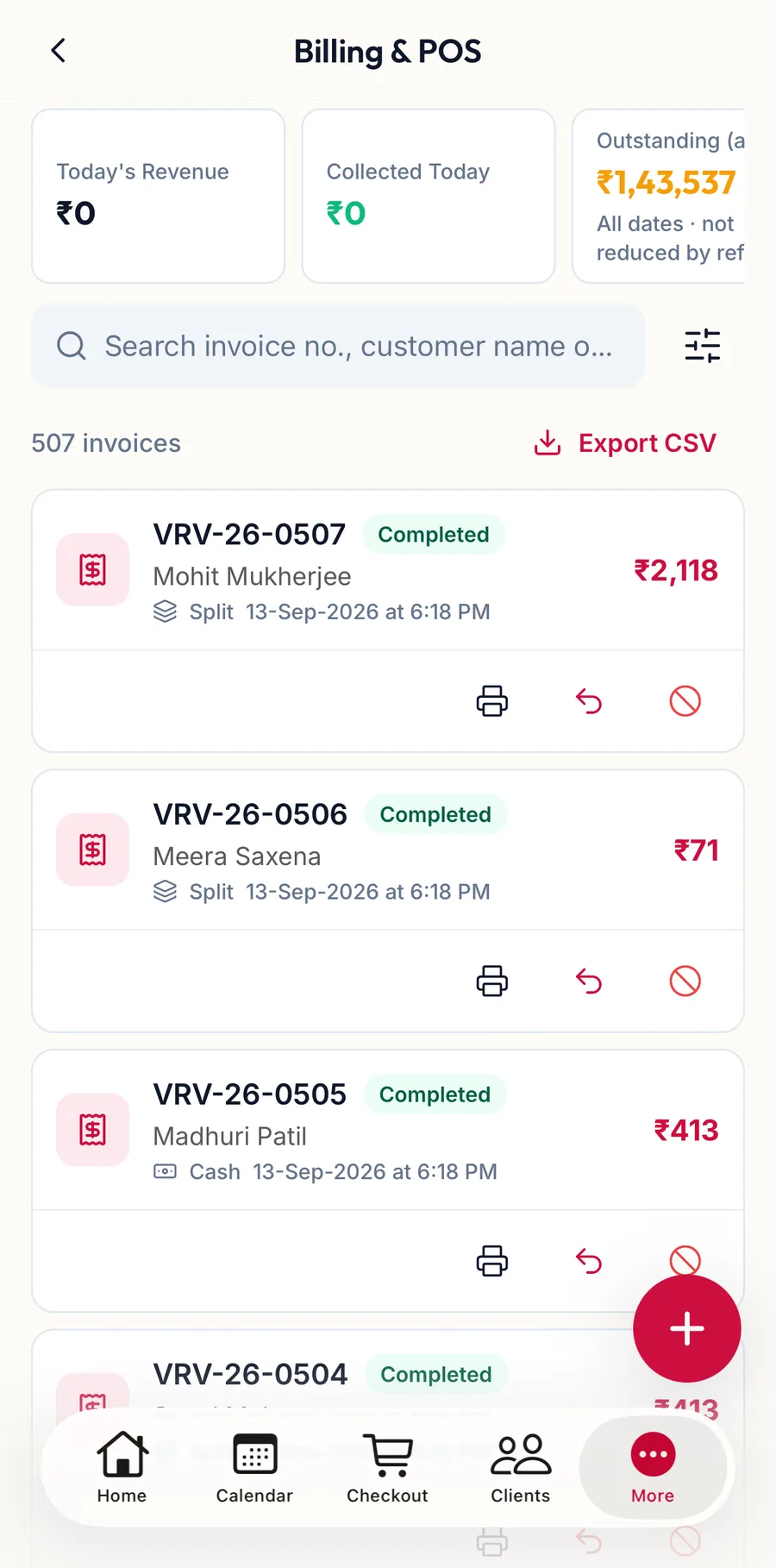
Tap More, then Invoices & payments. The screen is titled Billing & POS.
-
The cards along the top show Today's Revenue, Collected Today and the rest; swipe them sideways.
-
Type an invoice number, a customer name or a phone number into the search box.
-
Filters (the sliders icon) opens the same choices as on the web: Sort by, Customer, Status, Payment mode, Dues only, Refunds due and Billed between. Tap Apply; Clear filters resets them.
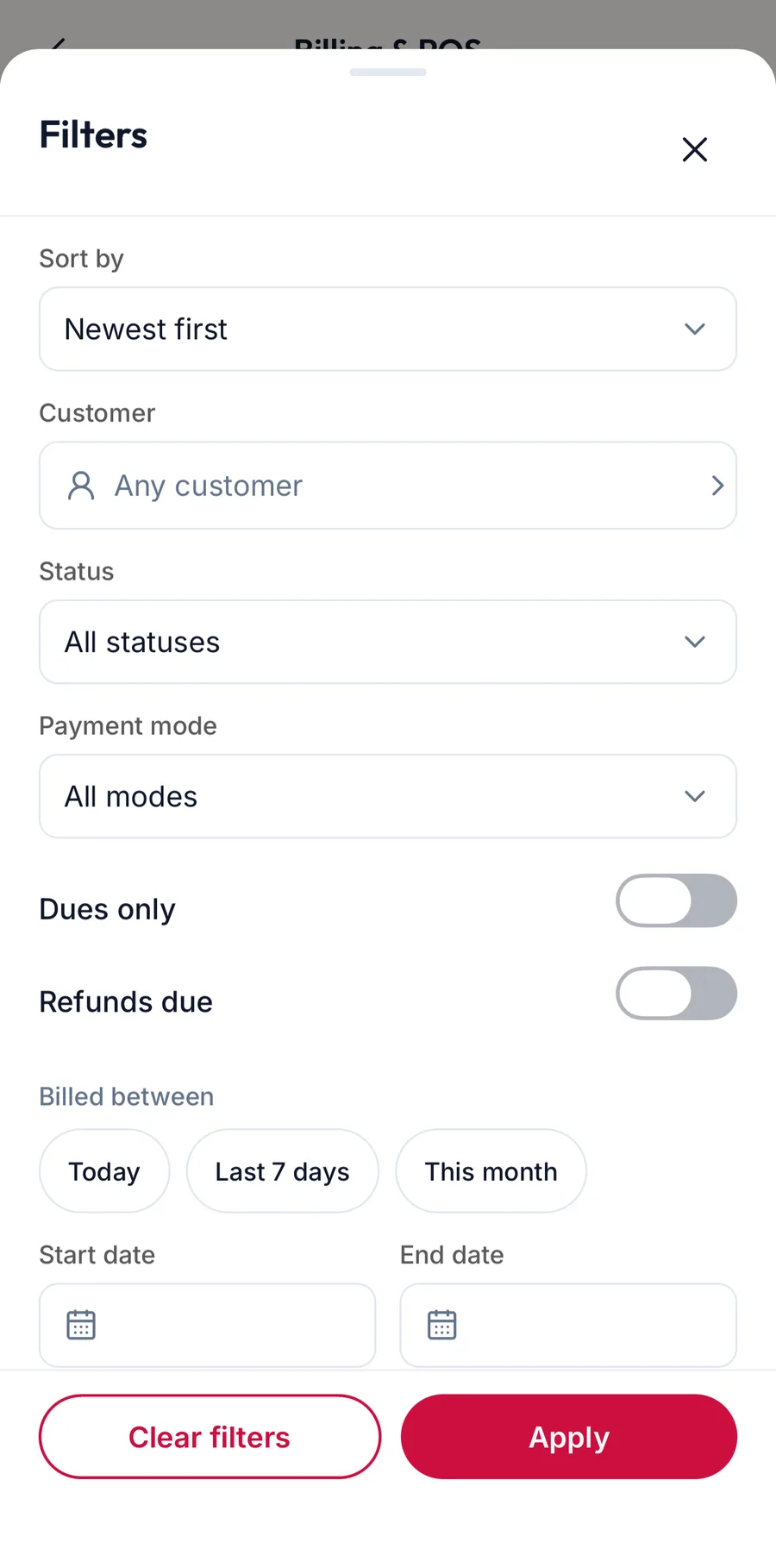
The invoice filters sheet in the app -
Each row shows the number, the status, the customer, the payment mode and the total, with Print, Refund and Void underneath. Tap the row to open the invoice. Export CSV downloads the list.
Each row
The invoice number, status, customer and date, then the payment mode and amount, with chips for Due: {{amount}}, Discount: {{amount}} and Refunded {{amount}} where they apply. The icons on the right open, collect, print, refund or void the invoice.
Shortcuts
n creates an invoice (it opens checkout), / focuses the search, [ and ] page through the list and r refreshes it.
Related articles
- Invoice details and printing · Billing & POS
- Today's revenue and collected: how the numbers reconcile · Billing & POS