
Export invoices to CSV
Download the invoice list, with the filters you have applied, as a spreadsheet for your accountant.
Steps
-
In Billing & POS, set the filters for what you want: a date range under Billed between, a status, a branch from the top bar.
-
Click Export CSV.
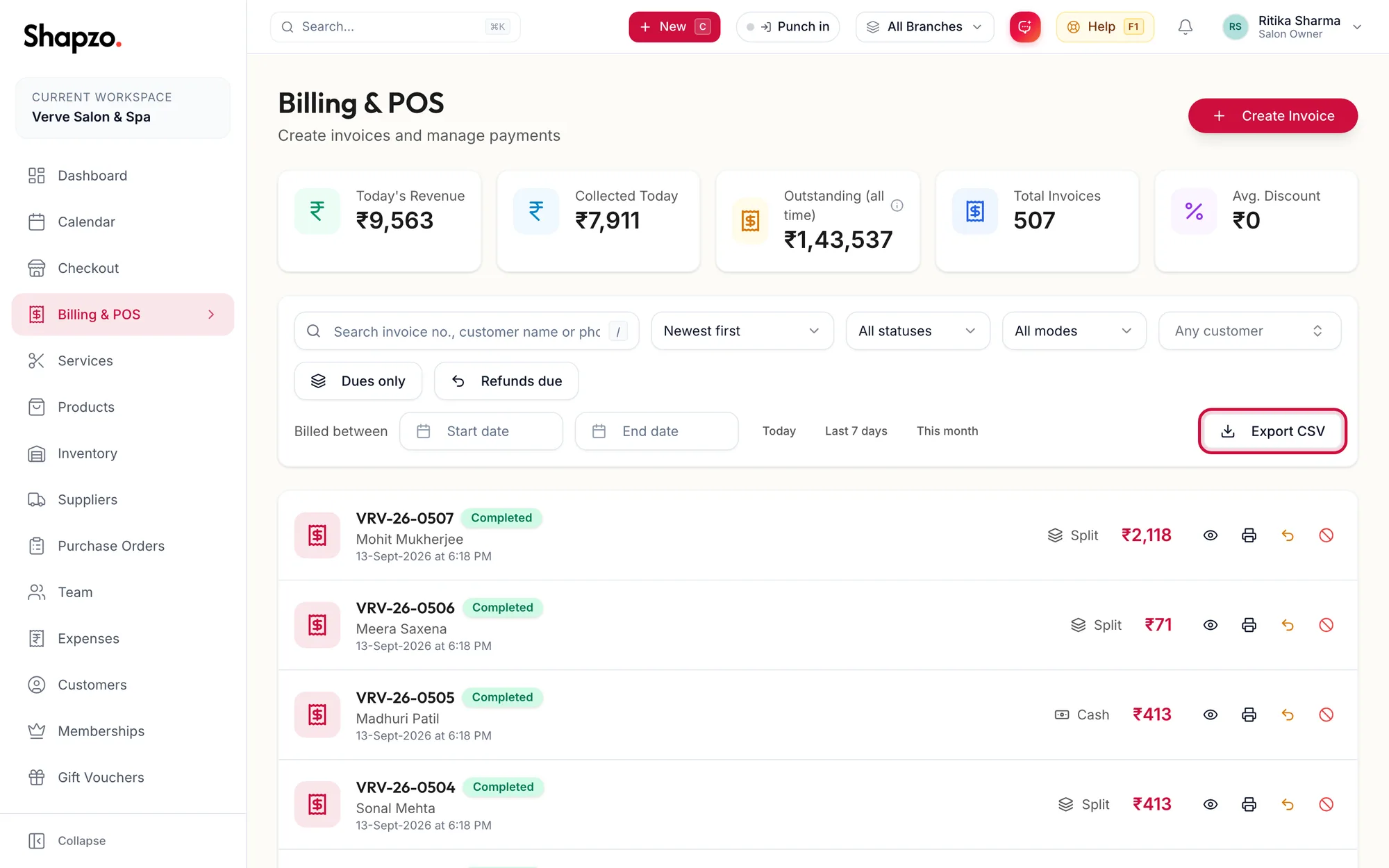
The Billing page with Export CSV highlighted -
The file downloads and the portal confirms with Invoices exported.
The export contains one row per invoice: number, date, customer and phone, branch, totals, tax, discount, paid and due amounts, and the payment mode.
For GST filing
The invoice export gives invoice-level figures. For the taxable value and CGST and SGST split by rate, run the Tax / GST Report under Reports for the period and export that. See Export a report.
Related articles
- Find an invoice · Billing & POS
- Run, filter and drill into a report · Reports & AI