
Profile and password
Update your name, phone and profile photo, and change your password from My Account.
My Account is your own page. Nothing on it changes the business or anyone else's login.
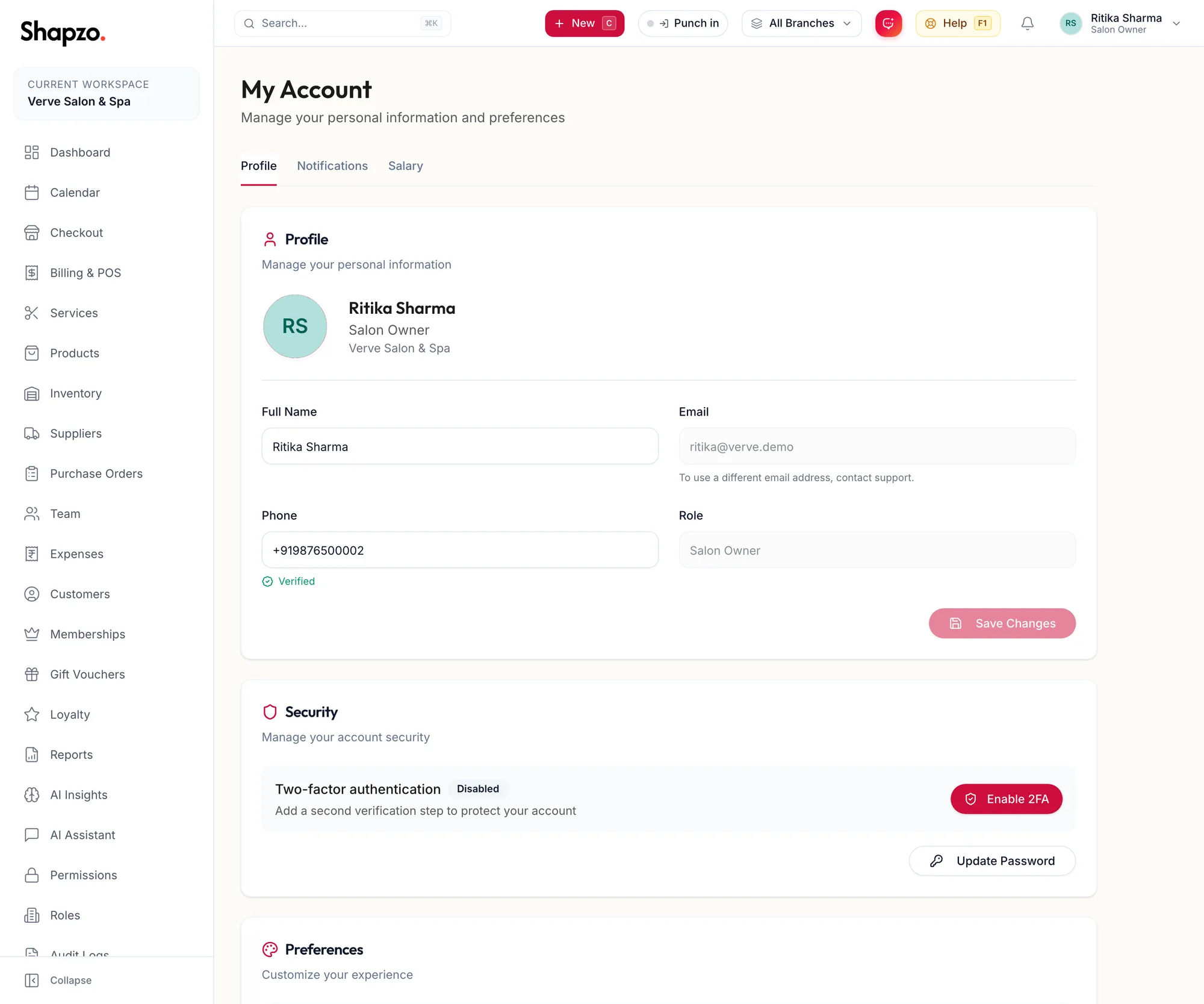
Update your profile
On the web
- Click your name at the top right and choose My Account.
- On the Profile tab, change your Full Name or Phone. Click the photo to upload a new one.
- Click Save Changes.
Your Email and Role are shown but cannot be edited here. To use a different email address, contact support. Your role is set by the owner on your team member record.
In the app
-
Tap More, then Edit profile on your profile card.
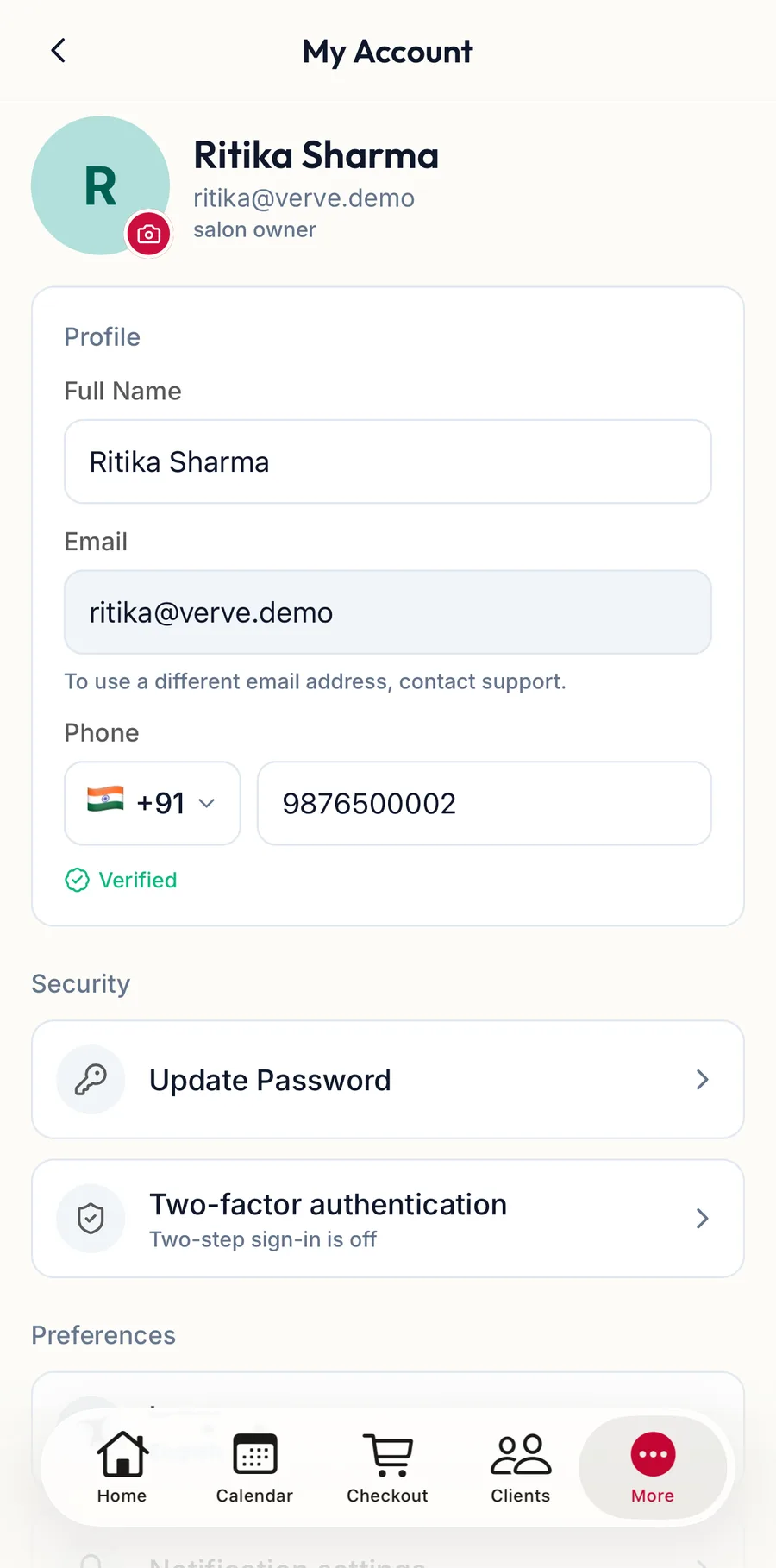
The My Account screen in the app -
Under Profile, change your Full Name or Phone. Tap the camera on your photo to Change photo.
-
Tap Save Changes.
Your Email is shown but cannot be edited here. The Preferences section underneath holds Language, Notification settings and, on a phone with Face ID or a fingerprint reader, Unlock with Face ID / fingerprint so the app asks for it each time it opens.
Change your password
On the web
-
Under Security, click Update Password.
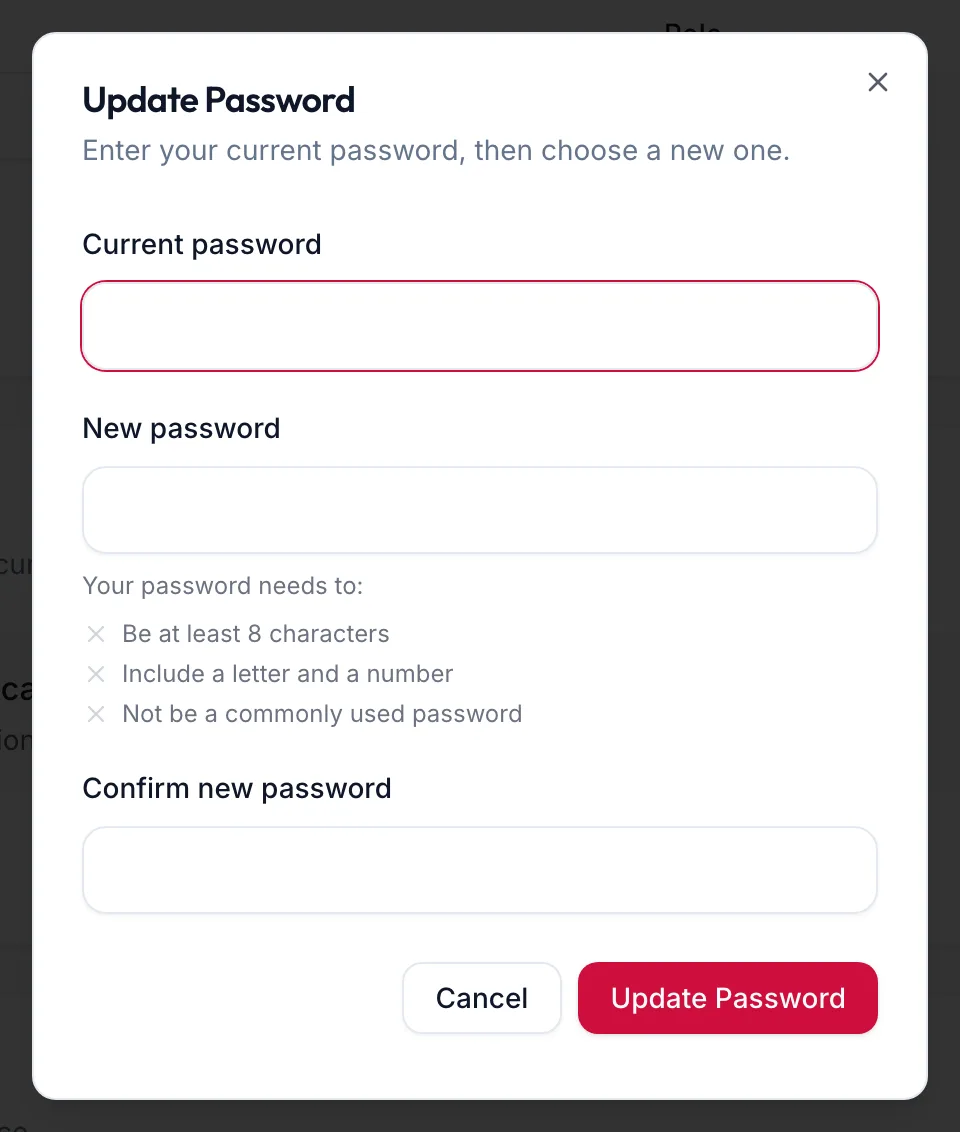
The Update Password dialog -
Enter your Current password, then a New password and Confirm new password. The checklist under the field shows the rules the new password must meet.
-
Click Update Password.
You stay signed in on this device. Other devices keep their sessions until you sign out there.
In the app
- Under Security, tap Update Password.
- Enter your current password, then the new one twice. The checklist shows the rules the new password must meet.
- Tap Update Password.
Troubleshooting
- "New password must be different from your current one." Choose a password you have not used before.
- You forgot your current password. Sign out and use Forgot password? on the sign-in page instead.
Related articles
- Set up two-factor authentication · Your account
- Verify your mobile number · Your account