
Set up two-factor authentication
Protect your login with a code from an authenticator app, or a code sent to your email or phone, and save your backup codes.
Two-factor authentication asks for a second code after your password whenever you sign in. Owners and anyone who handles money should switch it on.
Turn it on
On the web
-
Open My Account. Under Security, find Two-factor authentication; the badge reads Disabled.
-
Click Enable 2FA.
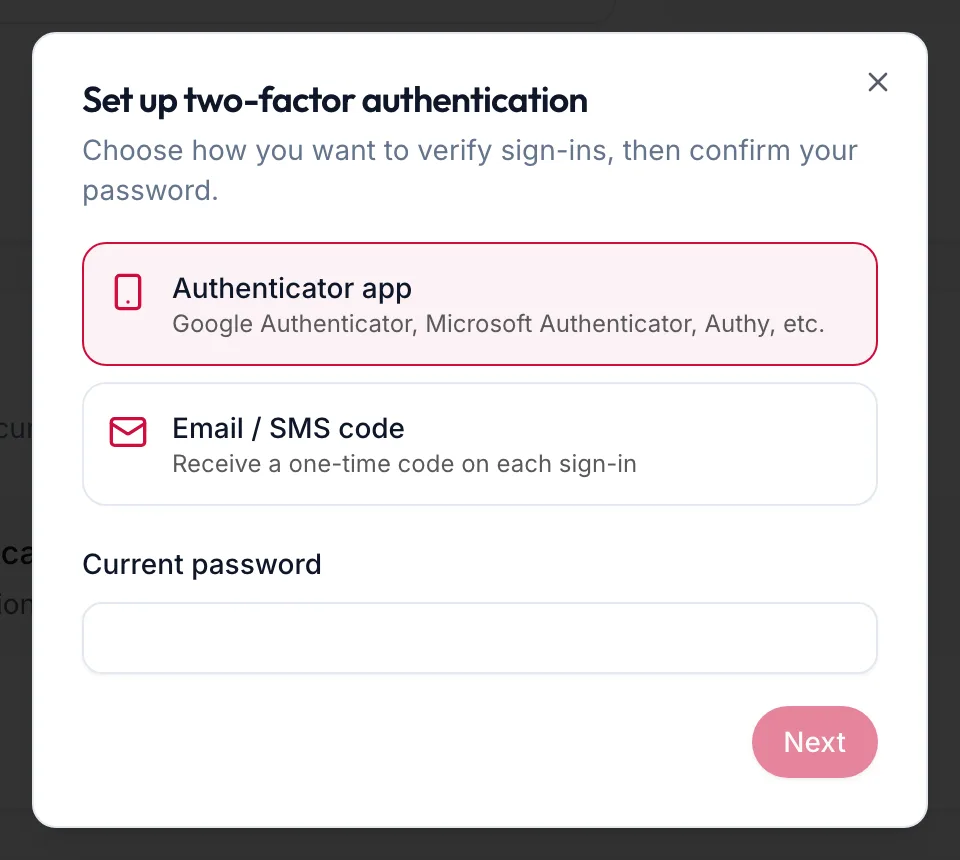
The two-factor setup dialog with its two methods -
Choose a method:
- Authenticator app: Google Authenticator, Microsoft Authenticator, Authy and similar apps. Works without signal.
- Email / SMS code: a one-time code on each sign-in. SMS codes need a verified mobile number; see Verify your mobile number.
-
Enter your Current password and click Next.
-
With an app: scan the QR code, or type the key shown under Can't scan? Enter this key manually:, then enter the 6-digit code the app shows. With email or SMS: enter the code you received. Click Verify & enable.
-
Save the Backup codes. Use Copy or Download, keep them somewhere private, then click I have saved these codes.
The badge now reads Enabled and the row shows how many backup codes remain.
In the app
- Tap More, then Edit profile. Under Security, tap Two-factor authentication; the line under it reads Two-step sign-in is off.
- Choose a method and enter your current password.
- With an authenticator app, the sheet says Scan this in your authenticator app; tap the key under Or enter this key by hand if the app is on the same phone. Enter the 6-digit code the app shows. With email or SMS, enter the code you receive.
- Save the backup codes with Copy codes or Share codes, then confirm.
The line now reads Two-step sign-in is on.
New backup codes
Click New backup codes and confirm with your password and a current code. The old codes stop working immediately.
Turn it off
Click Disable, then confirm with your password and a current code. Your account goes back to password-only sign-in.
Related articles
- Two-step verification at sign-in · Getting started
- Verify your mobile number · Your account