
AI Suggest, archive and delete
Let the assistant propose a menu for your kind of business, and know the difference between archiving and deleting a service.
AI Suggest
On the web
-
On Services, click AI Suggest.
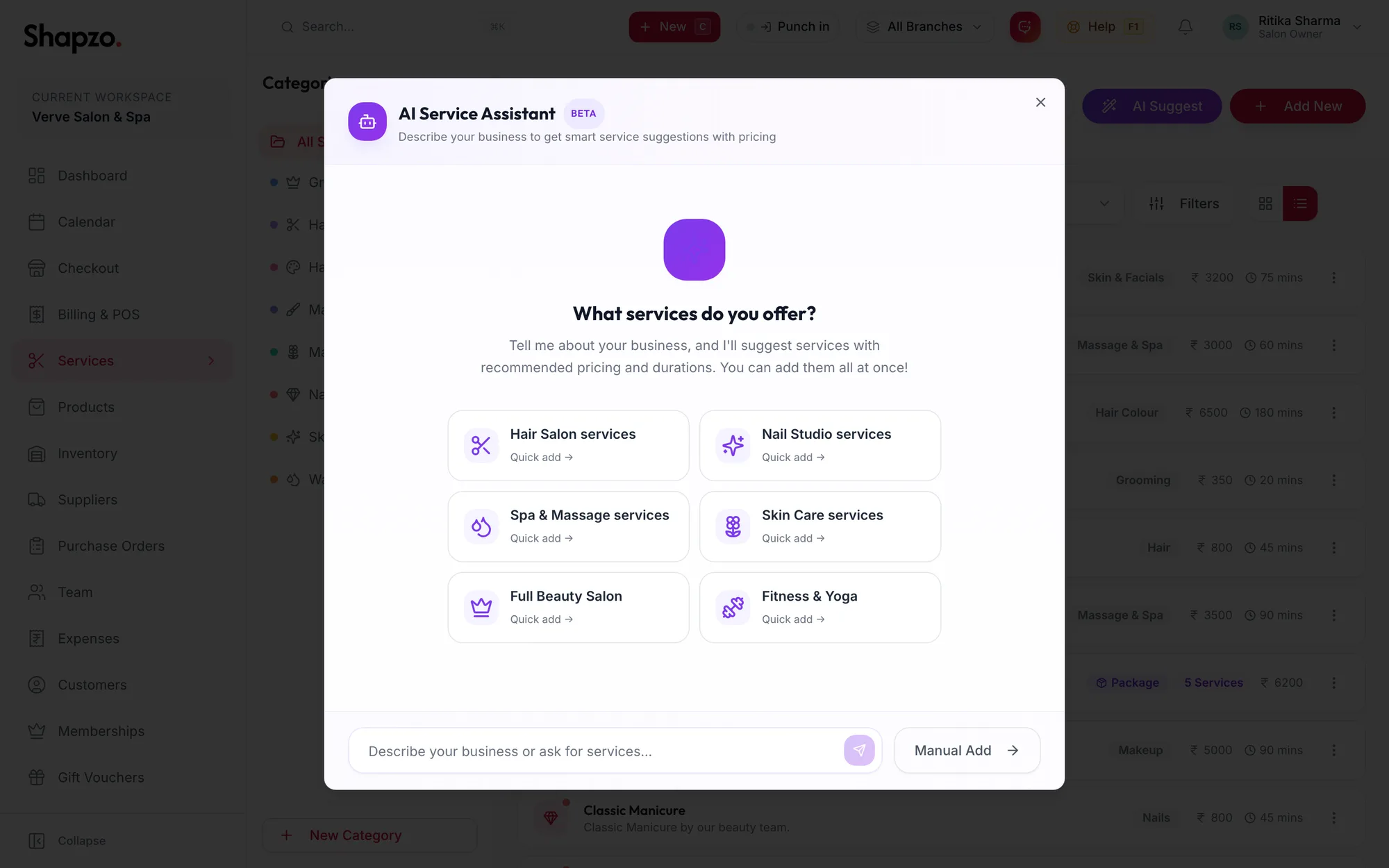
The AI Service Assistant -
Pick a quick prompt such as Hair Salon services or Spa & Massage services, or describe your business in the box.
-
The assistant proposes services with a category, price and duration. Tick the ones you want, or Select all, and click Add {{count}} to Catalog.
Prices are suggestions for the Indian market; adjust them after import. Manual Add switches to the ordinary service form.
In the app
-
On Services, tap AI Suggest in the row of buttons at the top.
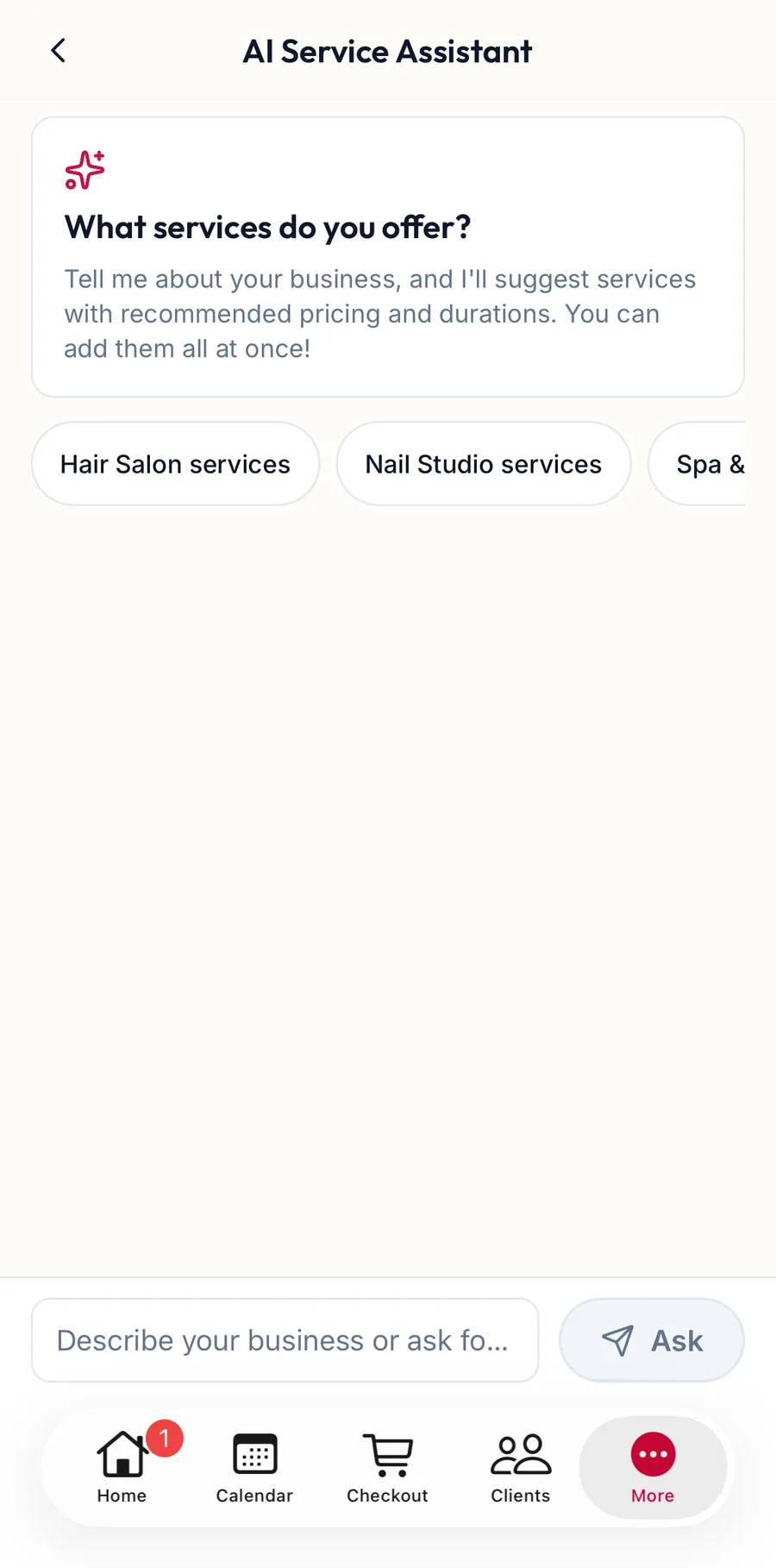
The AI Service Assistant in the app -
Describe your business under What services do you offer? and tap Ask.
-
Tick the suggestions you want, or Select all, and tap Add {{count}} to Catalog.
Archive a service
On the web
From the row menu choose Archive. The service disappears from the menu, the booking form and checkout, but existing packages, bookings and reports that use it are untouched. Archived items can be shown again with the Filters dialog and restored.
In the app
Tap the archive icon on the service's card. Archived services can be shown again from Filters.
Delete a service
On the web
From the row menu choose Delete.
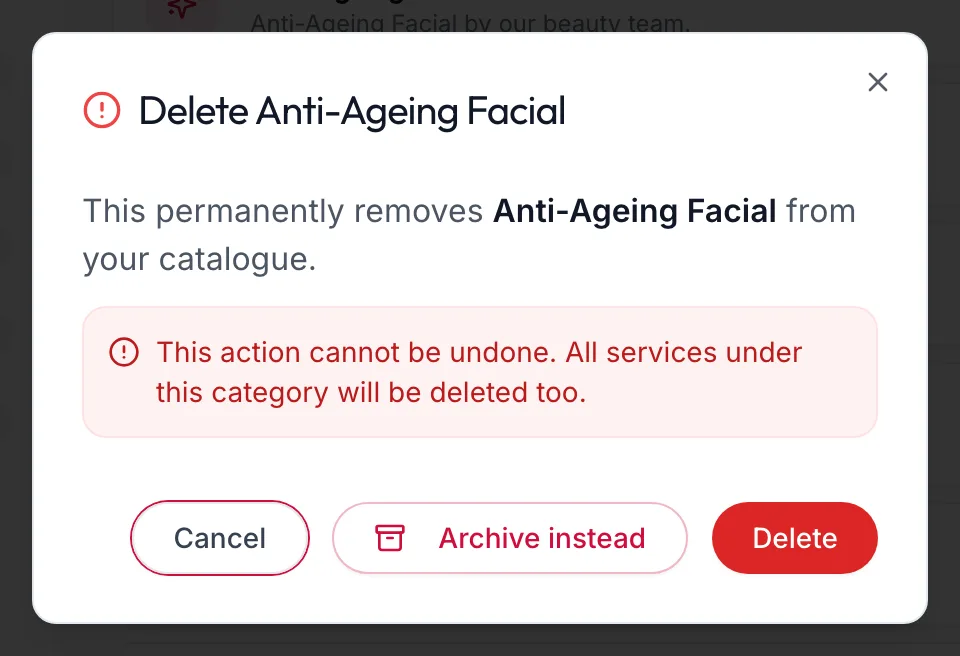
The dialog is titled Delete {{name}} and warns that the service is removed permanently. While it reads Checking usage… it looks for packages that include the service; if any do it shows Used in {{count}} packages. Archive instead is always offered, and is the safe choice, because archiving keeps the service out of the catalogue without breaking any package that uses it. Delete removes it for good.
In the app
Tap the bin on the service's card. The dialog is titled Delete {{name}}, checks usage the same way, and offers Archive instead.
Related articles
- Add a service · Services & packages
- Build a package · Services & packages