
Variants and extra time
Offer one service at several sizes or lengths, and build processing, blocked and extra servicing time into the booking.
Variants
On the web
A variant is the same service at a different price or length: Short hair, Long hair; 30 minutes, 60 minutes. The service shows {{count}} Options on the menu and the picker at checkout asks which one.
-
Open the service and, under Pricing and duration, click New variant.
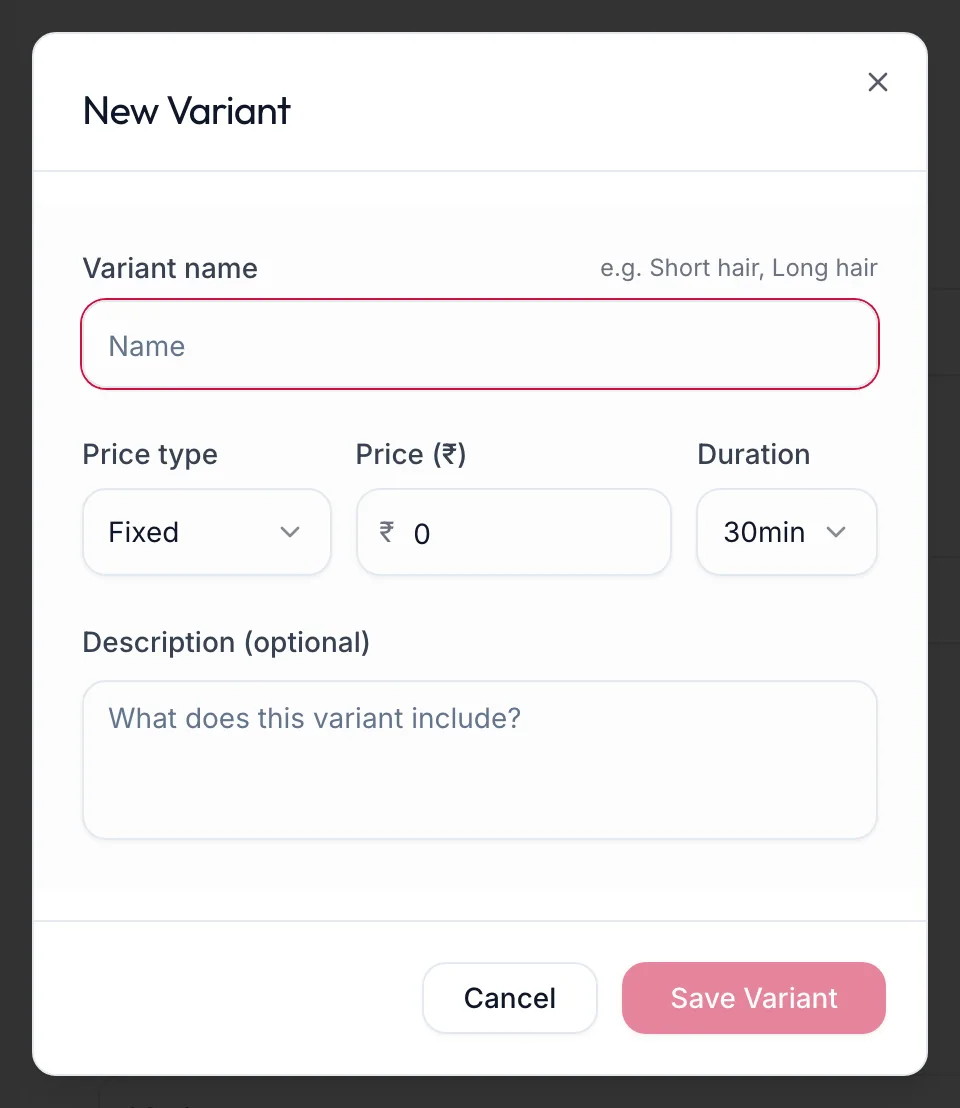
The New Variant dialog -
Enter the Variant name, its Price type and Price (₹), its Duration and an optional description.
-
Click Save Variant. Add more with Add Variant.
In the app
-
Open the service and tap Pricing; the variants sit under the service time.
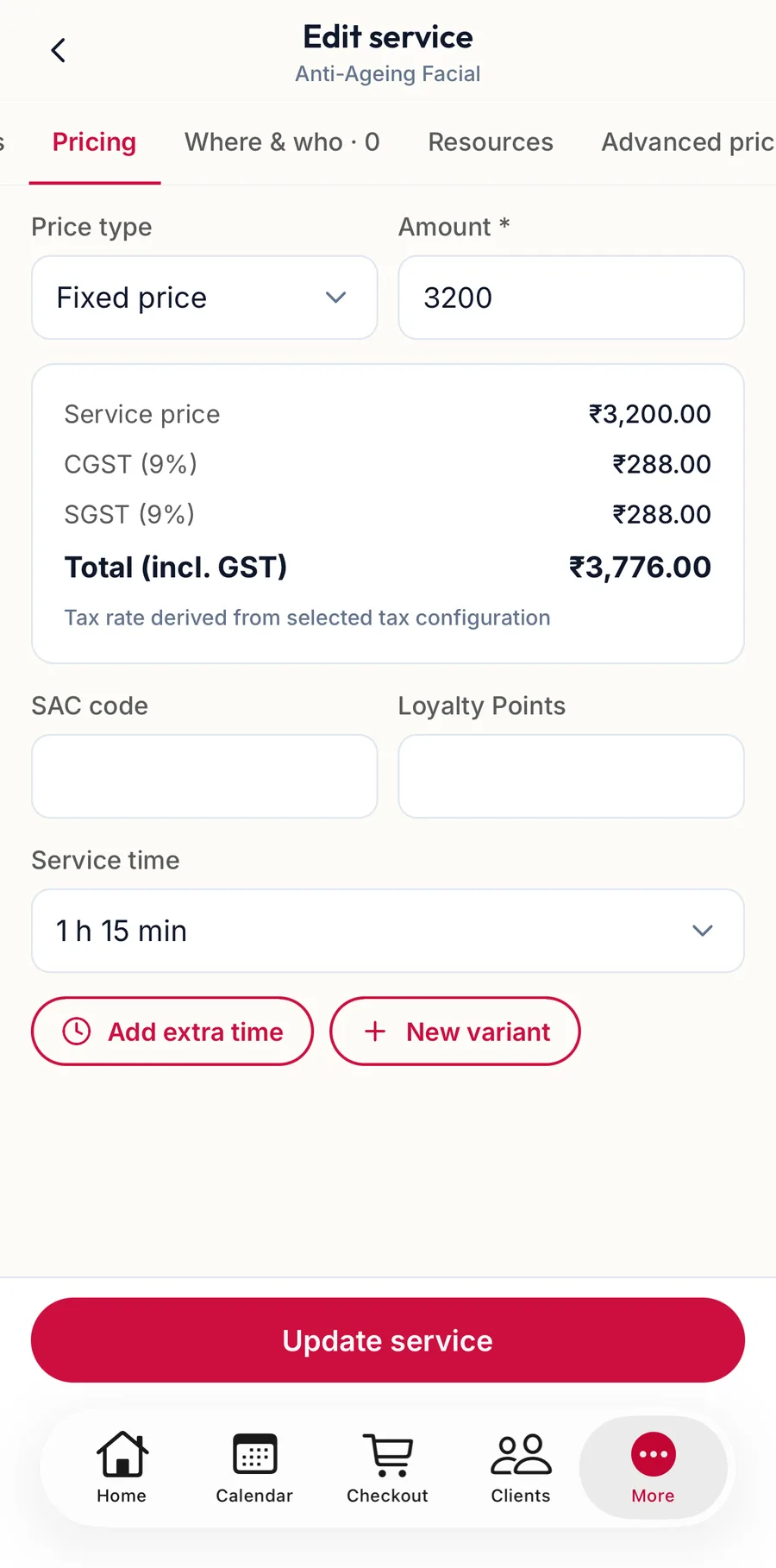
The variants of a service in the app -
Tap New variant, enter the Variant name, its Price type and Price (₹), its Duration and an optional description.
-
Tap Save Variant.
Extra time
On the web
Some services take longer than the hands-on work. Add extra time offers three kinds:
| Kind | The team member is | The customer sees |
|---|---|---|
| Processing time | Free to take someone else while colour develops | Included in the duration |
| Blocked time | Occupied, for example cleaning the room | Not shown |
| Extra servicing time | Occupied with this customer | Included in the duration |
Each block has its own length. Reorder them with Move Up and Move Down; the Total duration: line adds everything up and is what the calendar reserves.
In the app
Under Pricing, tap Add extra time and choose the kind. Each block has its own length; Move Up and Move Down reorder them, and Total duration is what the calendar reserves.
Related articles
- Add a service · Services & packages
- Prices per location and team member · Services & packages