
Build a package
Bundle services into a fixed or custom package with a session count, validity and its own price or discount.
A package is bought once and redeemed over several visits: a bridal package, six blow dries, a course of facials.
Steps
On the web
-
Open Services, click Add New, then New package.
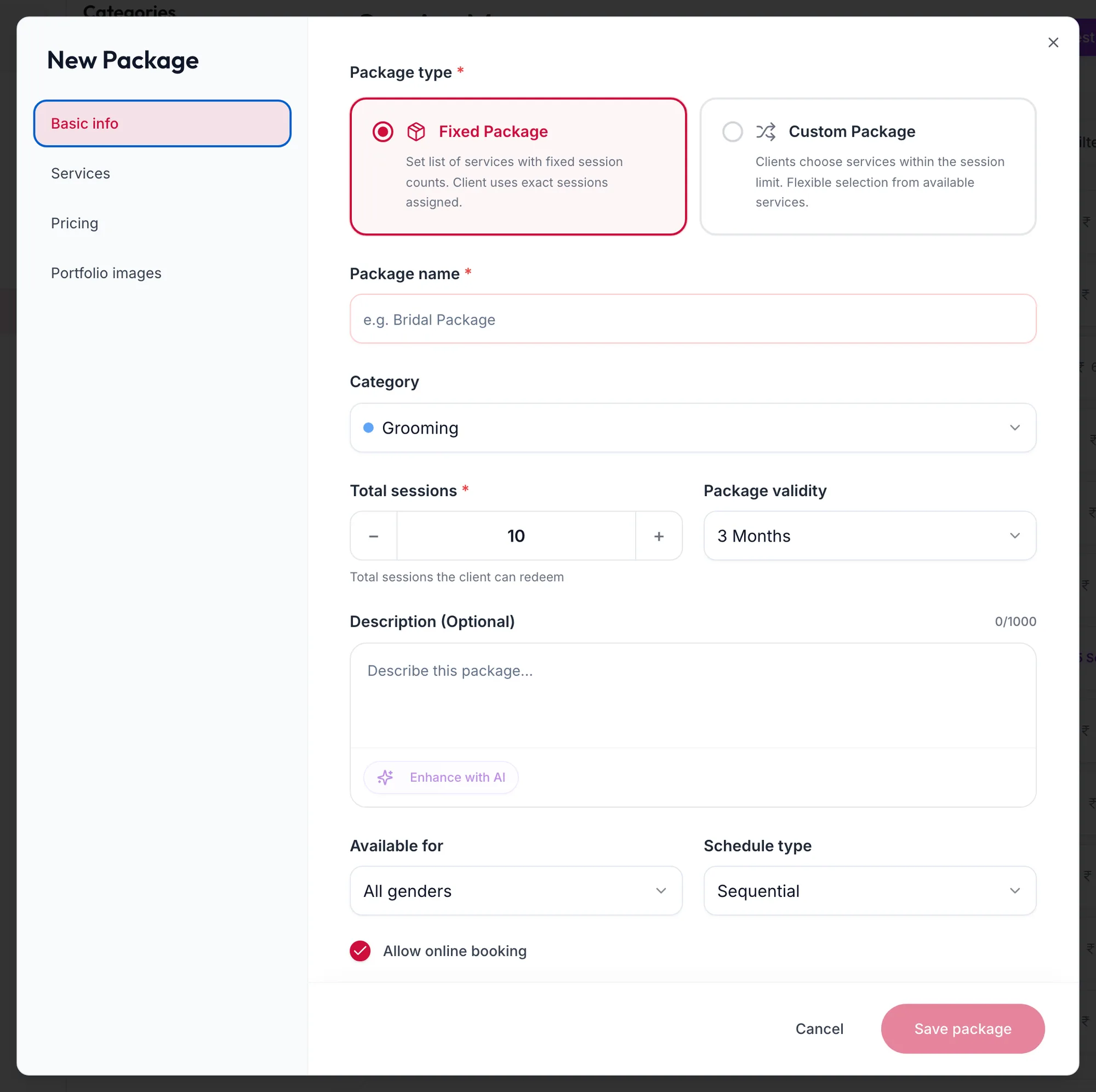
The New Package form on Basic info -
Under Basic info:
- Package type: Fixed Package (a set list with fixed session counts) or Custom Package (the customer chooses services within the session limit).
- Package name and Category.
- Total sessions: how many visits the package covers.
- Package validity: 15 Days, 30 Days, 3 Months, 6 Months, 1 Year, No Expiry, or Custom.
- Available for: All genders, or one gender if the package is specific.
- Schedule type: Sequential if the services must happen in order, Flexible otherwise.
-
Under Services, search and add each service. For a fixed package set the sessions per service; the bar under Sessions assigned: must reach the total exactly. A custom package shows Clients can choose up to {{count}} total sessions.
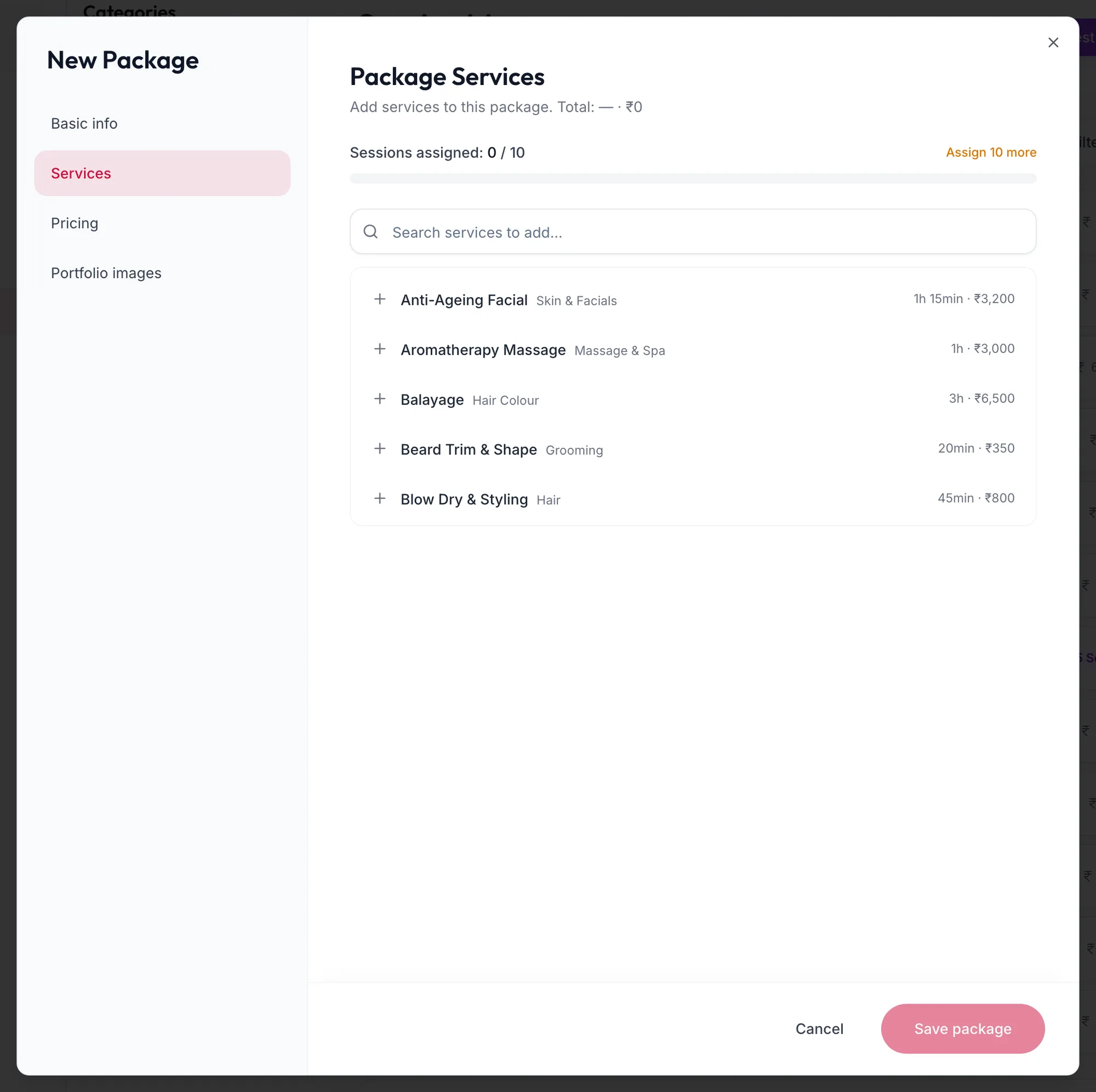
The Services tab of a package -
Under Pricing, choose Use service pricing (sum of services), Fixed package price or Discount on total. For a discount, pick Flat (₹) or Percentage and the amount; the line under it shows the service total, the package price and the saving. Set the tax as for a service.
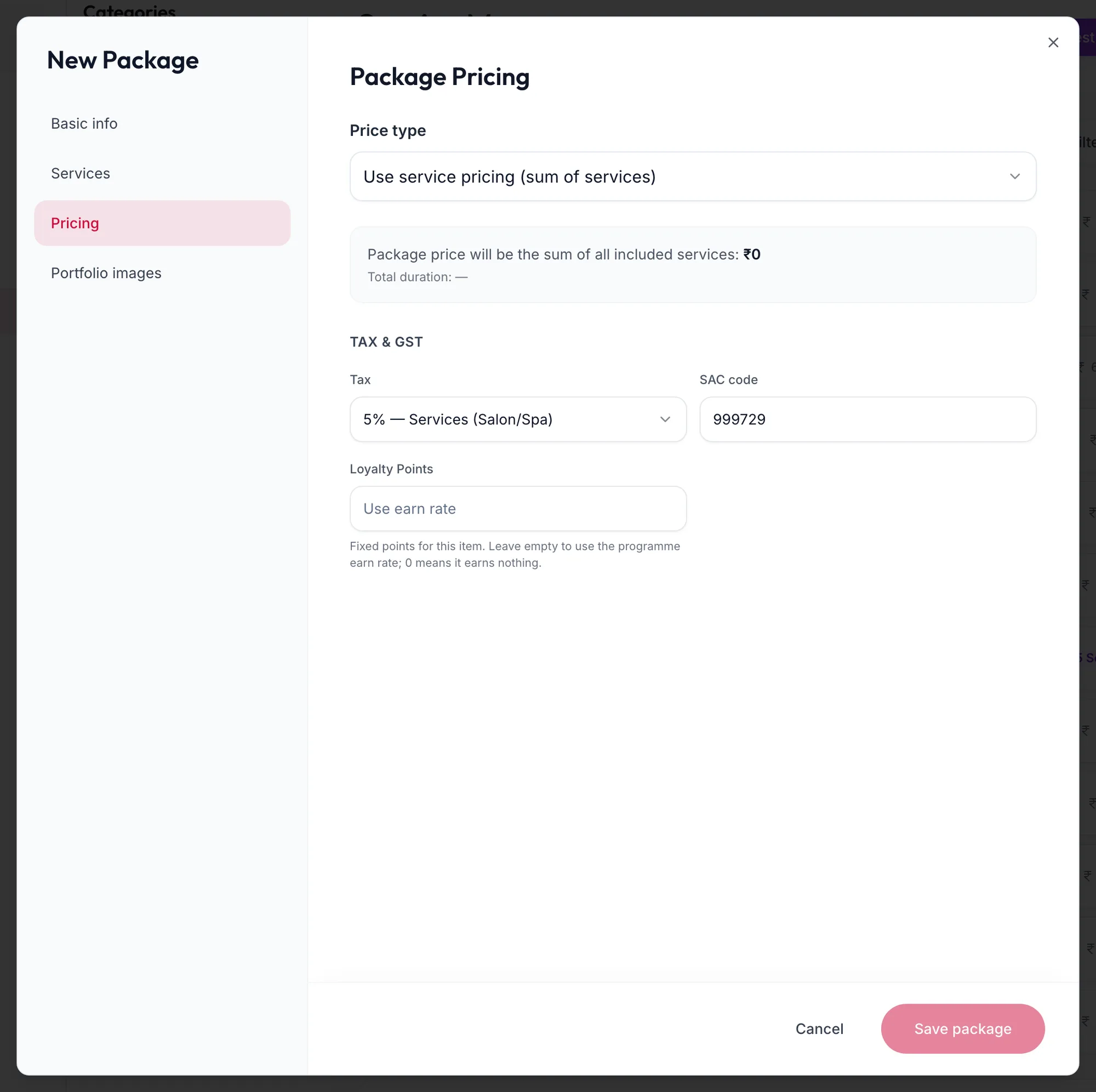
The Pricing tab of a package -
Click Save package.
In the app
-
Tap More, then Services, then the + button and New package.
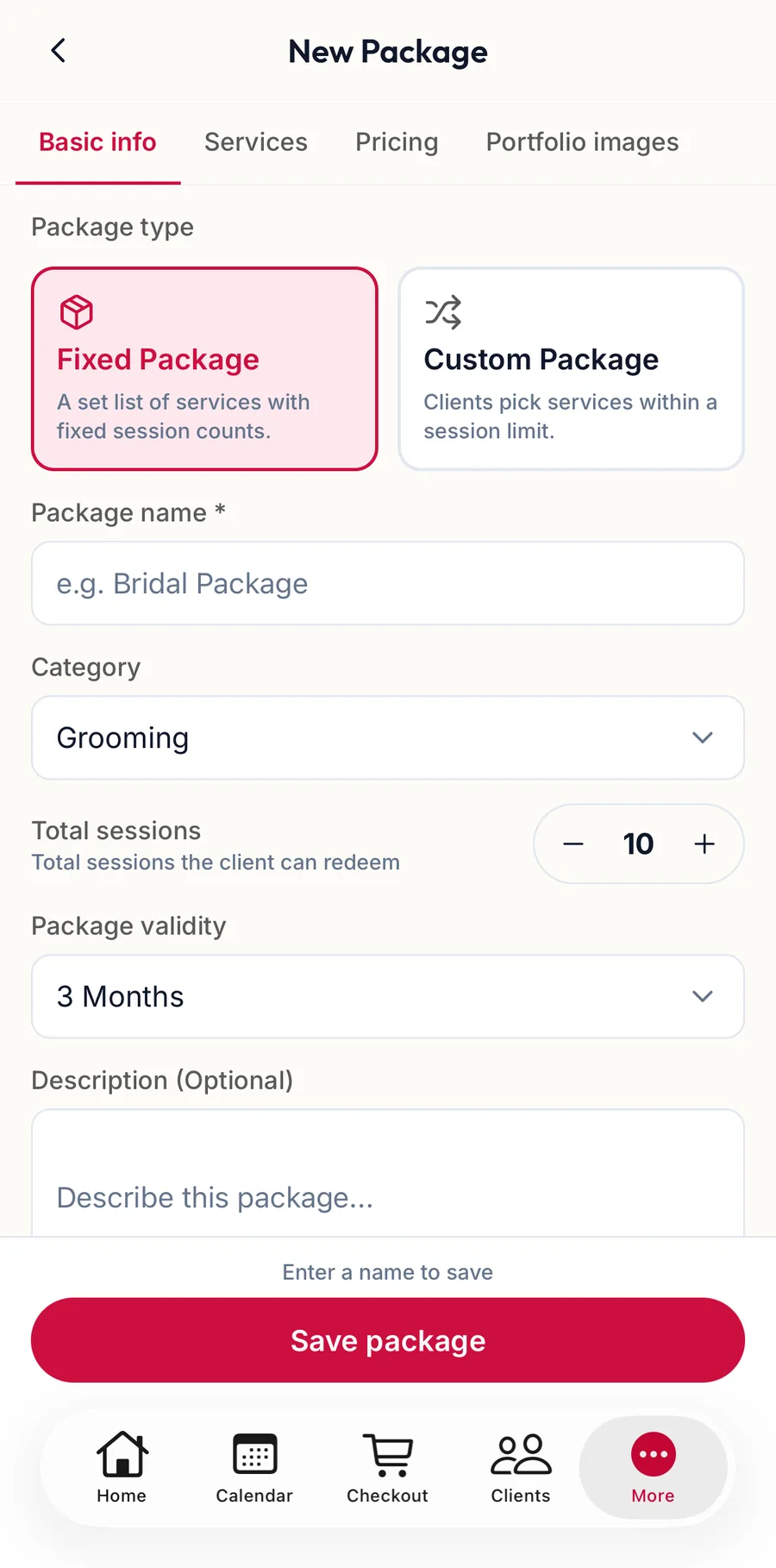
The New Package form in the app -
Under Basic info, choose the Package type, enter the Package name and Category, the Total sessions, the Package validity, Available for and the Schedule type.
-
Under Services, search and add each service and set its sessions.
-
Under Pricing, choose the Price type and, for a discount, the Discount type and amount. The line under it shows what the client saves.
-
Tap Save package.
Selling and redeeming
Sell the package at checkout with Package. From then on the customer's checkout shows a Package benefits bar with the sessions left and the expiry; see Redeem membership benefits at checkout.
Related articles
- Add a service · Services & packages
- Redeem membership benefits at checkout · Checkout