
Change your language
The portal is available in English, Hindi, Marathi, Gujarati, Tamil, Telugu, Kannada, Bengali and Punjabi. Pick yours from the profile menu.
Your language is a personal setting. It follows your account on every device and does not change what anyone else sees.
From the profile menu
-
Click your name at the top right.
-
Point to Language and choose one.
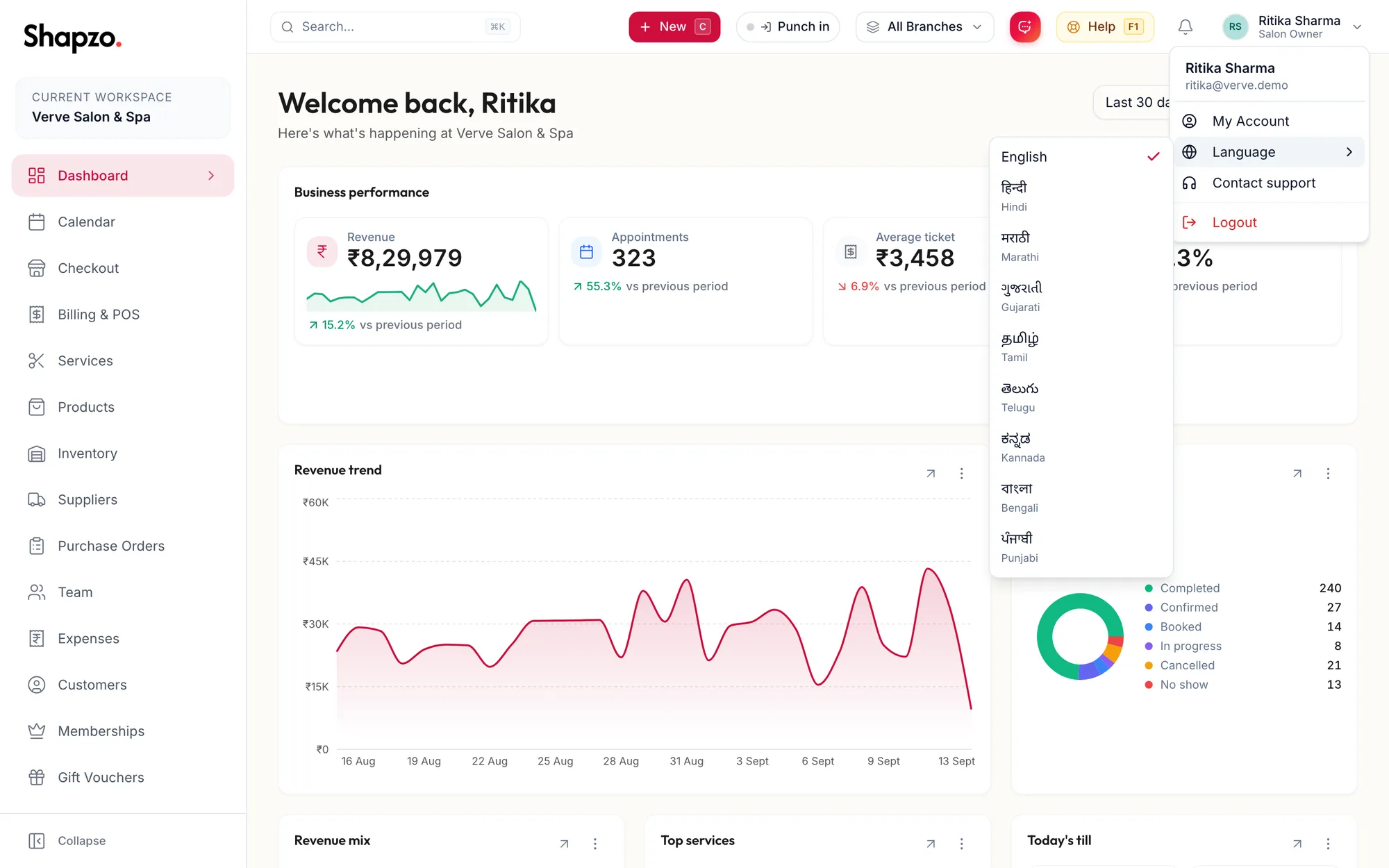
The Language submenu in the profile menu
The portal switches immediately, including dates, weekday names and the text of notifications sent to you.
From settings
Settings, then Language & Region, offers the same choice under My language. Owners also see Business default, the language new team members start in; see Language for yourself vs the business default.
On the sign-in page
The sign-in, registration and password pages have their own language picker, so you can read them before you sign in.
Related articles
- Language for yourself vs the business default · Your account