
Book a recurring appointment
Repeat a booking daily, weekly, monthly or yearly, choose when it ends, and understand how changes to one occurrence work.
A standing appointment, such as a blow dry every Friday, is booked once as a series. Each occurrence is a normal booking on the calendar.
Steps
On the web
-
Start a booking as usual: Calendar, then Add.
-
Fill in the customer, time and services.
-
Under Repeat, open the selector. It reads Does not repeat for a one-off booking. Choose Daily, Every weekday (Mon–Fri), weekly on the booking's weekday, monthly on that weekday of the month, annually on the date, or Custom… for your own pattern.
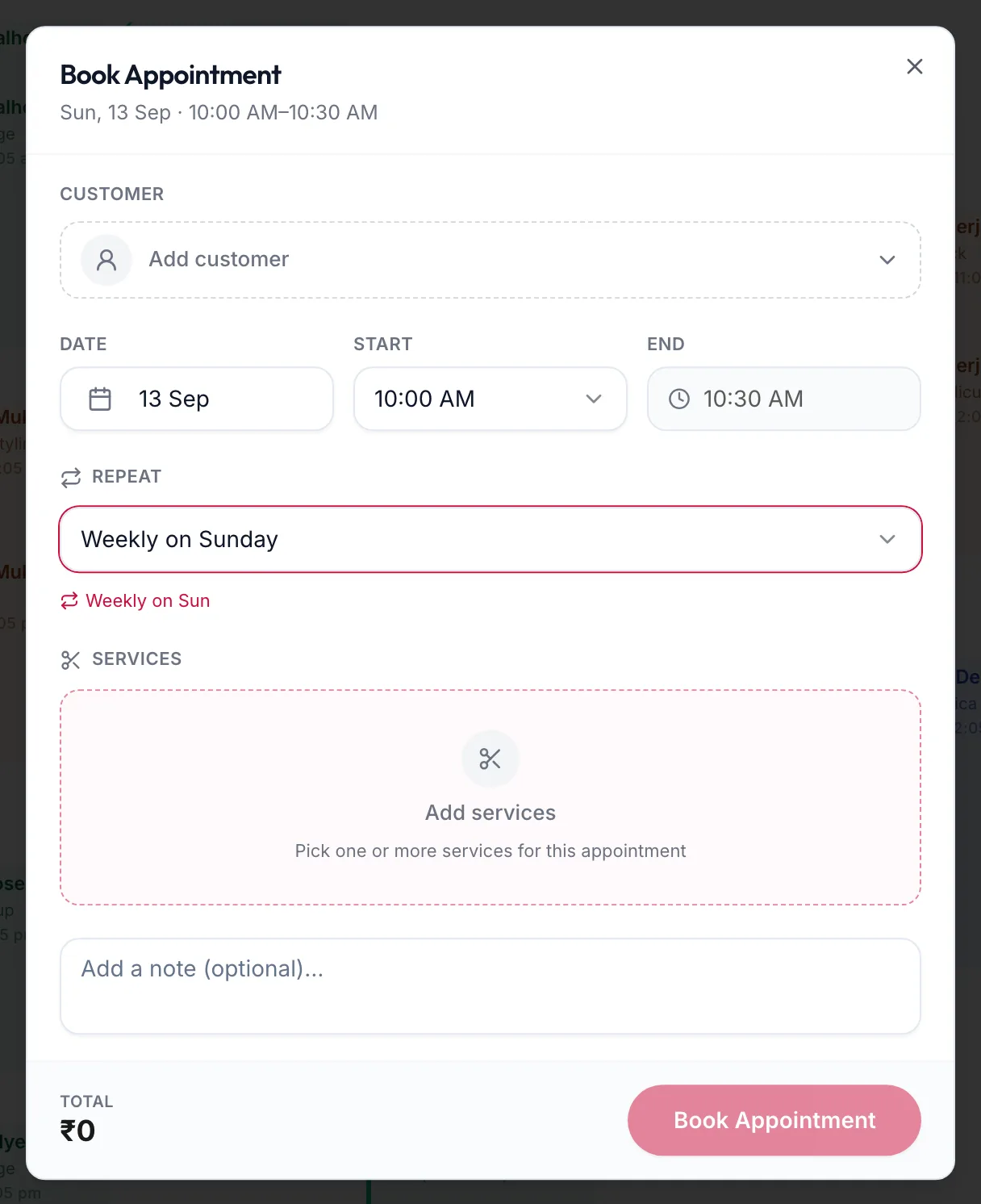
The Book Appointment form with a weekly repeat -
With Custom…, refine the pattern:
- Repeat every sets the gap and the unit, for example every 2 weeks.
- Repeat on picks the weekdays for a weekly series.
- A monthly series can repeat on the same date or on the same weekday each month.
- Ends: Never, On a date, or After a number of occurrences.
-
Read the summary line to confirm the pattern, then click Book Appointment.
In the app
-
Start a booking as usual: Calendar, then +.
-
Fill in the customer, time and services.
-
Tap Repeat. It reads Does not repeat for a one-off booking. Choose a preset, or Custom… for your own pattern.
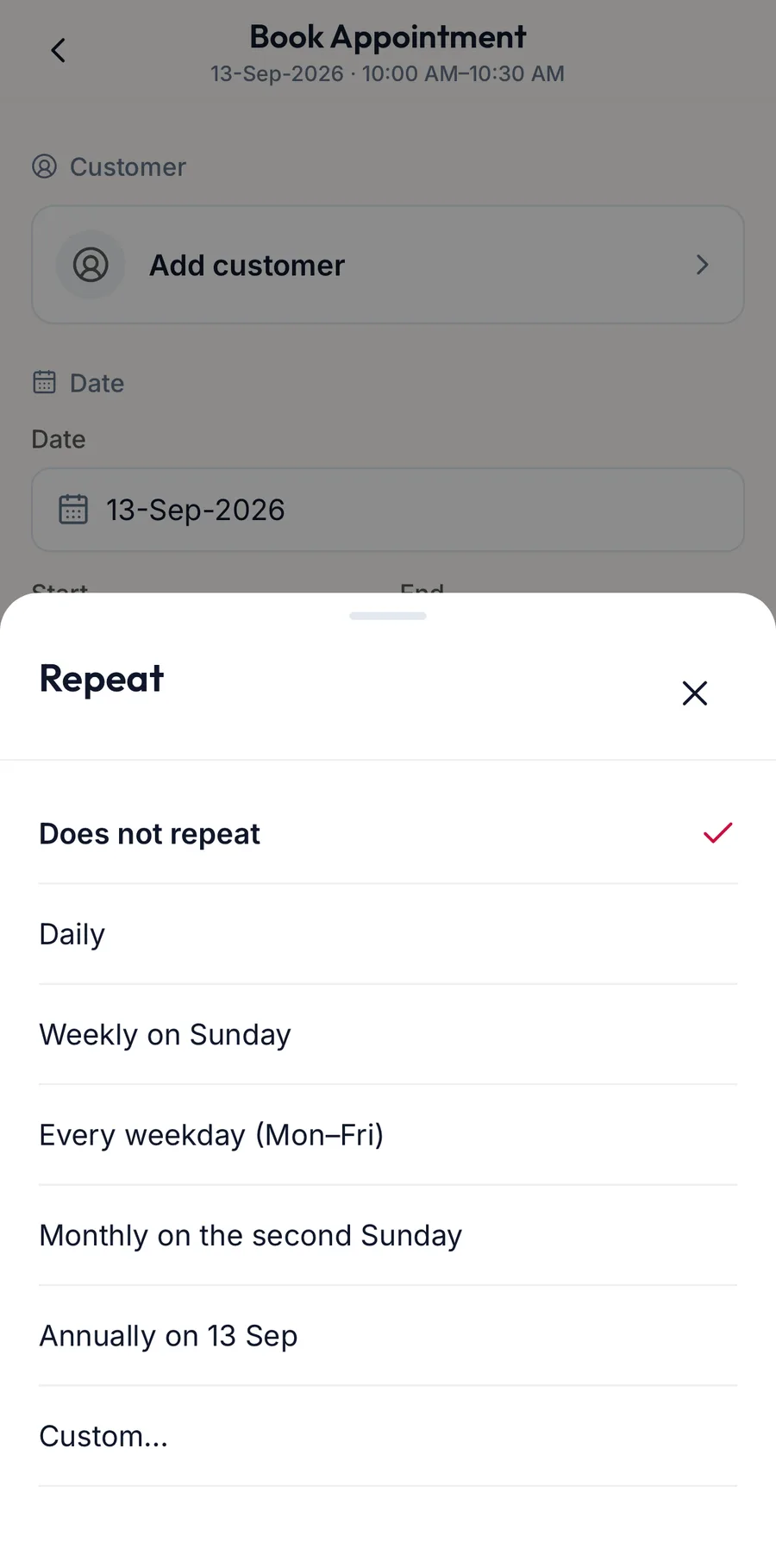
The repeat options on the New appointment form -
With Custom…, set Repeat every, Repeat on and Ends: Never, On a date, or After a number of occurrences.
-
Read the summary line to confirm the pattern, then tap Book Appointment.
The portal books every date it can. If a date clashes with another booking for the same team member or room, that date is skipped and you are told which ones.
Changing a series
Open any occurrence from the calendar. It carries the note Part of a recurring series — changes apply to this occurrence only. Editing the time, services or notes affects that one visit.
When you Cancel or delete an occurrence, the portal asks whether you mean This appointment or This & all upcoming. Past occurrences are never changed.
Related articles
- Book an appointment · Calendar
- Open an appointment and change its status · Calendar