
The Getting Started checklist
The checklist on the dashboard walks a new business through setup, in the order that gets you to your first payment fastest.
After approval, the Getting Started panel appears at the bottom right of the portal. Each step opens the right screen; the panel ticks it off itself when the work is done, because it counts real records rather than clicks.
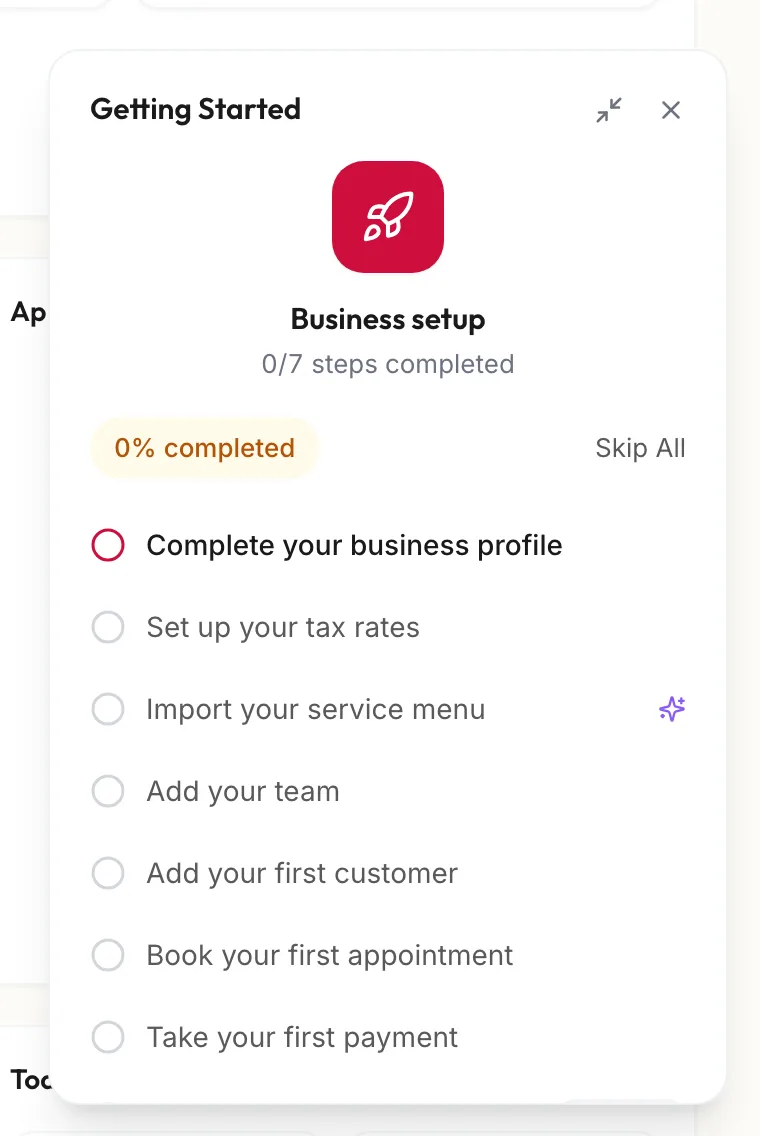
The steps
| Step | What it opens | Why it matters |
|---|---|---|
| Complete your business profile | Business setup | Name, phone, address and GST number print on every invoice. |
| Set up your tax rates | Point of Sale, Tax | Services and products need a GST rate before you bill. |
| Import your service menu | Services | Reads a photo of your price list, or add services by hand. |
| Add your team | Team | Each team member gets a calendar column. |
| Add your first customer | Customers | Bookings and bills attach to a customer record. |
| Book your first appointment | Calendar | Your first booking. |
| Take your first payment | Checkout | Your first invoice. |
| Upload your logo | Business setup | Marked Optional. Prints on receipts and gift cards. |
| Add products & stock | Products | Marked Optional. Retail and backbar stock. |
The percentage and the steps completed count only include the required steps you have permission to do, so a manager without settings access sees fewer steps than the owner.
Using the panel
- Click a step to go to that screen. Next: shows the step the portal suggests doing now.
- Minimize shrinks the panel to a pill that reads Show setup steps; click it to bring the panel back.
- Skip All hides the checklist for good. Nothing is deleted; the steps simply stop being tracked. Use it once the business is running.
- The Business setup dashboard widget shows the same progress and can be removed from the dashboard like any other widget.
Related articles
- Set up your business profile and logo · Getting started
- Set up your tax rates · Getting started
- Add your service menu · Getting started
- Add your team and invite them · Getting started