
Take the guided tours
Four short tours point out where things are: around the portal, the calendar, taking a payment and building your menu.
The first time you sign in, the Around the portal tour starts on its own. You can run it, or any of the other tours, again whenever you like.
Start a tour
-
Click Help at the top right, or press F1.
-
Under Take a tour, choose one:
- Around the portal: the sidebar, calendar, checkout, services, customers, team, search, the + New menu, the branch switcher and the checklist.
- Using the calendar: the grid, the Add button and the Waitlist.
- Taking a payment: the customer, the items bar and the payment summary on the checkout screen.
- Building your menu: the services list, Add New and the search box.
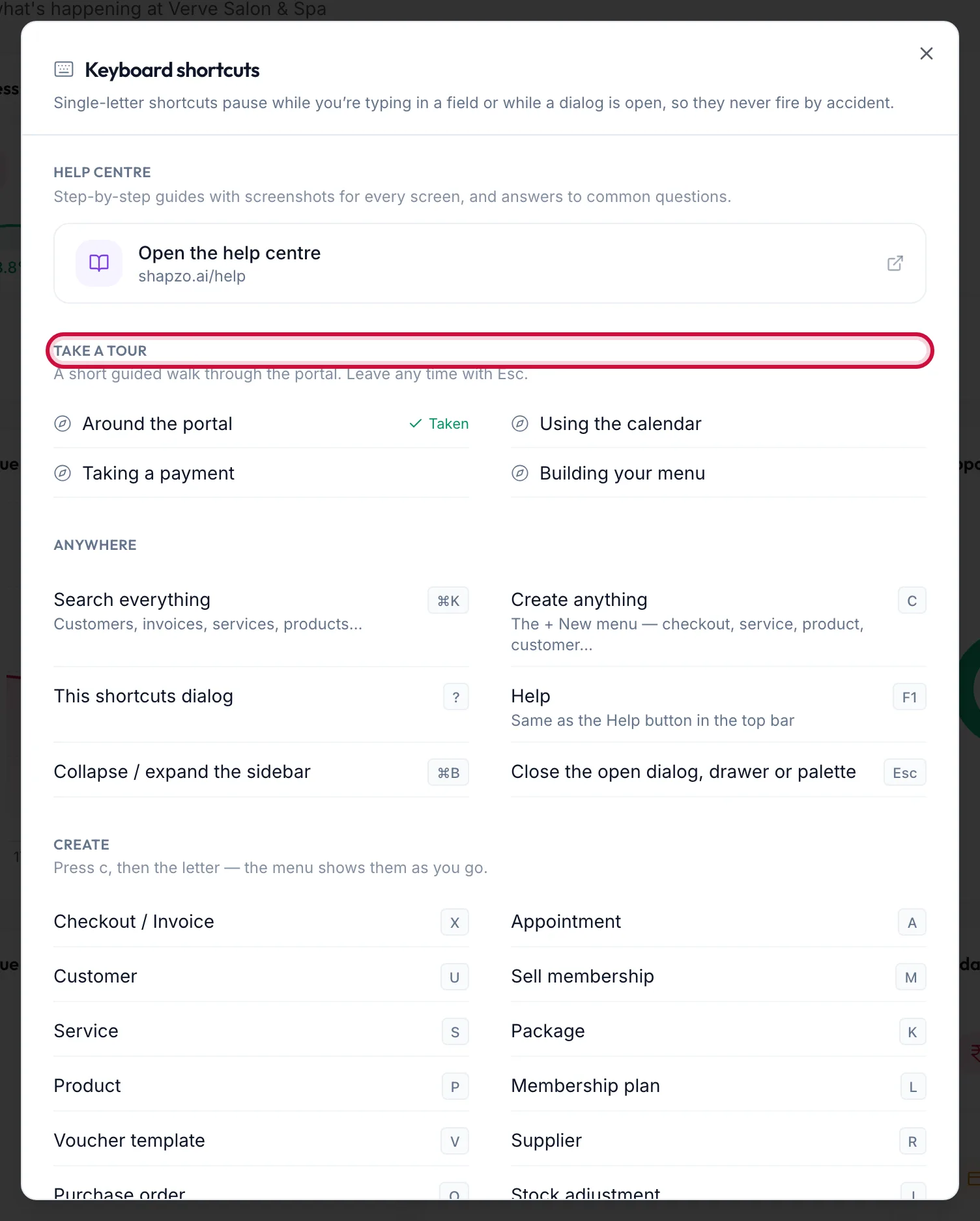
The Help dialog with the Take a tour section -
Read each step and click Next. Back returns a step.
-
Click Finish on the last step, or Skip tour at any time. Esc also leaves the tour.
Tours you have completed show Taken in the list.
Related articles
- Keyboard shortcuts · Around the portal
- The sidebar and the top bar · Around the portal