
Add your service menu
Three ways to build the menu: photograph your printed price list, upload a spreadsheet, or add services one by one.
Bookings and checkout both draw on the service menu, so this is the step that makes the rest of the portal useful. Pick whichever of the three routes matches what you already have.
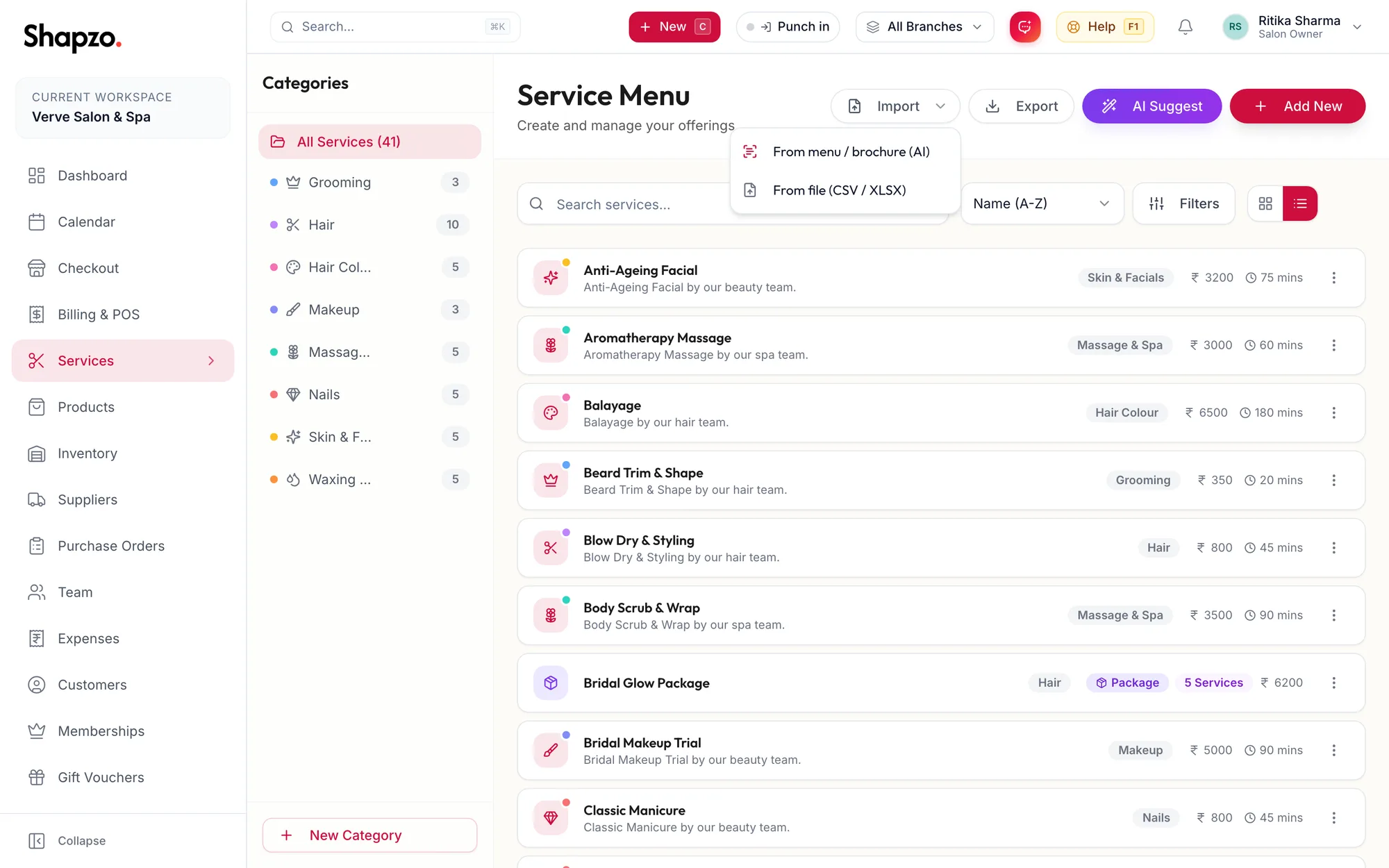
From a photo of your price list (fastest)
- Open Services in the sidebar.
- Click Import, then From menu / brochure (AI).
- Upload photos or a PDF of your menu and click Extract items.
- Review the list it reads out, untick anything you do not want, and click the import button.
The importer sorts what it finds into services, packages and products, and skips items already in your catalogue. Packages come in as drafts; give them sessions and validity afterwards.
From a spreadsheet
- Click Import, then From file (CSV / XLSX).
- Click Download Excel Template (.xlsx), fill it in (the category and price type columns are dropdowns), and upload it with Upload CSV / XLSX File.
One at a time
- Click Add New, then New service.
- Enter the Service name, choose a Menu category and set the price and Duration, then click Save service.
The Services & packages articles cover every field, including variants, extra time, per-location pricing and packages.
Related articles
- The Getting Started checklist · Getting started
- Book an appointment · Calendar