
Discounts on items
Take a flat amount or a percentage off any line, within the limit the business has set.
Steps
-
In the items grid, find the Discount field on the row.
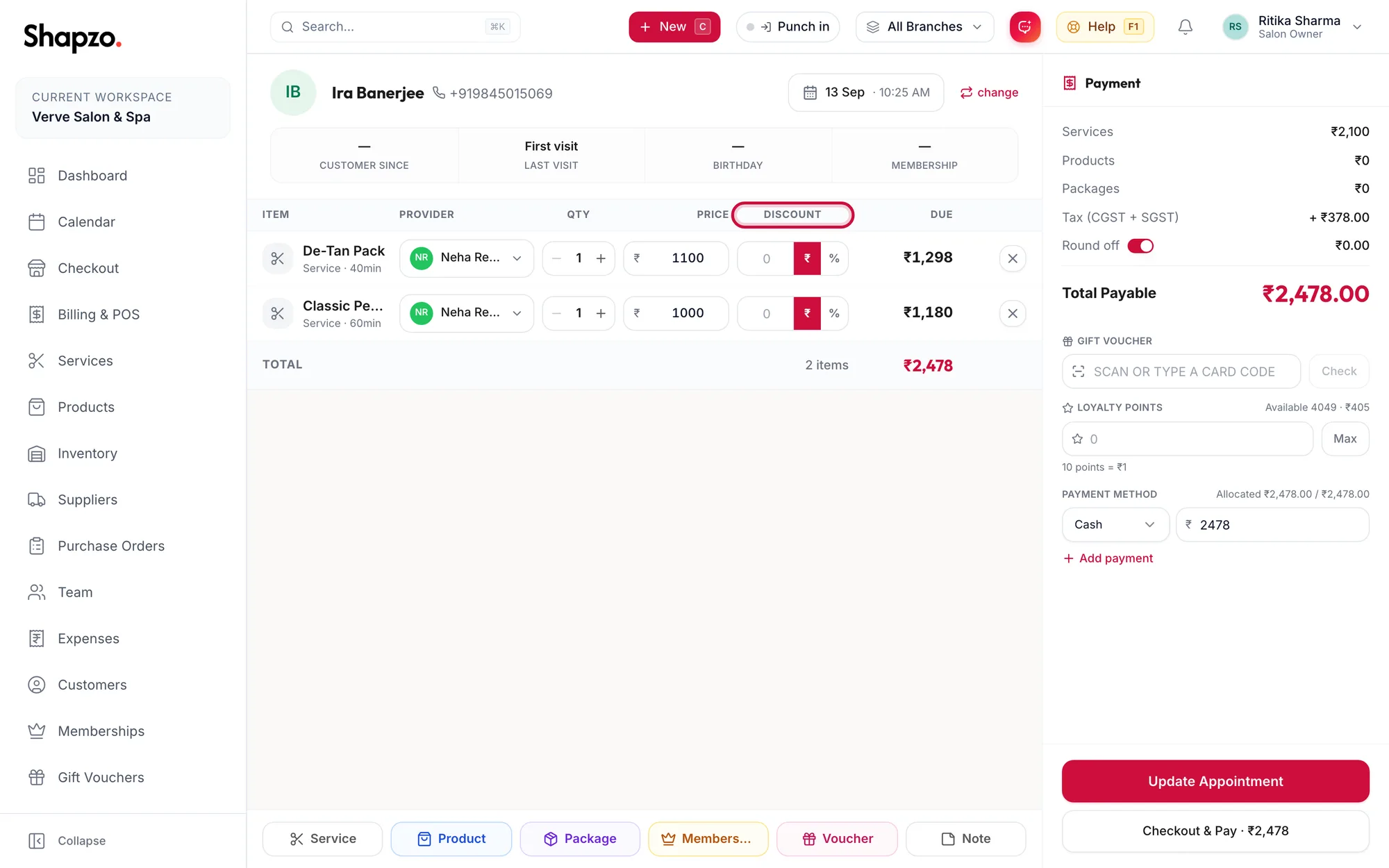
The items grid with the Discount column highlighted -
Type the amount. Use the switch beside it to choose a flat rupee amount or a percentage.
-
The row's Due and the Discount: line in the payment panel update at once.
Tax is worked out on the discounted amount, so the customer pays GST on what they actually pay.
The discount limit
Under Settings, then Point of Sale, then Discount Restrictions, the business sets a Maximum Discount Percentage. A larger discount typed at the till is capped to that limit.
Discounts versus benefits
A membership discount, a package session or gift card visit is applied from its benefit bar, not typed into the Discount field. Typing it in as well would give the customer the saving twice.
Related articles
- Add services, products and packages · Checkout
- Take payment: cash, card, UPI and split tenders · Checkout