
Take payment: cash, card, UPI and split tenders
Choose one payment method or split the total across several, record a reference, and hand back change.
Steps
On the web
-
Check the Total Payable in the Payment panel.
-
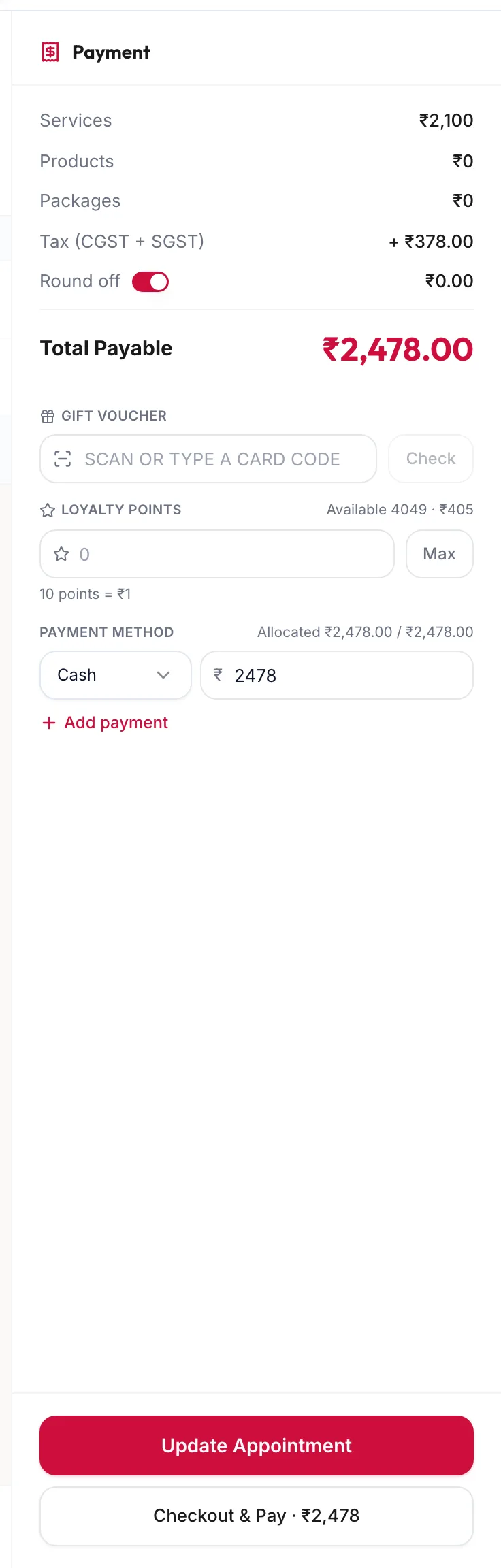
Under Payment method, choose the Method for the first tender: Cash, Card, UPI or any method the business has added. The amount defaults to the full total.
The payment panel with payment method rows -
To split the bill, lower the first amount and click Add payment for the next tender. The line Allocated {{x}} / {{y}} tracks how much of the total is covered. Remove deletes a row.
-
If the method asks for a reference, such as a UPI transaction ID, enter it. The portal will not continue without it.
-
Click Checkout & Pay, or press ⌘Enter / Ctrl Enter.
-
Confirm the summary: Customer, Items, Payment method and Due now. Click Confirm & Checkout.
The invoice is created and numbered, and the portal confirms with Checkout complete · invoice created.
In the app
-
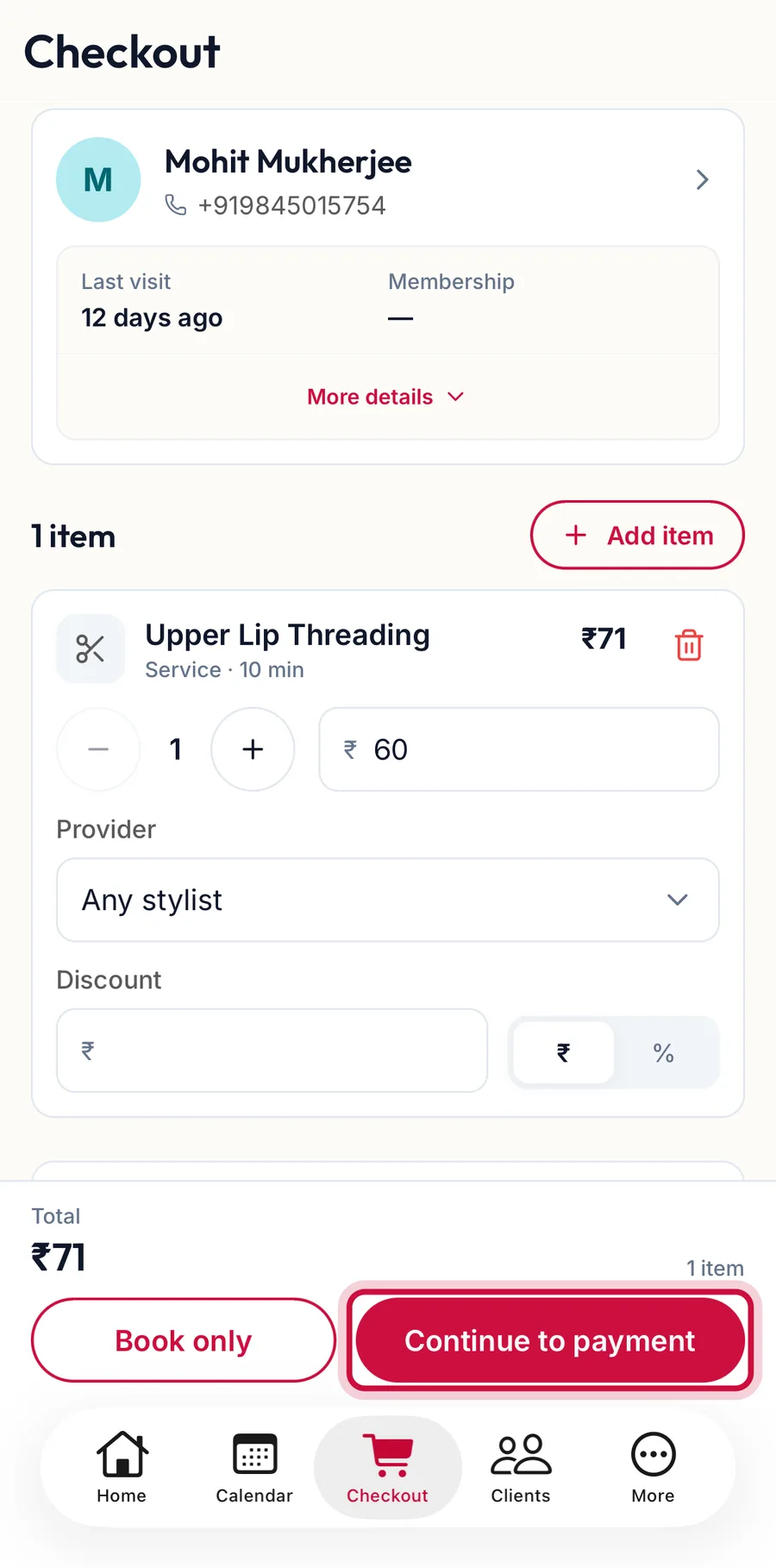
On the Checkout tab, with the customer and items in place, tap Continue to payment.
The Checkout tab with the Continue to payment button highlighted -
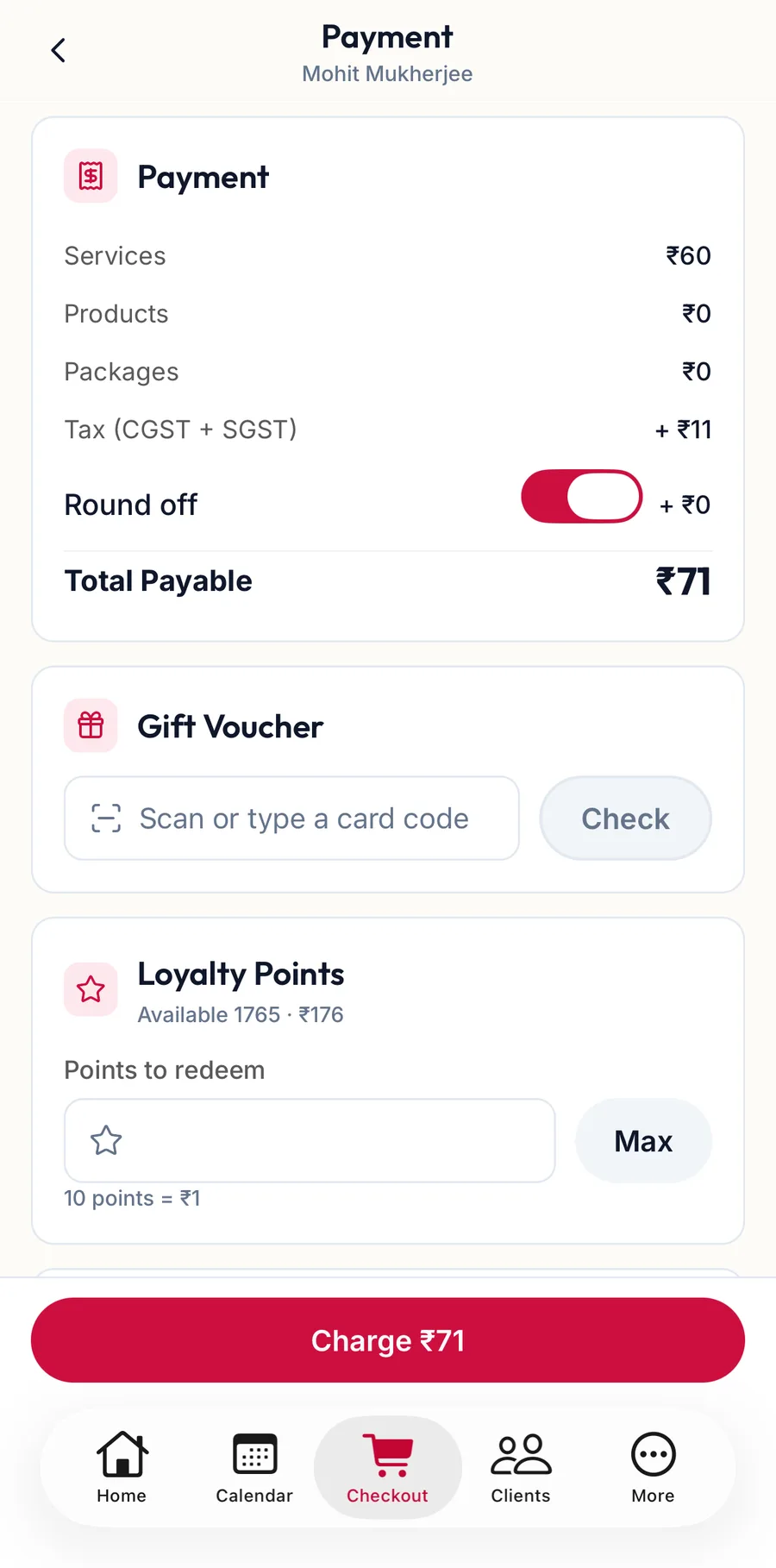
The Payment screen adds up the order and shows the Total Payable, then the Gift Voucher code box, Loyalty Points, the customer's advance if they have one, and the Payment method rows.
The Payment screen in the app -
Under Payment method, choose the Method for the first tender. To split the bill, lower the amount and tap Add payment for the next one. If the method asks for a reference, enter it.
-
Tap the button that reads Charge with the amount.
The invoice is created and the receipt screen offers Print, Share PDF, View invoice and New sale.
Cash and change
Enter what the customer hands over. If it is more than the total, the panel shows Change to return and the confirmation repeats it.
Rounding
Round off rounds the total to the nearest rupee when the business has it switched on under Point of Sale. The rounding amount is printed on the invoice.
Rules the panel enforces
- Card / UPI payments can’t exceed the amount payable. Reduce a tender. Only cash can be over the total, because only cash gives change.
- Payments exceed the amount payable. Reduce a tender. The tenders add up to more than the bill.
- Enter the payment reference to continue. The chosen method requires a code.
Related articles
- The checkout screen · Checkout
- Record a due and settle later · Checkout
- Use an advance or wallet balance · Checkout