
Valuation
What the stock on hand is worth at cost and at retail, and the margin between them.
Overview
On the web
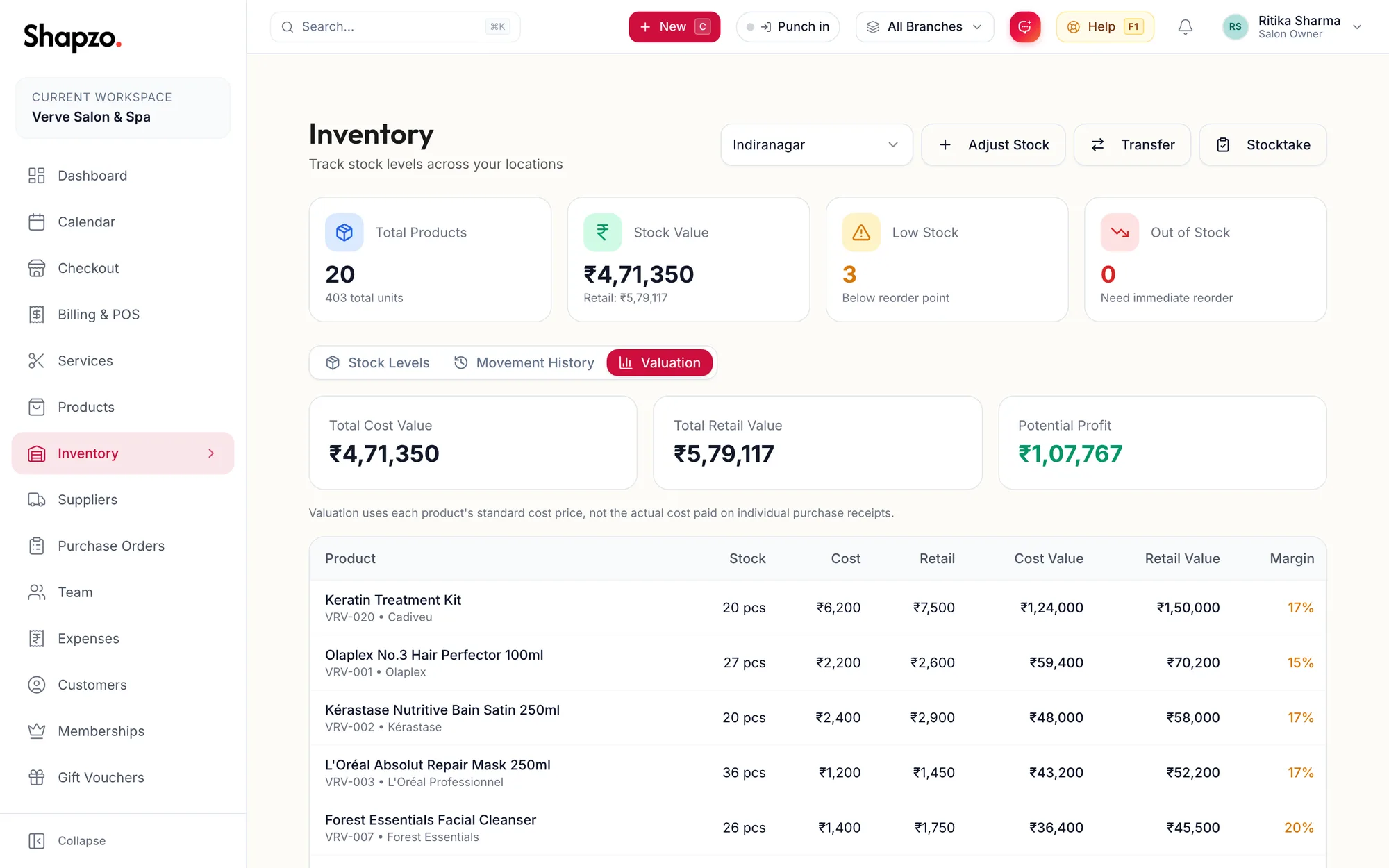
Open Inventory and the Valuation tab. Three tiles show Total Cost Value, Total Retail Value and Potential Profit for the branch, and the table lists each product with its Stock, Cost, Retail, Cost Value, Retail Value and Margin.
Products with no cost price show a cost value of zero, which understates the total. The Stock value dashboard widget shows the same figures for the selected branch.
In the app
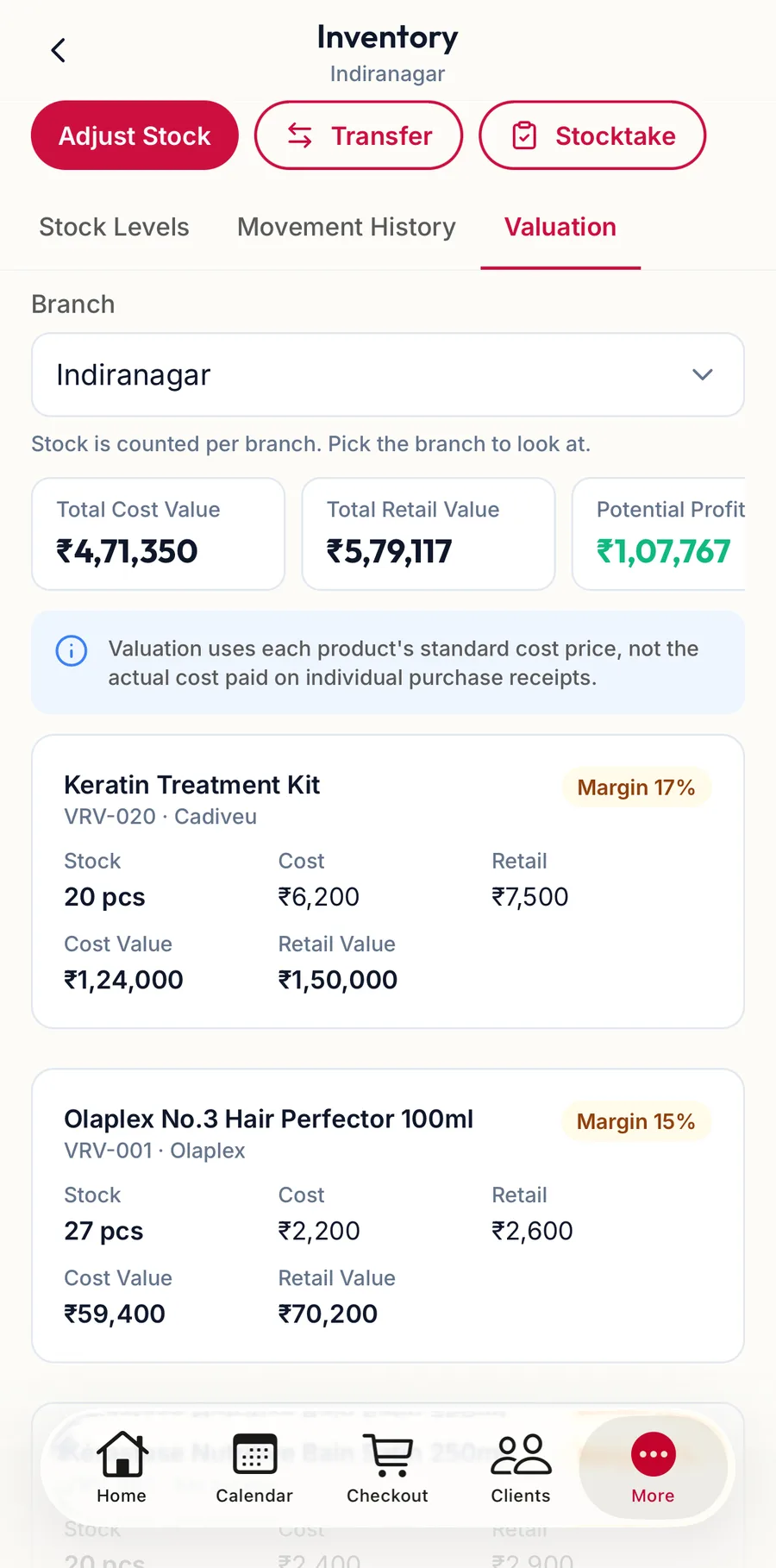
Tap More, then Inventory, then the Valuation tab. The tiles show Total Cost Value, Total Retail Value and Potential Profit for the branch, and the list gives each product's stock, cost and retail value.
Related articles
- Inventory: stock levels, low stock and out of stock · Products & stock
- Add a product · Products & stock