
Leave balances and requests
See every member's remaining leave, request leave for someone or for yourself, and read the request list.
Leave types
| Type | Meaning |
|---|---|
| Privilege Leave (PL) | Earned leave, planned in advance |
| Casual Leave (CL) | Short, unplanned |
| Sick Leave (SL) | Illness |
| Compensatory Off | Earned by working a holiday or off day |
| Leave Without Pay | Deducted from salary in the pay run |
Balances are per member per year and are set by a manager in the balance drill-in.
For managers: the Leave tab
On the web
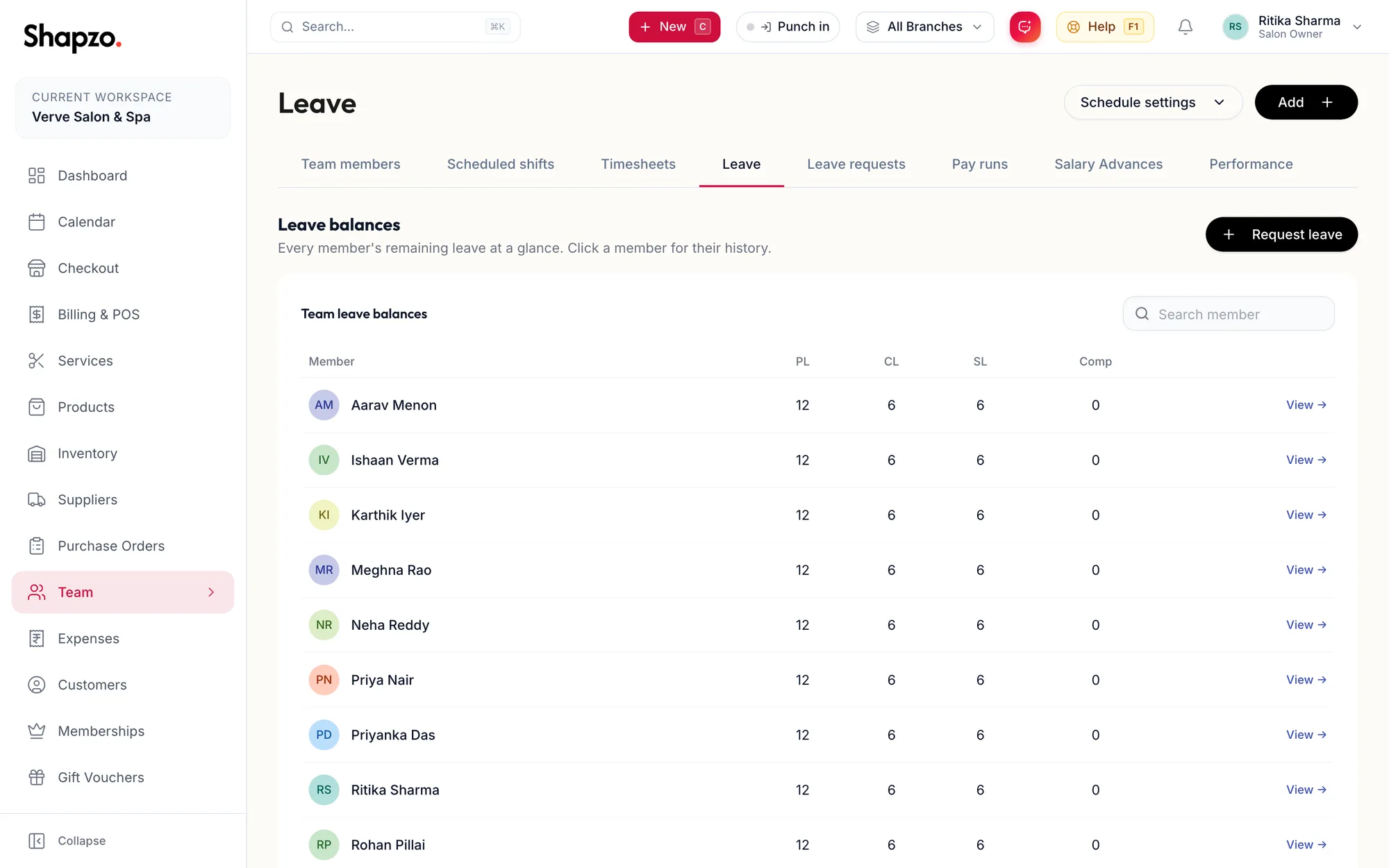
Open Team and Leave. Team leave balances lists each member with PL, CL, SL and Comp remaining. Search with Search member; click a row for Leave balance & history, where balances can be edited and Request leave for {First} raises a request on their behalf.
In the app
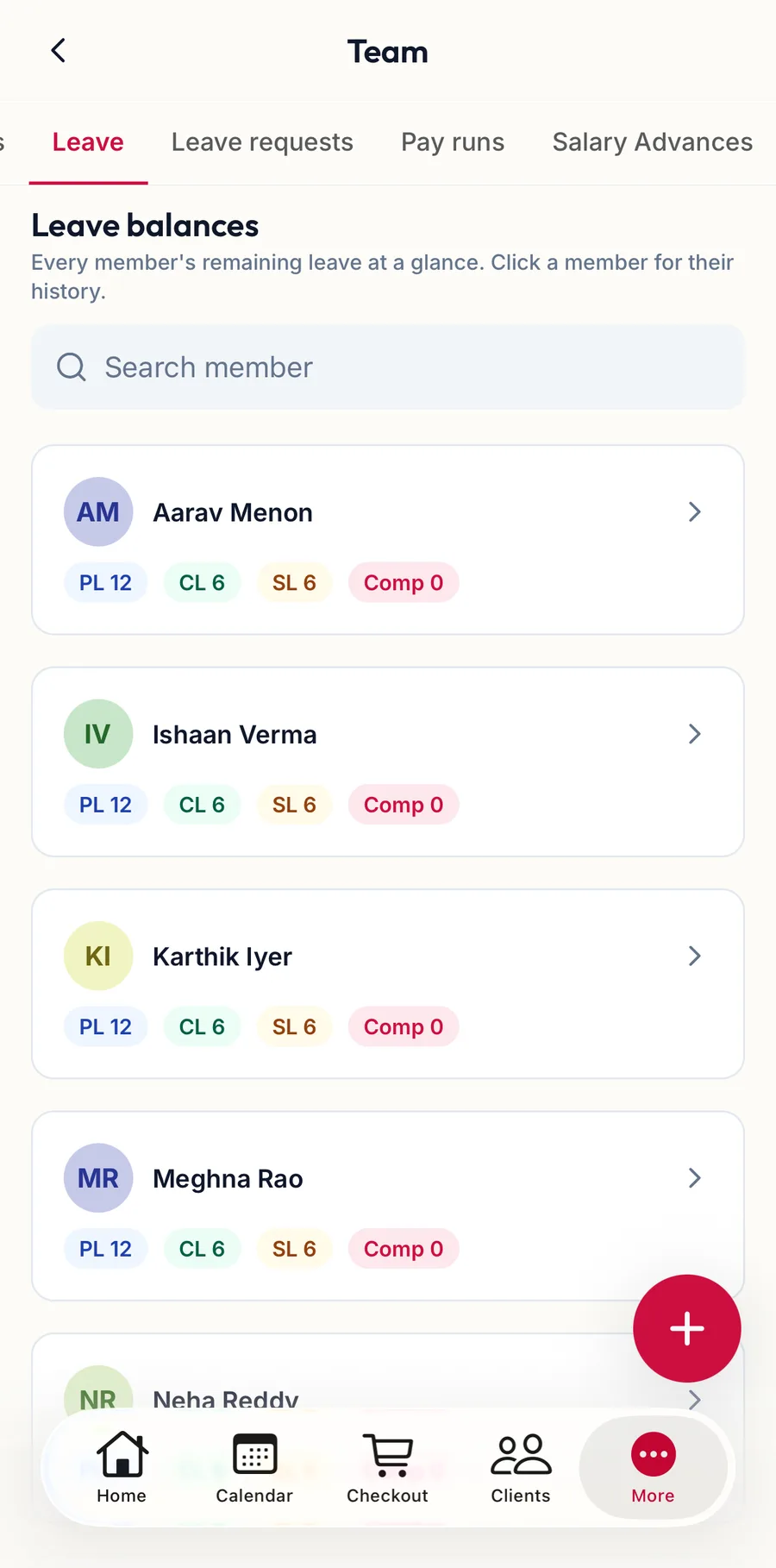
Tap More, then Team, then the Leave tab. Leave balances lists each member with what is left; Search member finds one, and tapping a row opens their balance and history.
Request leave
On the web
-
Click Request leave (on Leave or Leave requests).
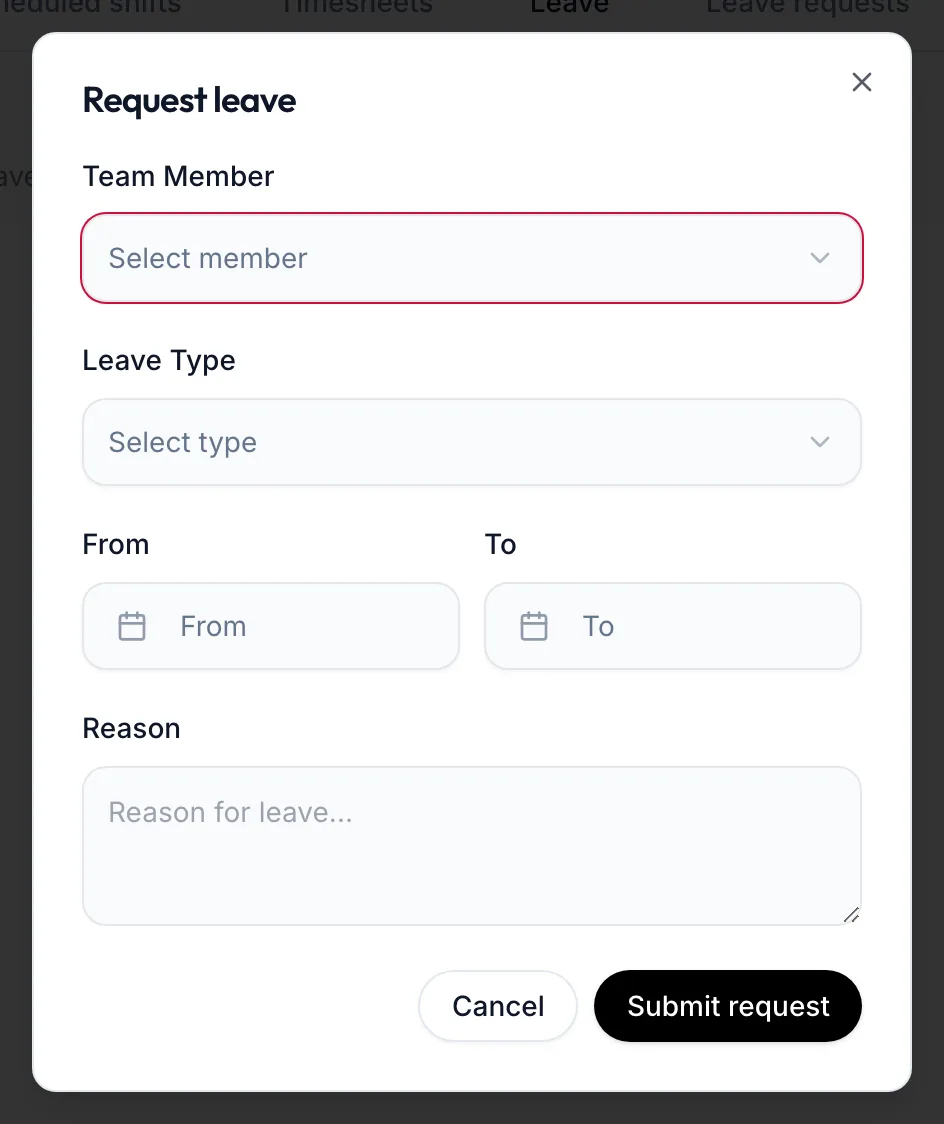
The Request leave dialog -
Managers choose the Team Member; staff see their own name.
-
Choose the Leave Type, the From and To dates, and a Reason. The dialog shows Duration: {{count}} days.
-
Click Submit request. The portal confirms Leave request submitted.
The request is refused if the balance is too low for that type; use Leave Without Pay in that case.
In the app
-
On the Leave tab, tap the + button.
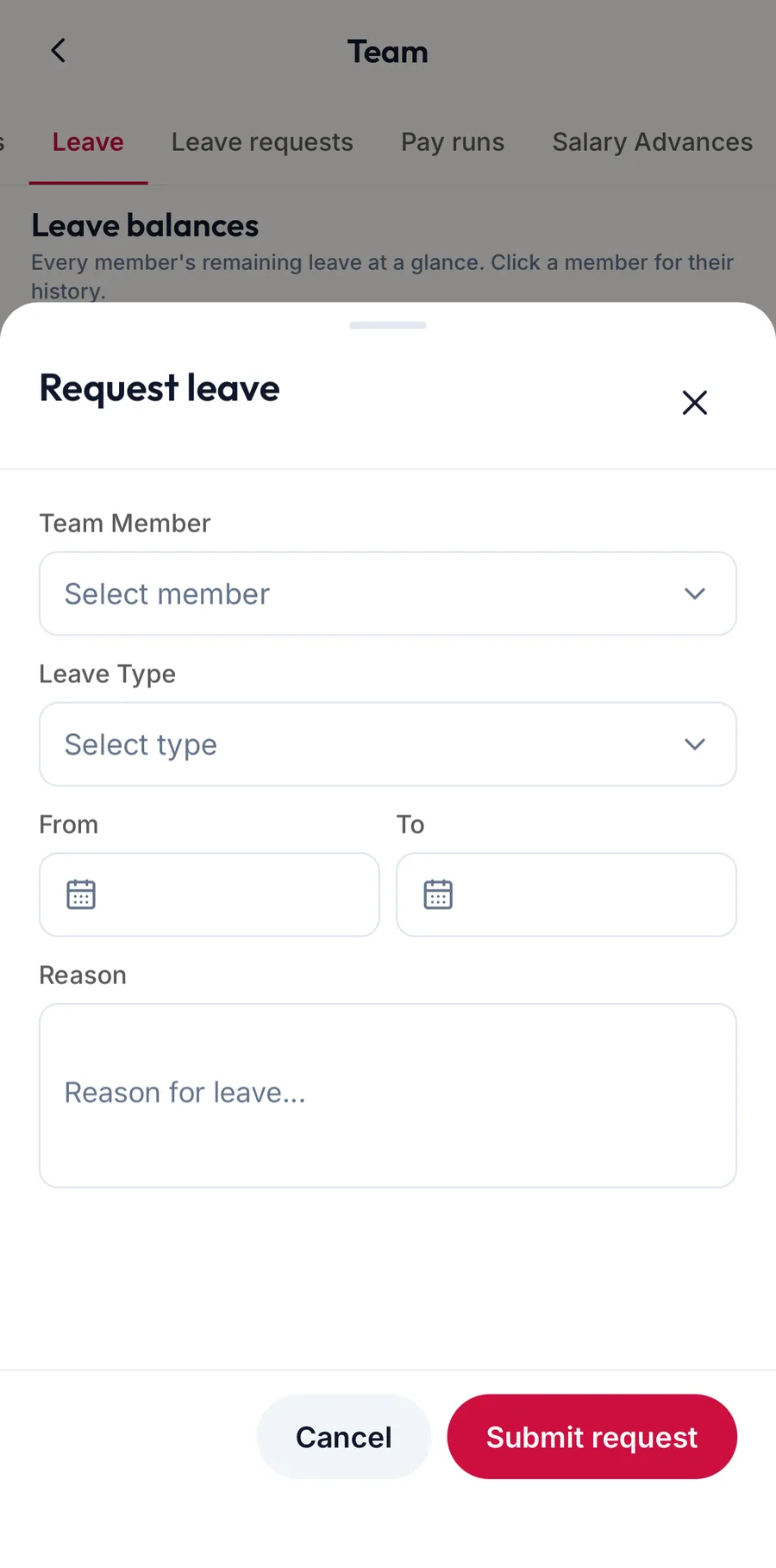
The Request leave sheet in the app -
Managers choose the Team Member; staff see their own name.
-
Choose the Leave Type, the From and To dates, and a Reason. The sheet shows the balance left.
-
Tap Submit request.
For staff: My Leave
On the web
A member with a login sees My Leave instead: My Balance tiles for Privilege (PL), Casual (CL), Sick (SL) and Comp Off, each reading of {{total}} left · {{used}} used, plus Request leave and My Requests with the status of each.
In the app
A member with a login sees My Balance and My Requests on the same tab.