
Timesheets: scheduled, actual and on shift now
Compare rostered hours with punched hours for the month, drill into a day's punches, see who is on shift right now, and export.
Open Team and Timesheets. Three modes sit at the top, with a month picker.
Actual
On the web
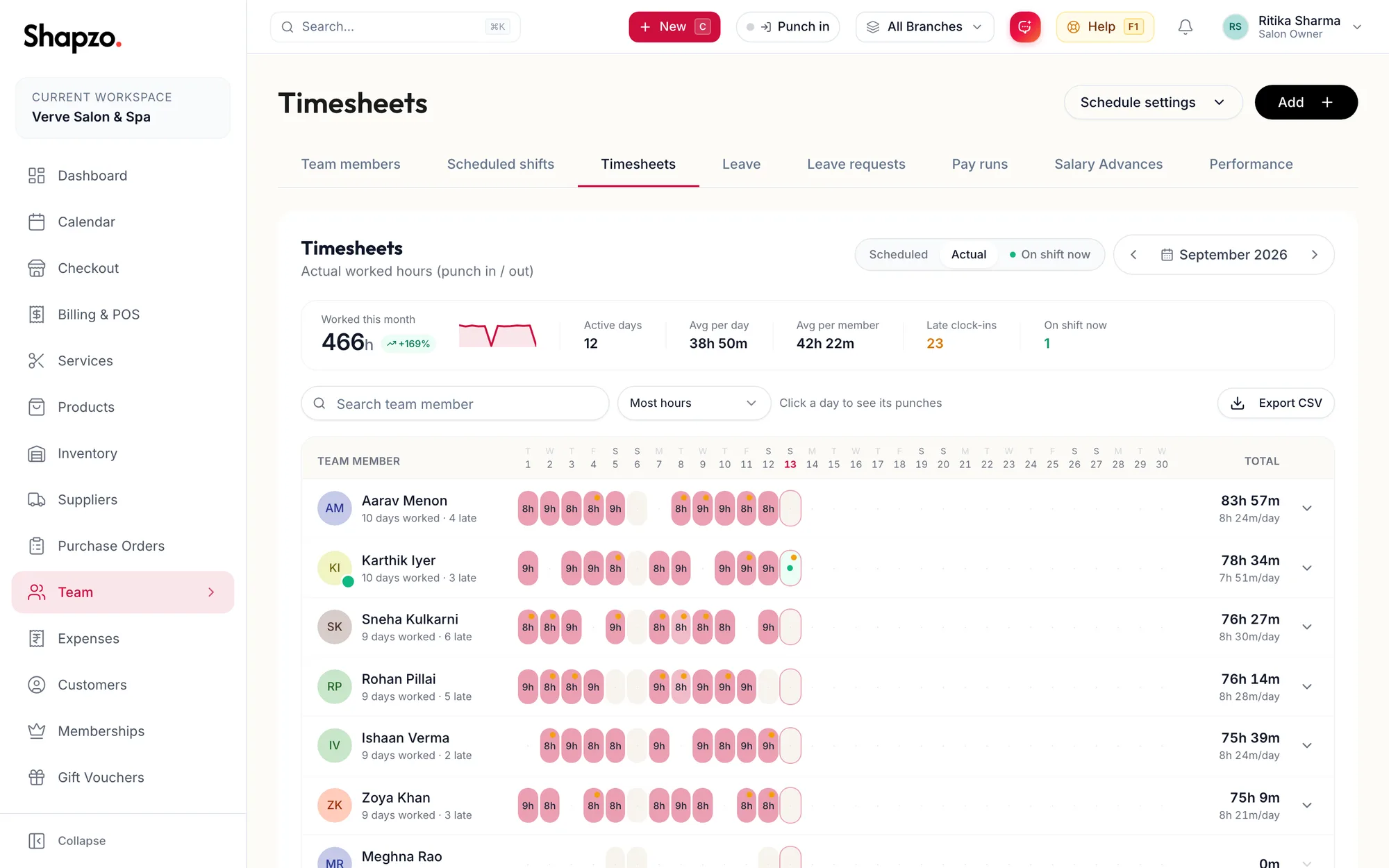
Actual shows worked hours from the punch clock. The tiles are Worked this month (with vs {{month}}), Active days, Avg per day, Avg per member, Late clock-ins and On shift now. The grid has one row per member and one column per day; the last column is Total. Search with Search team member, sort by Most hours, Fewest hours or Name (A-Z).
Click a day to see its punches: the drill-in lists Clocked in, Clocked out, breaks, On shift for an open session, Corrected by manager where an entry was changed, and Correct entry to change it.
In the app
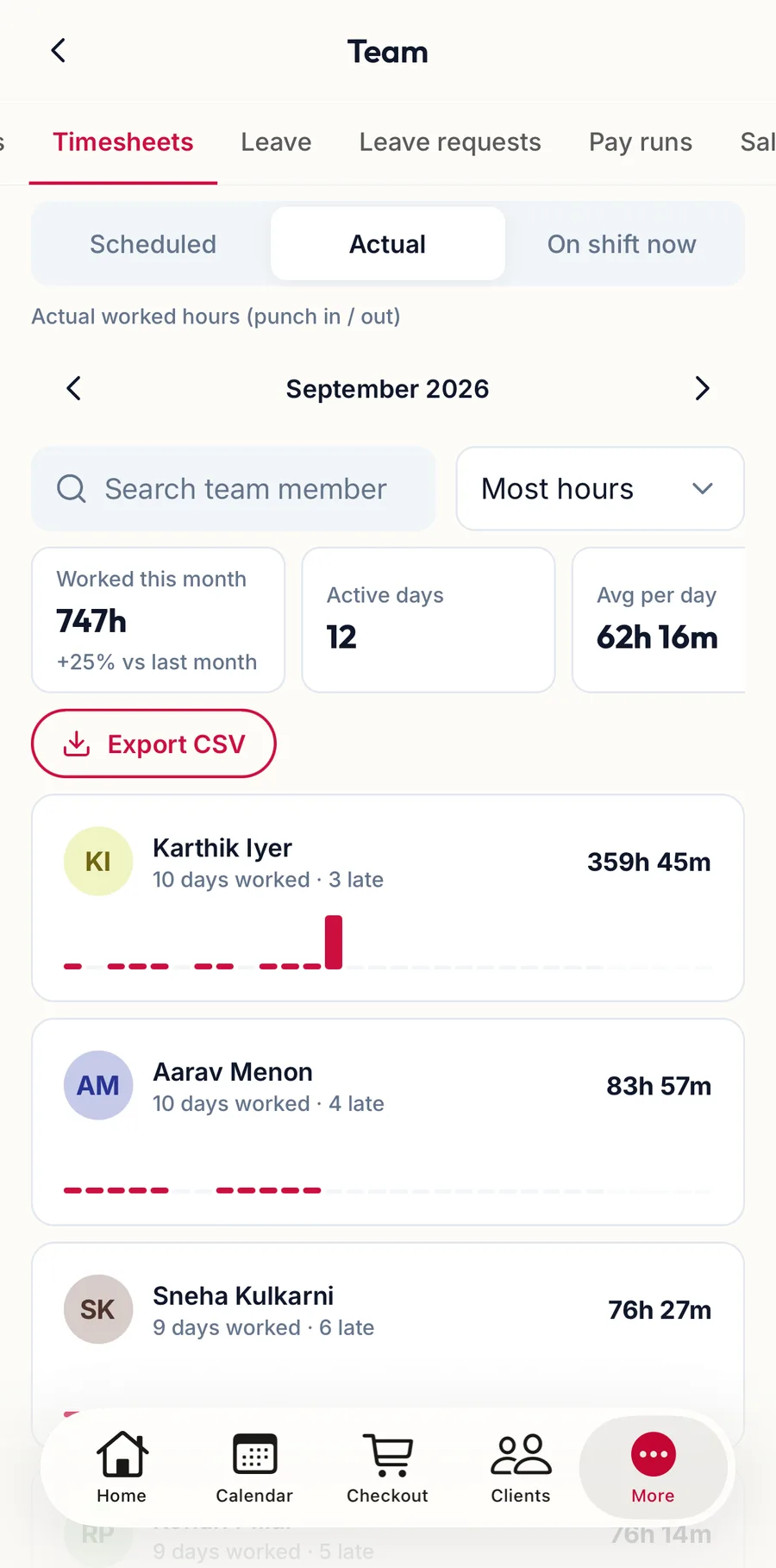
Tap More, then Team, then the Timesheets tab. The mode switch at the top offers the same three modes with a month picker, and the tiles and per-member rows follow.
Scheduled
Scheduled shows the roster: Scheduled this month, Rostered days, Avg per rostered day, Avg per member and Closed days, with Off on non-working days.
On shift now
On shift now lists everyone currently punched in, live, with On break where relevant and Auto-out {{time}} for the planned automatic punch-out. Snooze buttons next to it push the auto-out back for that person. Refresh reloads. When nobody is in it says No one is punched in right now.
Export
On the web
Export CSV downloads the month's actual hours; the toast reads Timesheet exported. The Staff Attendance Report under Reports gives the same data with more filters.
In the app
Export CSV on the tab hands the file to any app on the phone.