
Point of Sale: invoice numbering and behaviour
How invoice numbers are built and reset, what prints in the header and footer, and the billing behaviour switches.
Open Settings, Point of Sale. The rail lists Invoice Settings, Tax, Payment Methods, Print Configuration and Discount Restrictions. Save (⌘/Ctrl + S) saves the section you are on.
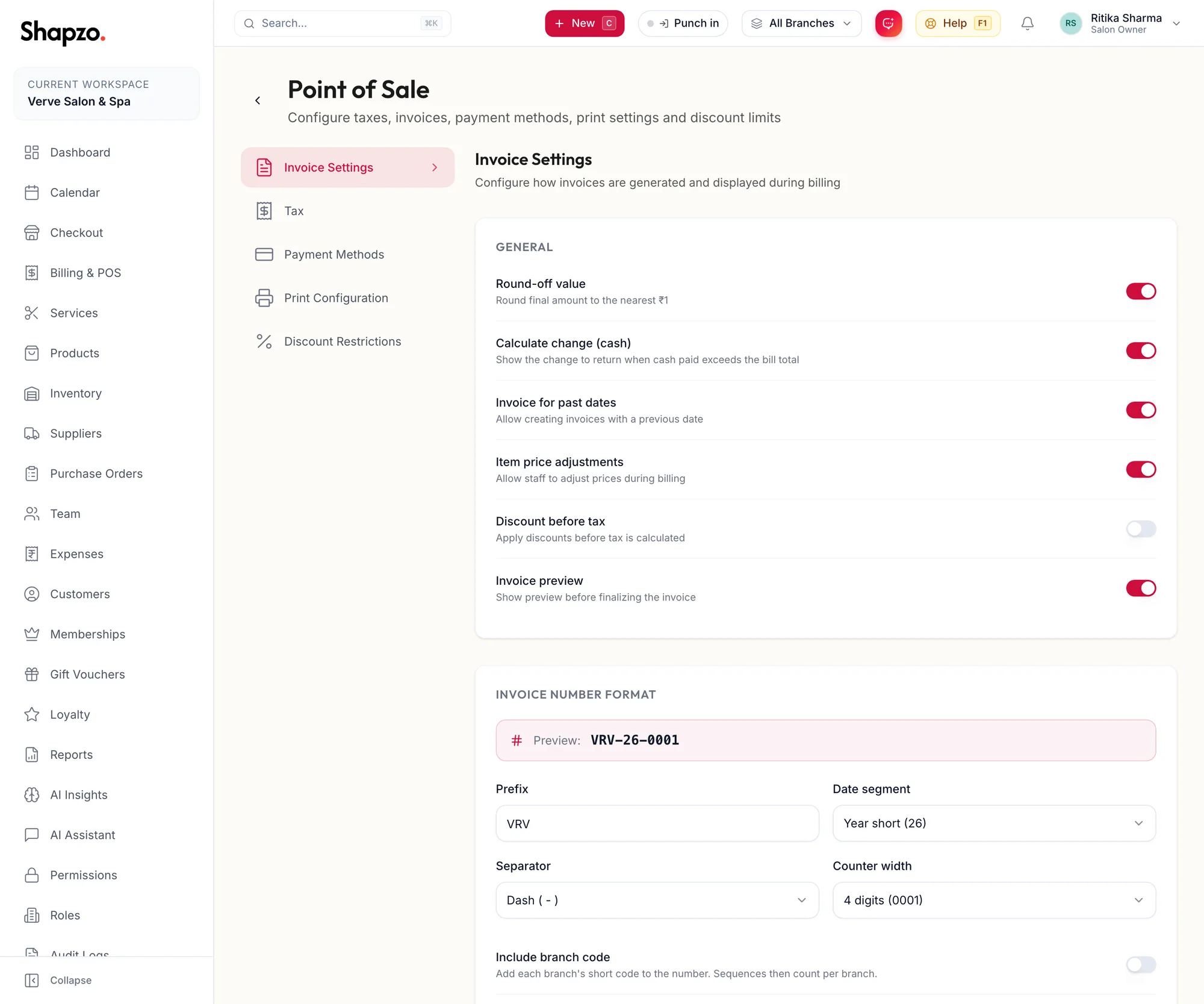
Invoice Number Format
On the web
- Prefix: your own letters, for example VRV.
- Separator: Dash ( - ) or Slash ( / ).
- Date segment: Year (2026), Year short (26), Year + Month (202607) or Full date (20260710).
- Counter width: how many digits the running number has, for example 4 digits (0001).
- Include branch code: Add each branch's short code to the number. Sequences then count per branch.
- Auto-reset sequence: Never reset, Reset monthly or Reset yearly. Reset Now restarts the counter today.
A preview shows the next number. GST rules want a unique, consecutive series per financial year, which Reset yearly with a year segment gives you.
In the app
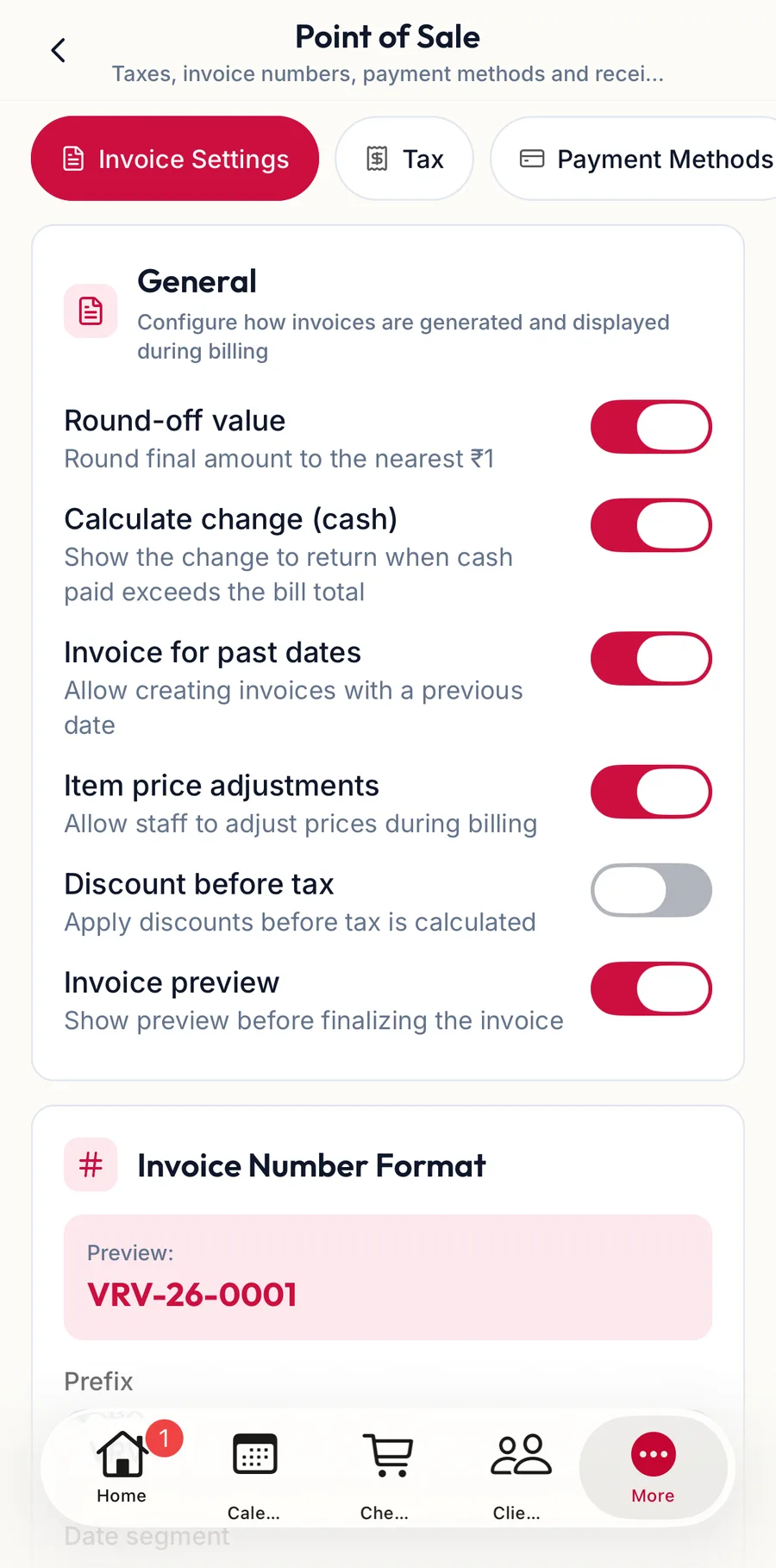
Tap More, then Settings, then Point of Sale. The chips at the top switch between the invoice, tax, payment-method and print sections; the invoice section holds the same number format and behaviour switches.
Invoice Content
What prints on the invoice, the Invoice Name, messages and terms, is set under Print Configuration; see Payment methods and print configuration.
Behaviour
| Switch | Effect |
|---|---|
| Round-off value | Round final amount to the nearest ₹1 |
| Calculate change (cash) | Show the change to return when cash paid exceeds the bill total |
| Invoice for past dates | Allow creating invoices with a previous date |
| Item price adjustments | Allow staff to adjust prices during billing |
| Discount before tax | Apply discounts before tax is calculated |
| Invoice preview | Show preview before finalizing the invoice |
Click Save Invoice Settings. The page notes: Changes apply only to new invoices and do not affect existing ones.
Related articles
- Invoice details and printing · Billing & POS
- Void an invoice · Billing & POS
- Taxes and tax groups · Settings